Upgrading to Astro 7: Why the Bleeding-Edge is Worth the Effort
In the web development world, there’s a common adage: If it ain’t broke, don’t fix it. Major version upgrades often bring breaking changes, dependency hell, and hours of debugging. Because of this, it’s tempting to leave your working project on an older, stable version indefinitely.
However, when Astro 7.0 dropped, the promised performance gains were simply too good to ignore. With a brand-new Rust-based compiler, Vite 8 under the hood, and a completely overhauled Markdown pipeline, it promised to be a massive leap forward.
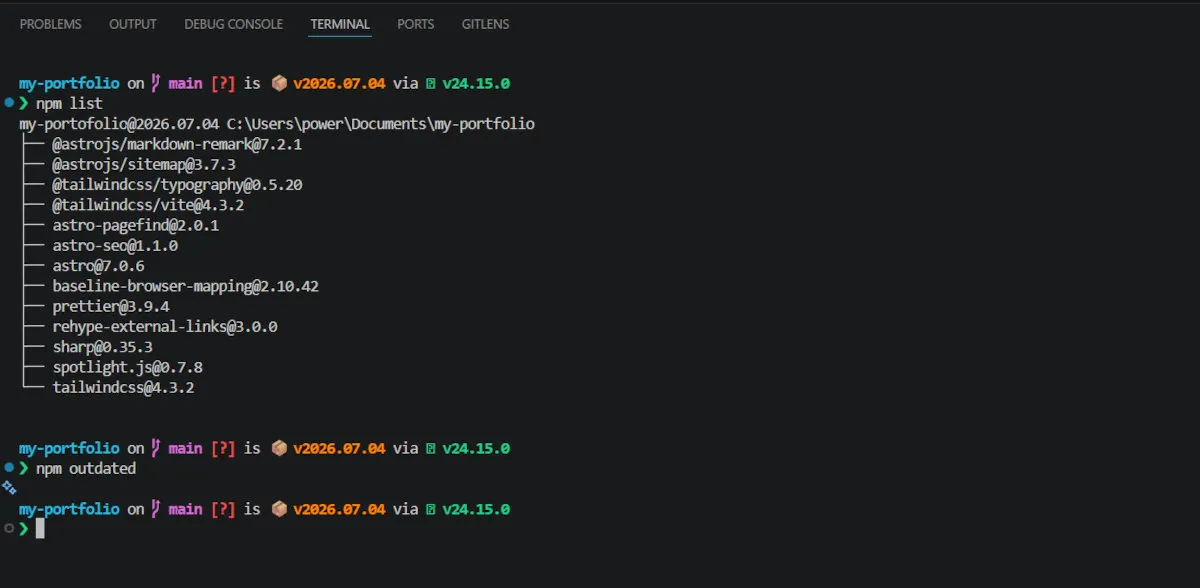
In this article, I’ll walk you through exactly how I upgraded my portfolio to the bleeding-edge Astro 7.0.6 and Tailwind CSS 4.3.2 stack. More importantly, I’ll show you why embracing the upgrade process—even when it throws errors at you—can lead to the ultimate prize: a flawless 100% PageSpeed Insights score.
The Motivation: Why Astro 7?
Astro has always been my go-to framework for content-focused sites (as I discussed in my setup guide), but version 7 is a completely different beast:
- Blazing Fast Rust Compiler: The
.astrofile compiler was completely rewritten in Rust, drastically cutting down build times and enforcing stricter, cleaner HTML. - Vite 8 & Rolldown: Upgrading to the latest Vite ecosystem meant better integration with modern tooling, particularly my Tailwind v4 setup.
- Sätteri Markdown Engine: A brand new, ultra-fast Rust-based Markdown/MDX engine.
With these features on the table, I created a new Git branch (chore/update-astro-7) and ran the official upgrade CLI. But as with any major bump, it wasn’t a simple click-and-done process.
Navigating the Roadblocks
A robust development environment is tested not by avoiding errors, but by how you handle them. Here are the two major hurdles I hit and how I solved them.
1. The Markdown Paradigm Shift
Because Astro 7 defaults to its new Rust-powered Markdown parser, it no longer supports traditional JavaScript-based remark and rehype plugins out of the box.
My site relies heavily on rehype-external-links to ensure external resources automatically open in new tabs securely. Instead of rewriting my logic or abandoning the plugin, I opted back into the JS-based pipeline.
The Solution: I explicitly installed @astrojs/markdown-remark and updated my astro.config.mjs:
import rehypeExternalLinks from "rehype-external-links";
import { unified } from "@astrojs/markdown-remark";

// Inside defineConfig:
markdown: {
  processor: unified({
    rehypePlugins: [
      [
        rehypeExternalLinks,
        { target: "_blank", rel: ["noopener", "noreferrer"] },
      ],
    ],
  }),
}
Result: My external links function perfectly, and my content pipeline remains intact
2. The Dependency Dance
When initially running the install, NPM aggressively blocked the build with an ERESOLVE error. The culprit? Packages like astro-pagefind had strict peer dependencies requiring older Astro versions, and NPM wanted to protect me from breaking my project.
Rather than forcing the installation with a --legacy-peer-deps flag—which can sometimes leave your package-lock.json in a fragile state—I took a cleaner, more sustainable approach.
The Solution: I simply installed the absolute latest versions of those specific community packages (which had just pushed patch updates like 2.0.1 for Astro 7 compatibility) and followed it up with an npm audit fix.
npm install astro-pagefind@latest astro-seo@latest
npm audit fixPro-Tip: Patience pays off. Often, community maintainers release compatibility patches within days of a major framework release. Updating to these patched versions and letting npm audit fix automatically resolve any underlying tree conflicts ensures your dependencies remain secure, stable, and perfectly aligned without needing to bypass NPM’s built-in safety checks.
A Configuration That Stood the Test of Time
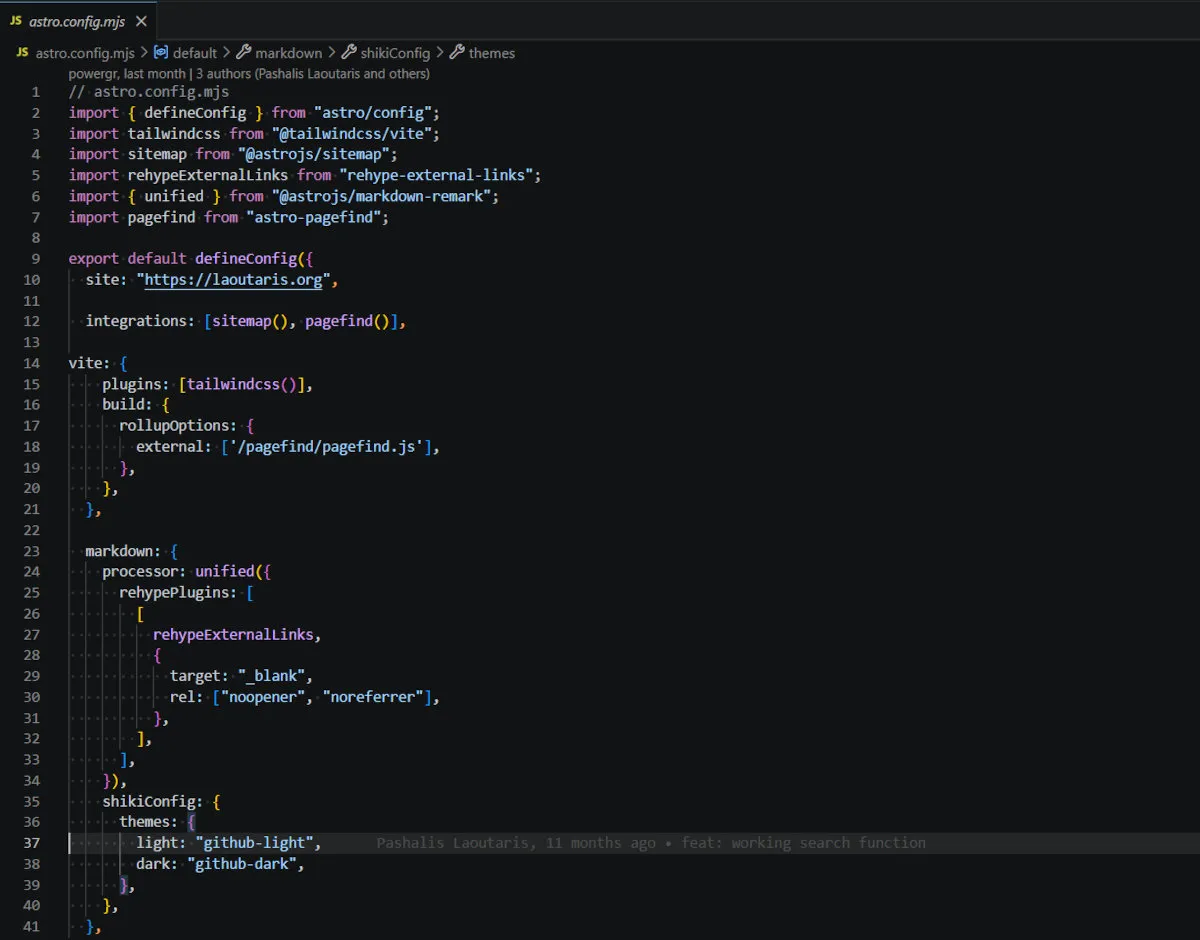
One of the most satisfying parts of this upgrade was realizing that my existing astro.config.mjs was already perfectly optimized for the future. I didn’t have to change a single line of my Vite or Tailwind configurations.
Because I had correctly set up @tailwindcss/vite within the Vite plugins array, and explicitly externalized my search script (rollupOptions: { external: ['/pagefind/pagefind.js'] }), the new, stricter Vite 8 bundler didn’t crash. It respected the external asset, allowing my custom dev:search script to run flawlessly.
The Payoff: 100% Performance Across the Board
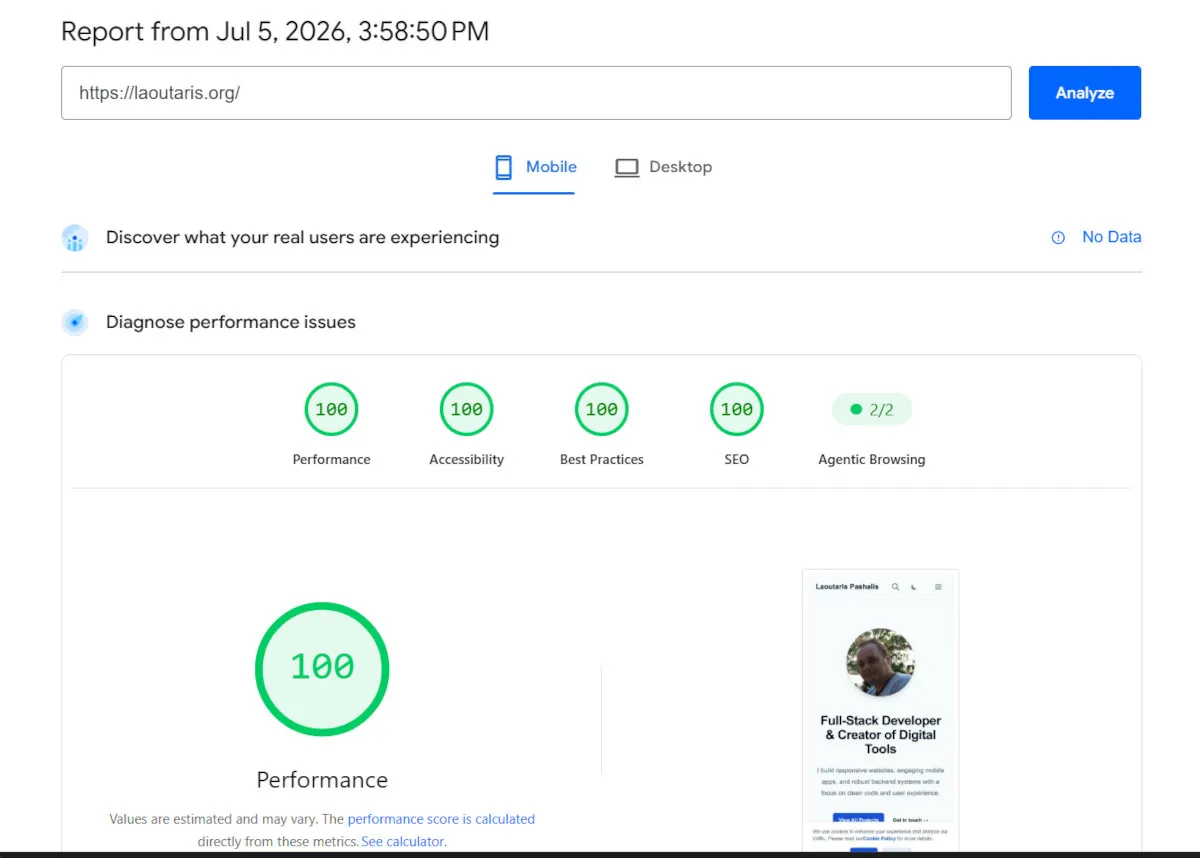
After resolving the dependencies and running my npm run dev:search command, the real magic happened. The build finished significantly faster than on Astro 6.
But the ultimate validation came when I ran the site through Google’s PageSpeed Insights.
100% Performance. 100% Accessibility. 100% Best Practices. 100% SEO.
Everything just works. The astro-pagefind search integration indexes perfectly, routing and filtering articles in milliseconds. The images optimized via sharp load instantly. The DOM is clean, and the Tailwind utility classes are scoped beautifully.
Key Takeaways
Upgrading a core framework is rarely a completely frictionless experience, but this update reinforced a few critical development lessons for me:
- Keep your configuration clean: By externalizing specific assets and writing clean
astro.config.mjsrules previously, I future-proofed my site against major bundler changes. - Understand the errors: An
ERESOLVEerror isn’t a dead-end; it’s just NPM asking if you know what you’re doing. Understanding the relationship between your framework and its plugins lets you safely override these warnings. - The juice is worth the squeeze: The hour spent reading changelogs and debugging dependencies paid off with a massively faster build pipeline and a flawless user experience.
If you’re on the fence about upgrading to Astro 7 or moving to Tailwind v4, I highly recommend creating a new Git branch and taking the plunge. The water is fine, and the performance is incredible.
Have you upgraded your projects to Astro 7 yet? Did you run into any unique plugin issues? Let me know your experience!