
SourceForge is the Legendary Open-Source Hub
TL;DR: Founded in 1999, SourceForge is one of the internet’s oldest software platforms — and it’s still highly relevant. It offers free, globally distributed open-source project hosting (Git, SVN, Hg), serves approximately 2.6 million downloads per day, and has grown into the world’s largest B2B software comparison directory with over 20 million monthly visitors. As of 2025–2026, it is also the most crawled and most AI-cited B2B software platform on the web. It lacks modern DevOps features like CI/CD, but for distribution, discovery, and AI-era vendor visibility, it remains a powerful option.
Table of Contents
- Key Features at a Glance
- What’s New in 2025–2026
- The SourceForge Philosophy: Who Is It For?
- GitHub vs. SourceForge: A Quick Comparison
- Pros and Cons
- How SourceForge Works: A Technical Overview
- Working with the SourceForge API
- Hosting Your Project on SourceForge via Git
- Use Cases and Real-World Applications
- Getting Started & Further Reading
- FAQ
- Conclusion
Long before GitHub became the center of the developer universe, there was SourceForge. Launched in 1999, it was the original, definitive platform for open-source projects, providing a free home for code, downloads, and collaboration. For an entire generation of developers, SourceForge was synonymous with open source.
Today, the developer workflow has largely shifted to platforms like GitHub — but SourceForge has evolved with the times. It remains a trusted, globally distributed platform for open-source releases, hosting approximately 500,000 projects and delivering around 2.6 million downloads per day. It has also grown into the world’s largest B2B software review and comparison site.
Most notably, as of 2025–2026, SourceForge has emerged as the most crawled and most AI-cited B2B software platform on the web — a distinction with real implications for software vendors. It trades modern DevOps features for something different: scale, stability, and discovery.
Key Features at a Glance
SourceForge offers a classic, all-in-one suite of tools for open-source project management and distribution.
| Feature | Description | Key Benefit |
|---|---|---|
| File Release System | This is SourceForge’s core strength. It provides a globally distributed, high-availability CDN for hosting project downloads (binaries, installers, etc.). | Offers projects a reliable and fast way to deliver their software to millions of end-users, with approximately 2.6 million downloads served per day. |
| Multi-VCS Hosting | Provides hosting for Git, Subversion (SVN), and Mercurial (Hg) repositories. | Accommodates a wide range of projects, including legacy ones that have not migrated to Git, offering them a stable, long-term home. |
| B2B Software Directory | A comparison directory listing over 105,000 commercial and open-source software products across 4,000+ categories, with structured fields for pricing, deployment, and integrations. | Helps buyers compare software at a glance — and gives vendors high-visibility exposure to 20+ million monthly visitors. |
| Buyer Intent Data | Tracks which companies and decision-makers are viewing your product page or exploring your category. | Gives software vendors actionable sales intelligence about who is evaluating their product. |
| Classic Community Tools | Each project can enable a suite of traditional tools: an issue tracker, discussion forums, and mailing lists. | Provides a self-contained community hub for users and developers to interact, report bugs, and discuss the project. |
| Project Webspace | Offers free web hosting for project pages, allowing teams to create a simple homepage for their software. | Gives every project a free, customizable web presence without needing to manage separate hosting. |
| REST API (Allura) | A full REST API for programmatic access to project data, tickets, wikis, repositories, and file releases. | Enables automation of project workflows, CI/CD integrations, and third-party tooling. |
What’s New in 2025–2026
SourceForge’s evolution has accelerated since late 2024, driven by the growth of AI-powered search and B2B software discovery. Here’s what has changed:
B2B Directory Scale. The platform now lists over 105,000 business software products across more than 4,000 categories, with monthly organic traffic consistently above 20 million visitors. Semrush estimated over 27.5 million visitors in November 2025 alone.
Emergence as a leading AI-cited B2B platform. One of the most significant developments of 2025–2026 is SourceForge’s growing prominence in AI search. According to AthenaHQ (an AI search analytics firm), an independent analysis of over 3,000 B2B software-related AI prompts and more than 224,000 AI citations across leading LLMs found SourceForge to be the top-cited B2B software data source by AI models. Separately, TollBit Analytics reports that SourceForge is crawled by LLMs — including ChatGPT/OpenAI, Claude/Anthropic, Google Gemini, Perplexity, Grok, Microsoft Copilot, and DeepSeek — over 100 million times per month, placing it in the 99th percentile globally for AI search bot crawl volume. These figures are directionally supported by SourceForge’s own published documentation and domain authority metrics (approximately DA 93 per Moz, though this fluctuates — verify at moz.com/link-explorer for the latest reading).
Generative Engine Optimization (GEO) tooling. In response to the AEO/GEO trend — where buyers ask AI chatbots rather than search engines — SourceForge published dedicated documentation and vendor tools for optimizing listings to appear in AI-generated answers. This includes structured data fields, FAQ modules, interactive demos, and case study assets, all designed to make listings more useful to LLMs.
Buyer Intent Data API. SourceForge launched a programmatic Buyer Intent Data API, allowing CRM and marketing platforms to ingest real-time signals about which companies are browsing product pages and adjacent categories. This is a significant step toward competing with intent-data platforms like Bombora (with which SourceForge claims over 9 billion buyer intent signals).
AMPLIFY Retargeting & PRECISION ABM. New advertising products launched under these names allow software vendors to retarget SourceForge visitors and run account-based marketing campaigns targeting specific companies visiting the directory.
Download scale. The platform delivers approximately 2.6 million downloads per day across its globally mirrored CDN, and hosts over 500,000 open-source projects with millions of registered users.
Continued open-source platform (Apache Allura). The underlying platform continues to run on Apache Allura, the open-source forge framework donated to the Apache Software Foundation in 2012. This remains the backbone of all project management features.
The SourceForge Philosophy: Who Is It For?
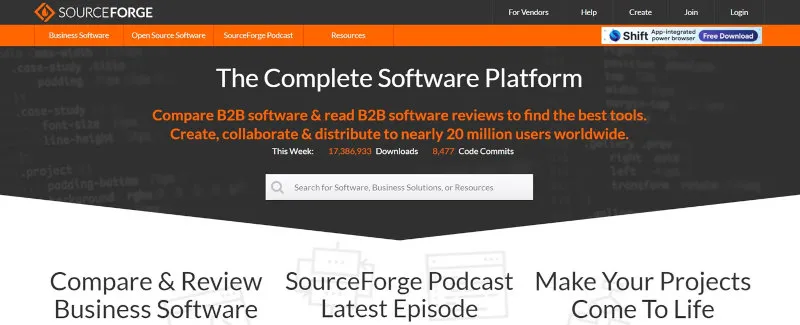
SourceForge’s modern philosophy is centered on software distribution, project discovery, and B2B buying decisions. It serves two distinct audiences: open-source developers who need a free, stable home for their releases, and business software buyers who need structured comparisons to make purchasing decisions.
This makes it a relevant choice for:
Open-Source Maintainers Needing Distribution: If your primary need is a reliable place for millions of users to download your releases, SourceForge’s CDN network is hard to beat, delivering approximately 2.6 million downloads per day.
GitHub-First Teams Wanting Distribution: Many teams develop on GitHub and use SourceForge purely as a distribution mirror. SourceForge officially supports this workflow — you can keep GitHub as your primary development hub and push release binaries to SourceForge for its CDN reach and discovery benefits.
Legacy Projects: Projects that have been on the platform for years — particularly those still using SVN or Mercurial — find it a stable home with no pressure to migrate.
Enterprises with Legacy or Internal Tools: Teams maintaining older internal utilities or infrastructure software appreciate SourceForge’s long-term stability, multi-VCS support, and the absence of the social-coding overhead of more modern platforms.
B2B Software Vendors: Companies selling commercial software benefit from SourceForge’s organic traffic, structured category listings, user reviews, and its growing role as a top AI citation source.
Projects Seeking Visibility: With a domain authority of approximately 93 (among the highest of any B2B software directory — verify the current figure at moz.com), being listed prominently on SourceForge provides strong discoverability in both traditional and AI-powered search.
All-in-One Simplicity: Teams that want a single, free place to host their code, downloads, and forums without the complexity of modern DevOps platforms.
GitHub vs. SourceForge: A Quick Comparison
The contrast between the two platforms highlights the evolution of the open-source landscape. For broader context, GitLab and Codeberg are worth knowing: GitLab offers a self-hostable, CI/CD-first alternative to GitHub, while Codeberg is a lightweight, community-run forge built on Gitea. SourceForge occupies a different niche from both.
| Aspect | GitHub | SourceForge |
|---|---|---|
| Primary Focus | Developer collaboration, CI/CD, and the “pull request” workflow. | Software distribution, B2B discovery, project hosting, and AI-driven software recommendations. |
| User Experience | Modern, fast, developer-centric UI focused on code. | Traditional, directory-style UI focused on project pages, downloads, and software comparisons. |
| Business Model | Freemium SaaS with paid tiers for teams and enterprises. | Ad-supported for OSS projects; paid placement and intent-data products for commercial vendors. |
| CI/CD | Integrated GitHub Actions. | None built-in — webhook support enables external pipelines (Jenkins, GitHub Actions, etc.). |
| AI Visibility | Strong, but not the primary LLM citation source for B2B. | Top-cited B2B software platform by AI models as of 2025–2026 (per AthenaHQ analysis). |
| Domain Authority | DA ~98 | ~DA 93 (approximate; among the highest of any B2B software directory — check moz.com to verify). |
| vs. GitLab | — | GitLab is CI/CD-first and self-hostable; SourceForge focuses on distribution and discovery. |
| vs. Codeberg | — | Codeberg is a minimal, community-run Gitea forge; SourceForge has far broader reach and tooling. |
Pros and Cons
Why You Might Choose SourceForge
- Massive Distribution Network: Its file release system is robust, globally mirrored, and capable of handling large traffic — serving approximately 2.6 million downloads per day across its CDN.
- AI Search Prominence (2025–2026): SourceForge is reportedly crawled by AI search bots over 100 million times per month and ranks as the most-cited B2B software source by leading LLMs, according to third-party analytics firms. For software vendors, a well-maintained listing increasingly influences AI-generated recommendations.
- High Visibility and SEO: Project pages rank well in search engines, backed by a domain authority among the highest of any B2B software directory.
- Completely Free for Open-Source: Code hosting, downloads, issue tracker, forums, and project webspace — all at no cost to open-source projects.
- Longevity and Stability: Online continuously since 1999 and through multiple ownership changes, SourceForge offers a stability that younger platforms cannot match.
- Largest B2B Software Directory: Over 105,000 software products across 4,000+ categories, with 20+ million monthly visitors actively comparing options.
- Free and Paid Options for Vendors: Vendors can list for free in the B2B directory; paid tiers unlock premium placement, AMPLIFY retargeting, PRECISION ABM campaigns, and Buyer Intent Data access.
Potential Drawbacks
- Ad-Supported Model: Ads on download and directory pages are a persistent difference from GitHub. The DevShare bundled-installer program — which caused serious reputational damage — was permanently discontinued in 2016. Since then, SourceForge has introduced malware scanning and removed deceptive download buttons, meaningfully improving the user experience. Still, some developers remain skeptical.
- Dated User Interface: Functional but not modern. Navigating between the open-source forge and the B2B directory can feel like switching between two products rather than a unified experience.
- Lacks Modern DevOps Features: No integrated CI/CD, no container registries, no pull-request workflows, and no advanced code scanning. Teams that need these should develop on GitHub or GitLab and use SourceForge only for distribution.
- Developer Gravity Has Shifted: Active, collaborative open-source development has largely migrated to GitHub and GitLab. SourceForge today functions more as a distribution and discovery endpoint than a development hub for new projects.
- Trust Baggage (Lingering): Despite genuine improvements post-2016, some open-source communities still associate SourceForge with the adware era. New projects often choose GitHub even if they mirror to SourceForge.
How SourceForge Works: A Technical Overview
SourceForge operates as a cloud-hosted platform built on Apache Allura, an open-source project management framework. Here’s a breakdown of its technical functionality:
File Release System: SourceForge’s standout feature for open-source projects is its globally distributed CDN for hosting releases. Projects upload binaries, installers, or source archives, which are mirrored across servers worldwide for high availability. The platform serves approximately 2.6 million downloads per day and provides detailed statistics per file, per platform, and per geography.
Version Control Hosting: SourceForge supports Git, Subversion (SVN), and Mercurial (Hg) repositories, accessible via a web interface or standard VCS clients. Repositories are managed through a project dashboard with configurable access controls. Webhooks are available for all three VCS types, enabling integration with external CI/CD systems.
Community Tools: Each project can enable issue trackers for bug reporting, discussion forums for community interaction, and mailing lists for announcements — all integrated into the project’s SourceForge page.
Project Webspace: SourceForge provides free web hosting for project homepages with HTML support and basic customization, giving projects a public-facing presence without external hosting costs.
REST API (Allura): SourceForge exposes a comprehensive REST API for programmatic access to projects, tickets, wikis, file releases, and download statistics. OAuth 2.0 is used for authentication. Note that some endpoints require specific project permissions or admin roles.
B2B Directory & Buyer Intent: The commercial directory runs a separate structured data layer with vendor-collaborated listings, user reviews, category rankings, and buyer intent tracking — with dedicated tooling for AI search and Generative Engine Optimization (GEO).
Analytics and Visibility: Products are categorized and tagged across 4,000+ categories. The platform’s high domain authority gives listings strong organic reach, and its AI crawler activity places it at the top of LLM citation rankings for B2B software.
Working with the SourceForge API
SourceForge provides several REST APIs for developers, built on the Apache Allura platform. These allow you to automate release management, query project metadata, manage tickets, and integrate with external CI/CD pipelines.
Authenticating with OAuth 2.0
SourceForge uses OAuth 2.0 for API authentication. First, register your application at https://sourceforge.net/auth/oauth/ to obtain a client_id and client_secret. Then exchange an authorization code for a bearer token:
# Step 1: Redirect user to SourceForge for authorization
# https://sourceforge.net/rest/oauth2/authorize?response_type=code&client_id=YOUR_CLIENT_ID

# Step 2: Exchange the code for a bearer token
curl -X POST https://sourceforge.net/rest/oauth2/token \
  -H "Content-Type: application/json" \
  -d '{
    "client_id": "YOUR_CLIENT_ID",
    "client_secret": "YOUR_CLIENT_SECRET",
    "code": "AUTHORIZATION_CODE",
    "code_verifier": "YOUR_CODE_VERIFIER",
    "grant_type": "authorization_code"
  }'
Once you have a bearer token, include it in every API request:
curl -H "Authorization: Bearer YOUR_BEARER_TOKEN" \
     -H "Accept: application/json" \
     https://sourceforge.net/rest/p/YOUR_PROJECT/
Fetching Project Metadata
You can retrieve project information in JSON or DOAP (RDF/XML) format:
# Fetch project info as JSON
curl -H "Accept: application/json" \
     https://sourceforge.net/rest/p/audacity/

# Fetch project info in DOAP format (RDF/XML for machine-readable project descriptions)
curl https://sourceforge.net/rest/p/audacity?doap
A sample JSON response includes the project’s name, description, tools, and shortname:
{
  "name": "Audacity",
  "shortname": "audacity",
  "short_description": "Free, open source, cross-platform audio software.",
  "tools": ["git", "tickets", "discussion", "downloads"],
  "url": "https://sourceforge.net/projects/audacity/"
}
Using the File Release API
The File Release API lets you programmatically set the default download for your project — useful for automating release pipelines. Note that the older api_key query-parameter style is still supported for this endpoint, but bearer token authentication (via the OAuth 2.0 flow above) is recommended for new integrations. Some endpoints require the user to have admin or release-manager permissions on the project.
# Set default downloads for specific platforms after a new release
# Using the older api_key style (still supported for this endpoint)
curl -H "Accept: application/json" \
     -X PUT \
     -d "default=windows&default=mac&default=linux" \
     -d "api_key=YOUR_API_KEY" \
     https://sourceforge.net/projects/YOUR_PROJECT/files/v2.0/YOUR_RELEASE_FILE.zip

# Preferred: use bearer token authentication instead
curl -H "Authorization: Bearer YOUR_BEARER_TOKEN" \
     -H "Accept: application/json" \
     -X PUT \
     -d "default=windows&default=mac&default=linux" \
     https://sourceforge.net/projects/YOUR_PROJECT/files/v2.0/YOUR_RELEASE_FILE.zip

# Check which file is currently marked as default
curl -s -A 'Mozilla/5.0 (Windows NT 10.0; Win64; x64)' \
     "https://sourceforge.net/projects/YOUR_PROJECT/best_release.json"
The best_release.json endpoint is especially useful for build systems that need to know the canonical latest release without scraping the web interface.
Using the Download Stats API
SourceForge exposes download statistics for your project files via a dedicated stats API:
# Get download stats for a project (last 30 days by default)
curl -H "Accept: application/json" \
     "https://sourceforge.net/projects/YOUR_PROJECT/files/stats/json?start_date=2026-01-01&end_date=2026-06-01"
You can also use Python to fetch and process stats programmatically:
import requests

PROJECT = "your-project-name"
API_KEY = "your-api-key"

def get_download_stats(start_date: str, end_date: str) -> dict:
    url = f"https://sourceforge.net/projects/{PROJECT}/files/stats/json"
    params = {
        "start_date": start_date,
        "end_date": end_date,
    }
    headers = {"Accept": "application/json"}
    response = requests.get(url, params=params, headers=headers)
    response.raise_for_status()
    return response.json()

stats = get_download_stats("2026-01-01", "2026-06-01")
print(f"Total downloads: {stats.get('total', 'N/A')}")
Creating a Ticket via the Allura API
SourceForge’s Allura API supports programmatic ticket creation — useful for integrating external monitoring or CI systems with your project’s issue tracker:
import requests

BEARER_TOKEN = "your-bearer-token"
PROJECT = "your-project-name"

def create_ticket(summary: str, description: str, labels: list[str] = None) -> dict:
    url = f"https://sourceforge.net/rest/p/{PROJECT}/tickets/new"
    headers = {"Authorization": f"Bearer {BEARER_TOKEN}"}
    params = {
        "ticket_form.summary": summary,
        "ticket_form.description": description,
        "ticket_form.labels": ",".join(labels or []),
    }
    response = requests.post(url, headers=headers, params=params)
    if response.status_code == 200:
        return response.json()
    else:
        raise Exception(f"Error {response.status_code}: {response.text}")

ticket = create_ticket(
    summary="Build failure on main branch",
    description="Automated CI detected a failure. See attached logs.",
    labels=["bug", "ci"]
)
print(f"Ticket created at: {ticket.get('ticket_url')}")
Configuring Webhooks for Your Repository
SourceForge supports webhooks for Git, SVN, and Mercurial repositories, allowing you to trigger external CI/CD pipelines (e.g., Jenkins, a custom build server) on every push.
To configure a webhook via the web interface, go to your repository page → Admin → Webhooks. The payload follows the Apache Allura webhook specification.
Here’s a minimal Node.js example of a webhook receiver that triggers a build on push:
const express = require("express");
const crypto = require("crypto");
const app = express();

const WEBHOOK_SECRET = process.env.SF_WEBHOOK_SECRET;

app.use(express.json());

app.post("/webhook/sourceforge", (req, res) => {
  const signature = req.headers["x-allura-signature"];
  const payload = JSON.stringify(req.body);

  // Verify the HMAC-SHA1 signature
  const expected = crypto
    .createHmac("sha1", WEBHOOK_SECRET)
    .update(payload)
    .digest("hex");

  if (signature !== `sha1=${expected}`) {
    return res.status(403).send("Invalid signature");
  }

  const { commits, repository } = req.body;
  console.log(`Push to ${repository.name}: ${commits.length} commit(s)`);

  // Trigger your build pipeline here
  triggerBuild(repository.name);

  res.status(200).send("OK");
});

function triggerBuild(repoName) {
  console.log(`Triggering build for ${repoName}...`);
  // Call Jenkins, run a script, etc.
}

app.listen(3000, () => console.log("Webhook receiver listening on port 3000"));
Hosting Your Project on SourceForge via Git
Setting up a new project on SourceForge and connecting it to a local Git repository is straightforward:
# Step 1: Clone your new (empty) SourceForge Git repository
git clone ssh://YOUR_USERNAME@git.code.sf.net/p/YOUR_PROJECT/code

# Step 2: Or add SourceForge as a remote to an existing project
cd my-existing-project
git remote add sourceforge ssh://YOUR_USERNAME@git.code.sf.net/p/YOUR_PROJECT/code

# Step 3: Push your code
git push sourceforge main

# Step 4: Tag and push a release
git tag -a v1.0.0 -m "Initial release"
git push sourceforge v1.0.0
SSH key-based authentication is recommended. Add your public key under Account Settings → SSH Keys on SourceForge before pushing.
For uploading release binaries (rather than source code), SourceForge also supports rsync and SFTP file transfers:
# Upload a release file via rsync
rsync -avP ./dist/myapp-v1.0.0.tar.gz \
  YOUR_USERNAME@frs.sourceforge.net:/home/frs/project/YOUR_PROJECT/v1.0.0/

# Upload via SFTP (interactive)
sftp YOUR_USERNAME@frs.sourceforge.net
# Then navigate to /home/frs/project/YOUR_PROJECT/ and put your files
For projects still using SVN, the repository URL format is:
# SVN checkout
svn checkout svn+ssh://YOUR_USERNAME@svn.code.sf.net/p/YOUR_PROJECT/code/trunk

# SVN commit
svn commit -m "Your commit message"
Use Cases and Real-World Applications
SourceForge’s strengths suit specific scenarios — particularly open-source distribution, B2B vendor visibility, and long-term project stability.
-
Popular Open-Source Software Distribution: A project like Audacity leverages SourceForge’s file release system to distribute installers to millions of users globally, benefiting from the platform’s CDN and per-platform download analytics.
-
GitHub-First Teams Using SourceForge as a Distribution Mirror: Many active projects develop on GitHub and push release binaries to SourceForge for CDN reach. SourceForge explicitly supports this workflow. The two platforms are complementary: GitHub for development collaboration, SourceForge for download distribution and discoverability.
-
Enterprises Maintaining Legacy or Internal Tools: Teams supporting older internal utilities — built on SVN, using classic issue trackers, with a small but stable user base — find SourceForge’s long-term stability and multi-VCS support a natural fit, without the overhead of migrating to a modern forge.
-
Legacy Open-Source Projects: Projects with established SVN or Mercurial workflows remain on SourceForge to preserve their community and avoid costly migrations.
-
B2B Software Vendors: A commercial SaaS product lists on SourceForge’s business software directory to reach its 20+ million monthly visitors. With SourceForge ranked as the top AI-cited B2B platform, a well-maintained listing also influences AI chatbot recommendations when buyers ask “what’s the best X software?”
-
Niche Software with Broad Reach: A specialized tool — such as a scientific data analysis package — uses SourceForge’s directory to gain visibility among researchers, with its project page serving as a central hub for downloads and user support forums.
-
Automated Release Pipelines: Development teams use the File Release API and webhook support to automate publishing new binaries to SourceForge as part of a CI/CD pipeline, eliminating manual uploads.
-
Hobbyist and Small Team Projects: A small team developing a free game mod hosts its code, releases, and community discussions on SourceForge, taking advantage of free tools and webspace without managing separate infrastructure.
Getting Started & Further Reading
Ready to explore one of the founding platforms of the open-source movement? Check out the official resources.
Official Website: https://sourceforge.net/
Create a Project: https://sourceforge.net/create/
Open Source Software Directory: https://sourceforge.net/directory/
B2B Software Directory: https://sourceforge.net/software/
API Documentation: https://sourceforge.net/p/forge/documentation/API/
Allura REST API Reference: https://sourceforge.net/api-docs/
Vendor / B2B Listing Tools: https://sourceforge.net/software/vendors/
GEO / AI Search Optimization Docs: https://docs.sourceforge.net/
SourceForge Support: https://sourceforge.net/support
Quick Start Checklist
Whether you’re an open-source maintainer or a software vendor, here’s how to get up and running:
- Create an account at sourceforge.net and register your project or product listing
- Add your SSH public key under Account Settings → SSH Keys (for Git/VCS access)
- Push your code via Git, SVN, or Mercurial (or mirror from GitHub)
- Upload a release using the Files section or the File Release API
- Enable community tools — issue tracker, discussion forums, mailing list
- Set up webhooks under your repository’s Admin panel to connect your CI/CD pipeline
- Optimize your listing with a full description, screenshots, categories, and FAQs (critical for AI search visibility)
- Register for the API at sourceforge.net/auth/oauth/ if you need programmatic access
FAQ
What types of version control systems does SourceForge support?
SourceForge supports Git, Subversion (SVN), and Mercurial (Hg), allowing projects to host repositories using any of these systems via a web interface or standard VCS clients.
Is SourceForge completely free to use?
Yes, SourceForge is free for open-source projects, providing code hosting, file releases, community tools, and webspace at no cost, though it is ad-supported. Commercial software vendors can list their products in the B2B directory for free but pay for premium visibility, advertising, and buyer intent data products.
Does SourceForge offer CI/CD capabilities?
No, SourceForge does not provide integrated CI/CD tools. However, it does support webhooks for Git, SVN, and Mercurial repositories, which can trigger external CI/CD pipelines such as Jenkins, GitHub Actions, or custom build servers on each commit or push.
How does SourceForge ensure high download availability?
SourceForge uses a globally distributed content delivery network (CDN) to host project releases, mirroring files across servers worldwide for fast and reliable downloads. The platform delivers approximately 2.6 million downloads per day across its mirror network.
Is SourceForge suitable for modern DevOps workflows?
SourceForge is better suited for distribution and project discovery rather than modern DevOps, as it lacks integrated CI/CD, container registries, or pull-request workflows. Teams needing those features should use GitHub or GitLab for development and can optionally mirror releases to SourceForge for distribution.
Why is SourceForge significant for AI search in 2025–2026?
Third-party analytics firms report that SourceForge is crawled by major AI search bots over 100 million times per month, placing it in the 99th percentile globally for LLM crawler activity (TollBit Analytics). An independent study by AthenaHQ analyzing thousands of B2B software AI prompts and hundreds of thousands of AI citations found SourceForge to be the top-cited B2B software source across leading models. For software vendors, this means a well-maintained SourceForge listing can directly influence whether their product surfaces in AI chatbot recommendations — a channel growing in importance as buyers increasingly research software through conversational AI rather than traditional search.
Can I automate releases to SourceForge?
Yes. SourceForge provides a REST File Release API that allows you to programmatically upload files and set platform-specific default downloads. Combined with webhooks, you can build a fully automated pipeline from your CI system to a published SourceForge release. Bearer token authentication is recommended for new integrations; the older api_key style is still supported for the File Release endpoint.
Can I use GitHub as my primary repository and still use SourceForge for distribution?
Yes, and this is a common pattern. SourceForge officially supports using it purely as a download distribution layer while keeping GitHub as your development hub. You push release binaries (installers, archives) to SourceForge via rsync, SFTP, or the File Release API as part of your release pipeline, and continue using GitHub for pull requests, code review, and CI/CD. The two platforms complement each other rather than compete.
What is the ad experience like for end users downloading software?
Download pages on SourceForge display banner advertisements, which is how the platform funds free hosting. The previously controversial practice of bundling third-party software into installers (the “DevShare” program) was permanently ended in 2016 following widespread criticism. The current download experience is comparable to other ad-supported free platforms, though it remains less clean than GitHub Releases or a self-hosted CDN.
Can I export my project or migrate away from SourceForge?
Yes. Since SourceForge uses standard VCS systems (Git, SVN, Mercurial), migrating your code is straightforward — you push your repository to a new remote. Release files can be downloaded directly. Issue tracker data and forum content may require manual migration or scripting via the Allura REST API, but there is no proprietary lock-in at the code or binary level.
Conclusion
SourceForge is one of the internet’s enduring institutions, and in 2025–2026 it has demonstrated a quiet but real capacity for reinvention. While it is no longer the primary arena for active open-source development, it has carved out two distinct and valuable roles: a reliable distribution platform for open-source software with global CDN reach, and the world’s largest B2B software discovery and review directory.
Most notably, SourceForge has become one of the most prominent platforms in the emerging era of AI-powered software discovery. As buyers increasingly ask AI chatbots rather than search engines which software to use, a strong presence on the most AI-cited B2B directory is becoming as strategically relevant as traditional SEO.
Looking ahead, SourceForge’s trajectory will likely depend on how deeply it integrates AI-native discovery features — from smarter search and LLM-optimized listing tools to richer buyer-intent signals — into its core product. If it continues on that path, the platform that started as the internet’s original open-source forge may find a second act as the infrastructure layer powering how AI recommends software. For project maintainers and software vendors alike, it remains a platform worth taking seriously.