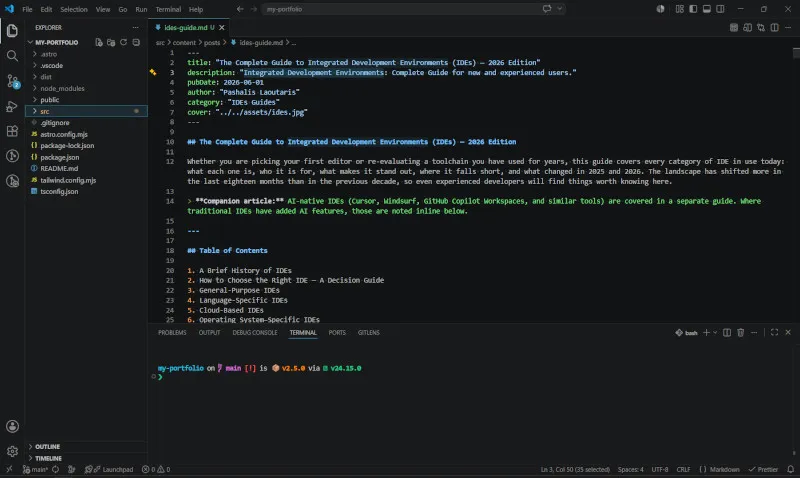
The Complete Guide to Integrated Development Environments (IDEs) — 2026 Edition
The Complete Guide to Integrated Development Environments (IDEs) — 2026 Edition
Whether you are picking your first editor or re-evaluating a toolchain you have used for years, this guide covers every category of IDE in use today: what each one is, who it is for, what makes it stand out, where it falls short, and what changed in 2025 and 2026. The landscape has shifted more in the last eighteen months than in the previous decade, so even experienced developers will find things worth knowing here.
Companion article: AI-native IDEs (Cursor, Windsurf, GitHub Copilot Workspaces, and similar tools) are covered in a separate guide. Where traditional IDEs have added AI features, those are noted inline below.
Table of Contents
- A Brief History of IDEs
- How to Choose the Right IDE: A Decision Guide
- General-Purpose IDEs
- Language-Specific IDEs
- Cloud-Based IDEs
- Operating System-Specific IDEs
- Embedded & IoT IDEs
- Game Development IDEs
- Data Science & Notebook Environments
- Power-User Editors & Honorable Mentions
- Platform & OS Compatibility Matrix
- Pricing & Licensing at a Glance
- Frequently Asked Questions
- Conclusion
- References
1. A Brief History of IDEs
The concept of an IDE was not invented overnight. In the early days of computing, programmers worked with rudimentary text editors and command-line tools, switching between separate applications just to write, compile, and run a program. The idea of integrating all of those steps into one environment was a major conceptual leap.
1970s — The first IDE. Maestro I, developed by Softlab Munich, is widely credited as the first true IDE. It was designed for a mainframe context and, by modern standards, was extremely limited — but the core insight was there: editing, building, and debugging should happen in one place. It is worth noting that the Unix tools emerging in this same era — vi (1976) and GNU Emacs (1984, though its predecessor EMACS dates to 1976) — were laying a parallel philosophical foundation: Emacs in particular demonstrated that a text editor could be a complete, extensible programming environment, with a built-in Lisp interpreter, shell access, email, and a debugger front-end. These tools seeded the ideas that commercial GUI IDEs would later formalize.
1983 — The commercial breakthrough. Borland’s Turbo Pascal brought the IDE concept to personal computers in a form developers could actually use. It was fast, cheap, and radically more productive than the alternatives. You could write, compile, and debug in a single environment without leaving the application. It changed how developers thought about their tools and set the template for everything that followed.
1991–1995 — Microsoft enters the picture. Visual Basic (1991) brought visual, drag-and-drop UI design into the IDE. Visual Studio (1997) unified Microsoft’s tools under one roof and became the dominant IDE for Windows development for two decades. Its influence on what developers expected from an IDE is hard to overstate.
1995–2005 — The open-source era begins. The Eclipse platform (2001), backed by IBM and later the Eclipse Foundation, was the first major open-source IDE to genuinely compete with commercial products. NetBeans followed shortly after. Because both were extensible and free, they became the default environment for Java development across the industry, and their plugin architectures inspired a generation of IDEs that came after them.
2008–2015 — JetBrains rewrites the rules. IntelliJ IDEA had existed since 2001, but it was in this period that JetBrains’ approach — deeply language-aware code intelligence, built for the semantics of each language rather than treating code as plain text — became the gold standard. PyCharm (2010), WebStorm (2010), and the rest of the JetBrains family extended this philosophy across languages. The idea that your IDE should understand your code, not just display it, became mainstream.
2015 — VS Code changes everything. Microsoft’s Visual Studio Code was released in 2015 and quickly became the most popular code editor in the world. It was not a traditional IDE out of the box — it was a lightweight, Electron-based editor with an extension system powerful enough to make it behave like one. The Language Server Protocol (LSP), which VS Code helped establish as an open standard, decoupled language intelligence from any specific editor and made it possible for any editor to have IDE-quality features for any language.
2023–2026 — AI and the next transition. The integration of large language models into development tools has upended the industry again. GitHub Copilot (2021) introduced AI-assisted code completion at scale. By 2024 and 2025, a new class of AI-native editors — Cursor, Windsurf, and others — had emerged, built around AI assistance as the primary interface rather than a bolt-on feature. Meanwhile, the traditional IDE world has responded: Visual Studio 2026 (released November 2025) is the first major version in four years and is built around AI as a core feature. VS Code ships monthly updates with increasingly sophisticated agent capabilities. And Zed, a new editor built from scratch in Rust, has gained significant traction as a high-performance alternative to Electron-based editors, with built-in collaboration and AI support. This era also produced notable experiments that did not survive in their original form: JetBrains Fleet, launched in 2021 as a lightweight polyglot editor to compete with VS Code, was discontinued in December 2025 after JetBrains concluded it could not justify two parallel general-purpose IDE families. Fleet’s architecture lives on in JetBrains Air, a new agentic development environment in preview as of mid-2026.
2. How to Choose the Right IDE: A Decision Guide
With dozens of options available, the choice can feel paralyzing. Work through these questions in order and you will narrow the field quickly.
Step 1: What language or ecosystem are you working in?
This is the single most important filter. Many IDEs are general-purpose, but the best experience for a specific language usually comes from a specialized tool.
| Language / Ecosystem | Top Choices |
|---|---|
| Python | PyCharm, VS Code + Pylance, Spyder (data science) |
| Java / Kotlin | IntelliJ IDEA, Eclipse, NetBeans |
| C# / .NET | Visual Studio 2026, Rider (cross-platform) |
| C / C++ | CLion, VS Code + clangd, Code::Blocks, Eclipse CDT |
| Rust | RustRover, VS Code + rust-analyzer |
| JavaScript / TypeScript | WebStorm, VS Code |
| PHP | PhpStorm, VS Code |
| Ruby / Rails | RubyMine, VS Code |
| Go | GoLand, VS Code |
| Swift / iOS / macOS | Xcode (required) |
| Android (Java/Kotlin) | Android Studio (required) |
| R | RStudio |
| Database / SQL | DataGrip, DBeaver, Azure Data Studio |
| Embedded / Microcontrollers | STM32CubeIDE, Keil MDK, MPLAB X, PlatformIO |
| Game Development | Unity, Unreal Engine, Godot |
| Data Science / ML | JupyterLab, PyCharm, VS Code, Spyder |
Step 2: What is your operating system?
Most major IDEs are cross-platform today, but there are important exceptions. Xcode is macOS-only. Visual Studio (the full, non-Code version) is Windows-only. Nova is macOS-only. Everything else in this guide runs on Windows, macOS, and Linux unless noted.
Step 3: What kind of project are you building?
- A large, long-lived professional codebase — prioritize deep refactoring tools, version control integration, and debuggers. IntelliJ IDEA, PyCharm Professional, Visual Studio 2026, or Rider.
- A quick prototype or learning project — prioritize ease of setup. VS Code, Replit (in-browser), or the free tier of the relevant JetBrains IDE.
- A distributed team working simultaneously — consider built-in collaboration features. Zed (native collaboration), GitHub Codespaces, or VS Code with Live Share.
- Embedded firmware or hardware — the tools are platform-specific. See Section 7.
- A game — engine choice largely determines IDE choice. See Section 8.
Step 4: What is your budget?
| Budget | Best Options |
|---|---|
| Zero | VS Code, IntelliJ IDEA Community, PyCharm Community, Eclipse, NetBeans, Zed, Godot, Arduino IDE |
| Low ($5–15/mo) | JetBrains All Products Pack, GameMaker Creator/Indie |
| Professional (team budget) | JetBrains commercial licenses, Visual Studio Professional/Enterprise |
Step 5: Do you need AI assistance built in?
Every major IDE now has some AI capability. If you want it deeply integrated and curated, the AI-native editors (Cursor, Windsurf — covered in the companion guide) are worth evaluating. If you prefer to stay in a traditional IDE and add AI on top, GitHub Copilot plugs into VS Code, Visual Studio, and all JetBrains IDEs. VS Code’s native agent window (stable as of early 2026) handles increasingly complex multi-step tasks without leaving the editor.
3. General-Purpose IDEs
General-purpose IDEs support a wide range of languages and project types. They are the right starting point when you work across multiple languages or have not yet committed to a specific ecosystem.
Visual Studio Code
What it is: VS Code is a free, open-source, Electron-based code editor from Microsoft that has, through its extension system, become the most widely used development environment in the world. It is not an IDE in the traditional sense out of the box — it is a lightweight editor — but with the right extensions it matches or exceeds dedicated IDEs for almost any language.
Who it is for: VS Code suits almost any developer at any level. It is particularly strong for web development, Python, and any polyglot workflow where you regularly switch languages.
Standout features: The Language Server Protocol, which VS Code helped standardize, means nearly every language has first-class IntelliSense, go-to-definition, and refactoring support. The extension marketplace is vast, with tens of thousands of plugins covering languages, themes, debuggers, linters, and workflow tools. Built-in Git integration is excellent. Remote development (over SSH, in containers, or via WSL) is a first-class feature.
2026 updates: VS Code’s monthly releases through late 2025 and into 2026 have focused heavily on agentic capabilities. The Agents window reached stable status in 2026, allowing developers to run AI agents for longer-running, multi-step tasks with full visibility and control. The editor now includes built-in Mermaid and HTML preview, remote agent sessions (run and monitor agent tasks on a remote machine from the local editor), smarter terminal integration for agents, and BYOK (bring your own key) model support for teams in restricted environments.
Honest tradeoffs: VS Code’s flexibility is also its main weakness. With too many extensions installed, startup time and memory usage can climb significantly. The experience is only as good as the extensions you choose, and poor extensions can degrade performance or conflict with each other. Developers coming from IntelliJ-family IDEs sometimes find VS Code’s refactoring tools less intelligent, particularly for strongly-typed languages like Java or Kotlin.
Also appears in: Cloud-Based (GitHub Codespaces is a full VS Code experience in-browser), OS-Specific (available on all platforms), Embedded (via PlatformIO extension).
IntelliJ IDEA
What it is: IntelliJ IDEA is JetBrains’ flagship IDE, primarily designed for Java and Kotlin but capable of handling many other languages through plugins. It is the commercial benchmark for what deep language understanding in an IDE looks like: IDEA does not just parse your code syntactically, it understands the semantics, which means refactoring tools, code completion, and navigation are qualitatively better than what a text-editor-plus-extension approach typically delivers.
Who it is for: Professional Java and Kotlin developers, particularly those working on large, complex codebases where intelligent refactoring and navigation make a tangible productivity difference. The free Community edition is strong for pure Java and Kotlin work; the paid Ultimate edition adds support for web technologies, frameworks, databases, and Spring.
Standout features: Context-aware code completion that understands inheritance hierarchies, type inference, and design patterns. Structural search and replace. Deep integration with Maven, Gradle, and other build tools. An excellent built-in database client in the Ultimate edition. Git integration that understands code history at the method level, not just the line level.
2026 updates: IntelliJ IDEA’s 2025 and early 2026 releases added full Java 24 support, including new language features and stream gatherers for enhanced debugging workflows. Kotlin’s K2 compiler mode is now enabled by default, delivering faster code analysis, lower memory usage, and better support for the latest Kotlin language features. A new Kotlin Notebook feature supports live prototyping and data analysis directly inside the IDE. JetBrains AI Assistant is available as an add-on across all JetBrains IDEs.
Honest tradeoffs: The Ultimate edition is expensive at roughly $250/year for individuals, and the Community edition’s language support is intentionally limited. IntelliJ IDEA is also noticeably slower to start and heavier on memory than VS Code or Zed, which can be frustrating on less powerful machines. The learning curve for new users is real — the IDE has a lot of surface area.
Also appears in: Language-Specific (Java, Kotlin cornerstone), and Android Studio is built on IntelliJ IDEA.
Eclipse
What it is: Eclipse is a long-standing open-source IDE platform, originally developed by IBM and now maintained by the Eclipse Foundation. Its plugin architecture is mature and extensive — there are Eclipse plugins for virtually every language and workflow in enterprise development.
Who it is for: Java enterprise developers, particularly in organizations that have built tooling around the Eclipse ecosystem. Eclipse is also the base for several specialized IDEs, including STM32CubeIDE (embedded), making familiarity with it broadly useful.
Standout features: Mature Java tooling, excellent Maven and Gradle integration, and a plugin ecosystem built up over more than two decades. Eclipse’s workspace model handles large, multi-module projects well.
Honest tradeoffs: Eclipse’s user interface has not aged gracefully and feels dated compared to VS Code or IntelliJ IDEA. It can be slow to start and resource-heavy. New users often find its project model confusing. If you are starting fresh, IntelliJ IDEA Community is a better choice for Java; Eclipse is most compelling when your organization is already invested in it.
Also appears in: Embedded (as the base for STM32CubeIDE and others), Language-Specific (Java), OS-Specific (cross-platform).
NetBeans
What it is: Apache NetBeans is a free, open-source IDE primarily focused on Java development, with solid support for PHP, HTML5, and C/C++ through plugins. It is particularly strong for Maven-based Java projects.
Who it is for: Java developers who want a free, full-featured IDE without paying for IntelliJ IDEA Ultimate, and PHP developers looking for a capable open-source option.
Standout features: Excellent out-of-the-box Maven support. Clean, readable Java editor. Good refactoring tools. The PHP editor is underrated — NetBeans remains a competitive choice for PHP development.
Honest tradeoffs: The pace of development has slowed compared to IntelliJ IDEA and VS Code. The community is smaller, which means fewer plugins and less active community support. It is a solid, reliable tool, but not one that is pushing the boundaries of what an IDE can do.
Zed
What it is: Zed is a high-performance, open-source code editor built from scratch in Rust by the team that created the Atom editor and the Tree-sitter parsing library. Where VS Code is Electron-based (built on a web browser runtime), Zed uses a custom GPU-accelerated UI framework called GPUI. The result is an editor that is noticeably, dramatically faster than its competitors — near-instant startup, smooth scrolling even on large files, and sub-millisecond input latency.
Who it is for: Developers who feel VS Code has become too slow or bloated, teams that want built-in real-time collaboration without an extension, and developers who want a clean, opinionated environment rather than a blank canvas that requires assembling with plugins.
Standout features: GPU-accelerated rendering makes Zed the fastest editor in this guide by a significant margin. Real-time collaboration — shared editing, voice, and screen sharing — is built in natively, not bolted on. An AI agent panel with chat, inline edits, multi-file editing, and edit prediction (powered by the open-weight Zeta2 model) is included out of the box. The Agent Client Protocol (ACP) lets you connect external AI agents like Claude Code or Codex directly to the editor. Zed went fully cross-platform in 2025, adding stable Windows support to its existing macOS and Linux coverage.
2026 updates: Zed 1.0 and subsequent releases through early 2026 represent a significantly more polished product than the 0.x era. Parallel agents — multiple AI agent threads running simultaneously on different files or tasks — are now a first-class feature. Git UX has improved substantially, with worktree support, a git pull --rebase action, and better blame performance. The extension ecosystem, while still smaller than VS Code’s (roughly 500+ extensions versus thousands), is growing rapidly.
Honest tradeoffs: Zed’s extension ecosystem is genuinely smaller than VS Code’s — if you rely on a niche language server or a specialized plugin, you may find it is not yet available. Debugger support (DAP) was added in 2025 but is still maturing, with fewer features than the VS Code equivalent. Some advanced AI features are behind a paid plan. Zed is also newer, which means fewer tutorials, community answers, and learning resources than its more established competitors.
Also appears in: OS-Specific (Windows, macOS, Linux — all stable as of 2025).
4. Language-Specific IDEs
Language-specific IDEs are purpose-built for one language or ecosystem. They trade breadth for depth, and for developers who spend most of their time in one language, they often deliver a noticeably better experience than a general-purpose editor with plugins.
PyCharm (Python)
What it is: PyCharm, developed by JetBrains, is the gold standard for Python development. It understands Python at a deep level — virtual environments, type annotations, decorators, metaclasses — and surfaces that understanding throughout the editor.
Who it is for: Anyone writing Python professionally, especially those working with Django, Flask, FastAPI, or data science frameworks. The free Community edition is excellent for pure Python work; the paid Professional edition adds database tools, web framework support, scientific tools, and remote development.
Standout features: Intelligent code completion that understands Python’s dynamic typing better than most tools. A first-rate debugger with variable inspection and step-through. Test runners for pytest, unittest, and others are tightly integrated. Django, Flask, and FastAPI framework support in the Professional edition is best-in-class. Refactoring tools that correctly handle Python’s idioms.
Honest tradeoffs: PyCharm Professional is not cheap (around $100/year for individuals). The Community edition deliberately excludes web framework support and scientific tools, which pushes many professional users toward the paid version. Like all JetBrains IDEs, PyCharm is heavier on resources than VS Code.
Visual Studio 2026 (C#, .NET, C++)
What it is: Visual Studio — not Visual Studio Code, which is a separate product — is Microsoft’s flagship full IDE, and 2026 marks its most significant update in four years. It is the definitive tool for .NET and C# development and one of the most capable C++ IDEs available.
Who it is for: Windows, .NET, and C++ developers, particularly those working in enterprise environments or building applications that integrate deeply with Microsoft’s ecosystem (Azure, Microsoft 365, Windows APIs).
Standout features: The debugger is industry-leading — IntelliTrace, live unit testing, memory profiling, and a new Debugger Agent that uses AI to validate fixes against actual runtime behavior are all included. IntelliSense for C# and C++ is deeply language-aware. The 2026 release brings a redesigned Fluent UI with 11 new themes, significantly faster startup and reduced UI hangs (more than 50% reduction compared to Visual Studio 2022), and deep GitHub Copilot integration including cloud agent support. Code coverage is now available in Community and Professional editions, previously Enterprise-only.
2026 updates: Visual Studio 2026 (version 18.0, released November 2025) fixed over 5,000 reported bugs and added 300 community-requested features. Cloud agent integration lets developers run AI agents on remote infrastructure directly from the IDE. A new “Did You Mean?” search feature helps developers find files and variables even with typos. Git and GitHub integration received major improvements including simplified branch switching and in-IDE pull request workflows.
Honest tradeoffs: Visual Studio is Windows-only. For .NET developers on macOS or Linux, JetBrains Rider is the cross-platform alternative. The full installation is large and complex. Enterprise features require expensive licensing tiers.
Rider (.NET, Cross-Platform)
What it is: JetBrains Rider is a cross-platform .NET IDE that runs on Windows, macOS, and Linux. It brings JetBrains’ signature deep language understanding to the .NET ecosystem, making it the default choice for .NET developers who are not on Windows or who prefer JetBrains’ approach to tooling.
Who it is for: .NET and C# developers on macOS or Linux, and Windows developers who prefer JetBrains’ workflow over Microsoft’s. Game developers using Unity often find Rider’s Unity-specific support superior to Visual Studio’s.
Standout features: Intelligent C# refactoring that outpaces most alternatives. Deep Unity integration, including shader support and Unity-specific inspections. Cross-platform from day one — no compromises for non-Windows users. Database client included.
Honest tradeoffs: It is a paid product with no meaningful free tier. For Windows .NET developers already comfortable with Visual Studio 2026, the case for switching is not obvious.
WebStorm (JavaScript, TypeScript)
What it is: WebStorm is JetBrains’ IDE for JavaScript and TypeScript, with deep support for React, Vue.js, Angular, Node.js, and the broader front-end ecosystem. It is to JavaScript what IntelliJ IDEA is to Java: a tool that understands your code at a semantic level rather than syntactically.
Who it is for: Front-end and full-stack JavaScript/TypeScript developers who want the most capable tooling available and are willing to pay for it.
Standout features: Framework-aware code completion that understands React’s JSX syntax, Vue’s single-file components, and Angular’s template system at a deep level. Excellent debugging for both browser and Node.js. Built-in HTTP client for testing APIs. TypeScript support is among the best available.
Honest tradeoffs: WebStorm is a paid product, and for many JavaScript developers, VS Code with a handful of well-chosen extensions (ESLint, Prettier, the TypeScript language server) comes close to the WebStorm experience at no cost. The main gap is in the sophistication of refactoring and deep framework awareness.
PhpStorm (PHP)
What it is: JetBrains’ IDE for PHP development, with specific support for Laravel, Symfony, WordPress, Drupal, and other major PHP frameworks. PHP tooling in general-purpose editors has improved, but PhpStorm’s framework awareness remains a step ahead.
Who it is for: Professional PHP developers, particularly those working with Laravel or Symfony.
Standout features: Framework-specific completions, Blade template support for Laravel, Twig support for Symfony, built-in composer integration, and a debugger that works with Xdebug and Zend Debugger.
Honest tradeoffs: Like all JetBrains products, it is paid. VS Code with Intelephense is a strong free alternative that many developers find sufficient.
RubyMine (Ruby, Rails)
What it is: JetBrains’ IDE for Ruby and Ruby on Rails development. Ruby’s dynamic nature makes static analysis difficult, but RubyMine handles it more gracefully than most alternatives.
Who it is for: Ruby developers, particularly those working on Rails applications.
Standout features: Rails-aware code navigation (jump from a controller action to the corresponding view), ERB template support, built-in Bundler integration, and a debugger that works well with Ruby’s threading model.
Honest tradeoffs: Ruby’s decline in new project adoption means the audience for a dedicated Ruby IDE is smaller than it once was. VS Code is a perfectly capable alternative for many Ruby workflows.
GoLand (Go)
What it is: JetBrains’ IDE for Go development. Go’s tooling ecosystem is generally good, but GoLand adds the JetBrains layer of deep semantic understanding on top of the official Go toolchain.
Who it is for: Go developers who want the most capable tooling available, particularly for large codebases where navigation and refactoring across packages matter.
Standout features: Intelligent code completion that understands Go’s interface satisfaction and type system. Refactoring tools that correctly handle Go’s package structure. Built-in support for Go modules, testing, and benchmarking.
Honest tradeoffs: Go’s official tooling (gopls, the Go language server) is excellent, and VS Code with the Go extension is genuinely competitive with GoLand for most use cases. GoLand is most compelling for large codebases where its navigation and refactoring edge becomes tangible.
RustRover (Rust)
What it is: RustRover is JetBrains’ dedicated IDE for Rust development, released in general availability in 2024. It brings the full depth of JetBrains’ semantic code intelligence to Rust — a language whose ownership, borrowing, and lifetime system make intelligent tooling particularly valuable. RustRover is built on the IntelliJ platform and integrates tightly with Cargo, Rust’s build system and package manager.
Who it is for: Professional Rust developers, especially those working on large codebases, systems software, or embedded-adjacent Rust targets. By 2026, Rust is embedded in enterprise environments, the Linux kernel, and in the firmware stacks of multiple major hardware companies, making a dedicated IDE a legitimate professional tool.
Standout features: Deep understanding of Rust’s type system, including generics, trait bounds, and lifetimes, surfaced as inline hints and inspections throughout the editor. Cargo integration is seamless — run, test, benchmark, and profile from within the IDE. Macro expansion is displayed inline, making it possible to understand what procedural macros are generating without leaving the editor. RustRover understands SQLx’s query macros well enough to inject SQL language intelligence inside Rust string literals. The 2025 releases added remote debugging, and 2026.1 introduced real-time test monitoring with structured results and improved LLDB debugging with clearer Arc/Rc string visualization.
2026 updates: RustRover 2026.1 (released April 2026) focuses on reducing false positives in code analysis — particularly in macro-heavy code and projects using nightly compiler internals — so that editor diagnostics better match what cargo build actually reports. Next-edit suggestions are now available without consuming AI quota for subscribers.
Honest tradeoffs: RustRover is free for non-commercial use (learning, open source, hobby projects). Commercial licenses start at around $69–$80/year for individuals. VS Code with the rust-analyzer extension is a strong free alternative — rust-analyzer is excellent and many Rust developers find it sufficient. RustRover’s advantage is most tangible in large, complex codebases where its analysis depth and refactoring tools outpace what rust-analyzer delivers.
Also appears in: Section 2 (Decision Guide — Rust row).
Xcode (Swift, Objective-C, Apple Platforms)
What it is: Xcode is Apple’s official IDE for all Apple platform development: macOS, iOS, iPadOS, watchOS, tvOS, and visionOS. It is not optional — distributing apps on Apple’s platforms requires Xcode.
Who it is for: Any developer building native software for Apple’s platforms. There is no realistic alternative.
Standout features: Interface Builder for visual UI design, SwiftUI previews, the Instruments profiling suite, and seamless integration with Apple’s signing and distribution infrastructure. Xcode’s simulator is the most capable way to test iOS and macOS apps without physical hardware.
Honest tradeoffs: Xcode is macOS-only and exclusively supports Apple platforms. Updates can be large and time-consuming. The IDE has a reputation for occasional instability, particularly immediately after major releases. Apple’s tight control over the toolchain means developers have less flexibility to swap components.
Android Studio (Android)
What it is: The official IDE for Android development, built on IntelliJ IDEA by Google. It is the standard tool for anyone writing Android apps in Java or Kotlin.
Who it is for: Android developers. Like Xcode for Apple, Android Studio is the default choice — it is purpose-built for the Android ecosystem and integrates directly with the Android SDK.
Standout features: The Layout Editor provides visual drag-and-drop UI design. The AVD (Android Virtual Device) Manager provides powerful device emulation. The Profiler gives deep insight into CPU, memory, network, and energy usage. Kotlin is a first-class language with IDE-level support throughout.
Honest tradeoffs: Android Studio is resource-intensive, particularly the emulator. Updates have historically sometimes introduced regressions. Initial setup and SDK management can be tedious.
RStudio / Posit Workbench (R)
What it is: RStudio (now part of Posit, alongside Posit Workbench for teams) is the standard IDE for the R programming language. It is deeply integrated with R’s package ecosystem, the tidyverse, and tools for statistical computing and data visualization.
Who it is for: Data scientists, statisticians, and researchers working in R. Also useful for Python users in data science — Posit Workbench supports both languages.
Standout features: An interactive console for running R code snippet by snippet. A dedicated pane for viewing data frames, plots, and help documentation. Deep integration with R Markdown and Quarto for reproducible research documents. RStudio Connect and Posit Workbench for team collaboration and deployment.
Honest tradeoffs: Primarily useful for R (and to a lesser extent Python). Developers outside the statistical computing world will find it narrow in scope.
CLion (C, C++)
What it is: JetBrains’ cross-platform IDE for C and C++ development. CLion integrates with CMake, Makefile, and other build systems and brings JetBrains’ language-aware tooling to the C/C++ ecosystem.
Who it is for: Professional C and C++ developers who want a full IDE experience. CLion is particularly strong for CMake-based projects.
Standout features: Deep semantic understanding of C and C++ including templates, macros, and complex inheritance hierarchies. Integrated CMake support. Valgrind and Google Sanitizers integration for memory analysis. Cross-compilation support for embedded targets.
Honest tradeoffs: CLion is paid. VS Code with the Microsoft C/C++ extension or clangd is a strong free alternative, though CLion’s refactoring and code intelligence generally outpace it for large projects.
Arduino IDE (Arduino / Embedded Prototyping)
What it is: The official IDE for the Arduino platform, designed for writing and uploading code to Arduino-compatible microcontrollers. It provides a simplified C/C++ environment with a built-in library manager and board manager.
Who it is for: Beginners in embedded and IoT development, hobbyists, educators, and anyone getting started with microcontroller programming. Arduino IDE 2.x (the current generation) is a significant improvement over the original, with better autocompletion and a proper debugger.
Standout features: Extremely low barrier to entry. Vast library ecosystem. Supports hundreds of board types through the board manager. The Serial Monitor and Serial Plotter are useful for hardware debugging.
Honest tradeoffs: As projects grow in complexity, the Arduino IDE starts to feel limiting. Library management lacks version pinning. The build system is opaque. For larger or multi-board projects, PlatformIO (covered in Section 7) is a more capable alternative that maintains Arduino framework compatibility.
5. Cloud-Based IDEs
Cloud IDEs run entirely in the browser, eliminating local setup entirely. They are particularly useful for onboarding, pair programming, education, and development from machines where you cannot install software.
GitHub Codespaces
What it is: GitHub Codespaces provides a full VS Code environment — including the terminal, debugger, and extensions — running in a cloud-hosted container. The container is configured via a devcontainer.json file in the repository, which means the development environment can be version-controlled alongside the code.
Who it is for: Teams that want to eliminate “works on my machine” problems, open-source maintainers who want contributors to be able to start without any local setup, and individual developers who work across multiple machines.
Standout features: Because Codespaces is VS Code in the cloud, the full VS Code extension marketplace is available. The environment is defined in code, so it is reproducible and shareable. Integration with GitHub pull requests and code review is seamless. In 2026, Codespaces supports persistent agent sessions for longer-running AI agent tasks.
Honest tradeoffs: Costs can add up for heavy usage — Codespaces is priced by compute hours, and running a powerful machine for full workdays gets expensive. Performance depends on network quality. Cold start times (spinning up a new Codespace) can be slow, though pre-builds help.
Gitpod
What it is: Gitpod automates the creation of development environments that are pre-configured, ephemeral, and launched from a Git repository. Like Codespaces, the environment is defined in code (.gitpod.yml), making it reproducible.
Who it is for: Teams that want consistent, automated development environments, and individual developers who work across multiple machines or want to isolate projects.
Standout features: Tight integration with GitHub, GitLab, and Bitbucket. Workspaces can be launched from a URL or a browser extension. Gitpod supports both VS Code and JetBrains IDEs as the frontend, which gives it broader editor compatibility than most cloud IDEs.
Honest tradeoffs: The free tier is limited. Gitpod’s value proposition overlaps heavily with GitHub Codespaces, and for teams already on GitHub, Codespaces may be the more natural fit.
Replit
What it is: Replit is a browser-based development environment with a focus on accessibility, education, and rapid prototyping. It supports a very wide range of programming languages and provides an instant, zero-setup environment that runs in any browser.
Who it is for: Beginners learning to code, educators, and developers who want to quickly prototype an idea without any local setup. Replit is also popular for collaborative coding sessions and coding challenges.
Standout features: Truly zero setup — open a browser, select a language, and start coding. Instant multiplayer collaboration. Built-in hosting for web projects. Replit’s Bounties system connects developers with paid programming tasks. In 2026, Replit has restructured its pricing with a lower-cost Core tier and a new Pro plan for advanced team features.
Honest tradeoffs: Replit is not designed for large-scale professional projects. Performance and resource limits on the free and lower-paid tiers can be constraining. It is best understood as a prototyping and learning environment rather than a production development tool.
AWS Cloud9 (Deprecated — July 2024)
2026 Status: Closed to new users. AWS stopped accepting new Cloud9 customers on July 25, 2024 — quietly and without a major announcement, which drew significant criticism from the developer community. Existing customers retained access and AWS has maintained security and availability improvements, but no new features have been added. AWS’s recommended alternatives are AWS CodeCatalyst (its integrated dev environment platform with built-in Dev Environments) and the AWS IDE Toolkits for VS Code and JetBrains. If you are an AWS developer looking for a cloud IDE, use GitHub Codespaces (which supports AWS-targeted development) or set up a remote development environment in VS Code via SSH to an EC2 instance. AWS Cloud9 as a product to recommend to new users is effectively dead.
Reference retained for historical completeness. The entry below reflects the original service description.
What it was: AWS Cloud9 was Amazon’s cloud-based IDE, hosted on AWS infrastructure, providing a browser-based development environment with direct integration with AWS services — Lambda, IAM, and others. It was genuinely useful for serverless and AWS-native development workflows.
Why it mattered: For AWS developers, Cloud9’s direct integration with AWS services and real-time collaboration made it a convenient option, particularly for serverless Lambda development. Its EC2-backed runtime meant full Linux environments with no container limitations.
Migration path: AWS CodeCatalyst provides Dev Environments (VS Code-based cloud workspaces) as the official successor. GitHub Codespaces, Gitpod, and remote SSH development in VS Code are the most natural replacements for non-AWS-specific workflows.
StackBlitz
What it is: StackBlitz is a cloud IDE focused on web development that takes an unusual architectural approach: rather than running on a remote server, it runs Node.js directly in the browser using WebAssembly (via WebContainers). This means it can run server-side JavaScript code entirely client-side, with no cloud server required for the runtime.
Who it is for: Front-end and full-stack JavaScript developers who want instant, shareable development environments for web projects. StackBlitz is widely used for framework documentation examples (Angular, SvelteKit, and Astro all use it for their interactive docs).
Standout features: Near-instant startup because there is no container to spin up. Runs entirely offline once loaded. Shareable URLs for any project. Excellent support for Vite, Next.js, Astro, SvelteKit, and Angular.
Honest tradeoffs: Limited to JavaScript/TypeScript and Node.js-based tooling. Not suitable for Python, Java, C++, or other language ecosystems.
CodeSandbox
What it is: CodeSandbox is a cloud IDE focused on front-end web development, with strong support for React, Vue.js, and similar frameworks. Like StackBlitz, it provides instantly shareable, browser-based development environments.
Who it is for: Front-end developers who want shareable prototypes and collaborative editing. CodeSandbox is widely used in the React and Vue communities for sharing reproductions, examples, and prototypes.
Standout features: Instant environment creation from templates. Real-time collaborative editing. Native sandboxes that run entirely in the browser (similar to StackBlitz’s approach). Devboxes, a newer feature, provide full Linux environments with more power for complex setups.
Honest tradeoffs: Primarily focused on the JavaScript/front-end ecosystem. Larger or more complex projects benefit from Devboxes, which are a separate, more powerful (and more expensive) product tier.
Codeanywhere
What it is: Codeanywhere is a cloud-based development environment that connects to remote servers via SSH, FTP, and other protocols, providing a browser-based interface for working on remote code.
Who it is for: Developers who need to work on remotely hosted code from any device, without configuring local environments.
Standout features: Wide support for connecting to existing remote servers, not just cloud-provisioned containers. Multi-language support. Works from any browser on any device.
Honest tradeoffs: The UI is less polished than GitHub Codespaces or Gitpod. Development activity has been slower than competitors. For most use cases, Gitpod or Codespaces offers a better experience.
JetBrains Space (Team Collaboration)
What it is: JetBrains Space is a comprehensive software development platform that includes a cloud-based development environment alongside project management, code review, CI/CD, and team communication tools. It is JetBrains’ answer to GitHub’s all-in-one platform.
Who it is for: Teams that are deeply invested in the JetBrains ecosystem and want a unified platform for their entire development workflow.
Standout features: Deep integration with all JetBrains IDEs. Cloud development environments that can be spun up from a repository. Code review workflows integrated directly with JetBrains IDEs. Package repository for Maven, npm, PyPI, and more.
Honest tradeoffs: Requires buy-in to the full JetBrains ecosystem. For teams already on GitHub or GitLab, migrating to Space involves significant workflow changes.
Theia IDE (Framework)
What it is: Eclipse Theia is an open-source framework for building web-based IDEs, built on top of the same Language Server Protocol and Debug Adapter Protocol that VS Code uses. It is less an end-user product and more a platform for building other IDEs.
Who it is for: Organizations that want to build custom, branded cloud IDEs without starting from scratch. Several commercial cloud IDEs are built on Theia under the hood.
Standout features: VS Code–compatible extension API, meaning many VS Code extensions work on Theia-based IDEs. Deployable in the cloud or as a desktop application. Apache 2.0 licensed.
Honest tradeoffs: End users typically interact with products built on Theia rather than Theia directly. Setting up a Theia-based environment from scratch requires significant infrastructure work.
2026 Note on Firebase Studio: Google’s Firebase Studio (formerly Project IDX) was announced for sunset in March 2026. New workspace creation was disabled in June 2026 and full shutdown is planned for March 2027. It is no longer recommended as a primary cloud IDE, and users should migrate to alternatives.
6. Operating System-Specific IDEs
While most modern IDEs are cross-platform, some are built specifically for a single operating system and are either unavailable elsewhere or substantially better in their native environment.
Windows-Specific
Visual Studio 2026 remains the premier Windows IDE. It is covered in depth in Section 4. For Windows-native application development targeting Win32, WinUI, or the Windows App SDK, there is no real alternative.
Code::Blocks is a free, open-source, cross-platform IDE for C, C++, and Fortran, but it is most commonly used on Windows. It is lightweight, highly configurable, and extensible via plugins. The user interface is basic by modern standards, but Code::Blocks remains a capable free option for C and C++ development, particularly in educational settings.
Linux-Specific and Linux-Native
KDevelop is a feature-rich IDE from the KDE project with strong support for C, C++, Python, and PHP. It integrates well with the KDE desktop environment and its associated tools. KDevelop’s parser is genuinely impressive for C++ — it handles complex template metaprogramming and large codebases well. If you are working in C++ on Linux and already use KDE, KDevelop is worth trying.
GNOME Builder is the official IDE for building GNOME applications. It integrates with Flatpak, GNOME’s application packaging format, and provides first-class support for GTK development in C, Python, Rust, and Vala. If you are developing a Linux desktop application targeting GNOME, Builder is the most integrated tool available.
Geany is a lightweight, fast editor with basic IDE features — syntax highlighting, code folding, a basic build system, and a terminal. It runs comfortably on old hardware and installs in seconds. For simple scripting, light development work on a low-powered machine, or users who want minimal setup, Geany is a practical choice.
CodeLite is a free, open-source IDE specifically designed for C, C++, JavaScript (via Node.js), and PHP. It is cross-platform but most commonly used on Linux. It is more capable than Geany but less full-featured than KDevelop.
Bluefish is a fast, lightweight editor aimed at web development and scripting, with features like code folding, syntax highlighting, and project management. It sits somewhere between a text editor and a full IDE and is well-regarded in the Linux web development community.
Lazarus IDE is a cross-platform visual IDE for Free Pascal, enabling Rapid Application Development (RAD) in a style reminiscent of Delphi. It is a niche tool, but for developers maintaining Free Pascal applications or targeting multiple platforms with a single Pascal codebase, it is the best option available.
MonoDevelop is an open-source IDE for C#, F#, and .NET on Linux. Development has slowed significantly, and for most Linux .NET development today, JetBrains Rider is a more polished and actively developed alternative. MonoDevelop remains relevant primarily for developers in specific workflows that require it.
Eric Python IDE is a full-featured Python IDE written in Python itself, built on PyQt. It has a comprehensive feature set including a debugger, unit test runner, and project manager. It is less widely adopted than PyCharm, but it is a capable, open-source alternative for Python development on Linux.
macOS-Specific
Xcode is covered in Section 4. It is required for Apple platform development.
Nova is a modern, native macOS code editor from Panic Inc. Unlike Electron-based editors, Nova is built as a native macOS application, which means it is fast, has a polished interface consistent with macOS design conventions, and integrates well with the operating system. It supports a wide range of languages via extensions and has a built-in terminal, FTP/SFTP client, and Git interface. Nova is a paid application.
BBEdit is a long-standing professional HTML and text editor for macOS with a history stretching back to 1992. It is not an IDE in the traditional sense — there is no integrated compiler or debugger — but it is an extremely capable text editor with powerful text manipulation tools, grep-powered search, and multi-file operations. It is particularly popular among writers, web developers, and power users who spend a lot of time working with text. BBEdit has a free mode with most features available; a license unlocks the full feature set.
TextMate is a macOS text editor known for its powerful bundle system and macro capabilities. It was enormously influential when it was released in 2004 — it inspired VS Code’s extension system and introduced many concepts that are now standard. Development has slowed to a near-standstill: the last meaningful release was years ago, the GitHub repository shows minimal activity, and the original author has moved on to other projects. TextMate still works and retains a loyal user base, but it should be considered effectively abandoned. New users would be better served by Nova, BBEdit, or VS Code.
Chime is a newer, open-source, native macOS text editor designed for simplicity and speed. It is earlier in development than the established macOS editors, but it is worth following for developers who want a modern, native alternative.
7. Embedded & IoT IDEs
Embedded development has a distinct set of requirements from application or web development. You are writing code that runs on hardware with limited memory and no operating system (or a minimal real-time OS). The toolchain — compiler, linker, debugger, flash programmer — is often hardware-specific. This section covers the primary IDEs and development environments in the embedded space.
STM32CubeIDE (STM32 Microcontrollers)
What it is: STM32CubeIDE is the official free IDE from STMicroelectronics for developing firmware for their STM32 family of ARM Cortex-M and Cortex-A microcontrollers. It is built on the Eclipse CDT (C/C++ Development Tooling) framework with ST-specific plugins for code generation, peripheral configuration, and debugging.
Who it is for: Any developer targeting STM32 hardware — one of the most widely used microcontroller families in the industry for applications ranging from consumer electronics to industrial automation to medical devices.
Standout features: The integrated STM32CubeMX graphical configuration tool allows developers to configure clock trees, GPIO pins, and peripheral settings visually and then generate the corresponding initialization code automatically. This eliminates a significant amount of tedious, error-prone boilerplate. GDB-based debugging via ST-LINK probes is tightly integrated. The Eclipse foundation means there is a large plugin ecosystem available.
Honest tradeoffs: STM32CubeIDE is tied to the STM32 ecosystem — it is not a general-purpose embedded tool. The Eclipse base means it inherits Eclipse’s UI rough edges and occasional sluggishness. Generated code can be verbose.
Keil MDK / µVision (ARM Microcontrollers)
What it is: Keil MDK (Microcontroller Development Kit), centered on the µVision IDE, is one of the most widely used professional tools for ARM Cortex-M microcontroller development. Now under Arm ownership, Keil MDK includes the Arm Compiler (AC6), which is known for producing tight, efficient code.
Who it is for: Professional embedded engineers working with ARM Cortex-M microcontrollers, particularly in safety-critical, industrial, and high-performance applications where code size and performance are paramount.
Standout features: The Arm Compiler’s optimization capabilities can reduce code size significantly compared to open-source alternatives. Deep support for RTOS components via the CMSIS-RTOS standard. Excellent simulator and trace capabilities. Keil Studio Cloud provides a browser-based version for rapid prototyping.
Honest tradeoffs: Keil MDK’s full commercial license is expensive. There is a size-limited free version, and certain STM32 devices can use Keil free of charge via the STMicroelectronics edition. The µVision IDE interface looks dated compared to modern alternatives.
MPLAB X IDE (Microchip PIC and AVR)
What it is: MPLAB X is Microchip Technology’s free, cross-platform IDE for their PIC, dsPIC, and AVR microcontroller families. It is also built on NetBeans rather than Eclipse, making it somewhat unusual in the embedded space.
Who it is for: Developers working with Microchip’s PIC or AVR hardware. If your target hardware is from Microchip, MPLAB X is the supported, best-integrated option.
Standout features: Free. Supports the full range of Microchip devices. Integrates with Microchip’s MPLAB IPE programmer and MPLAB SNAP and PICkit debuggers/programmers. MPLAB Code Configurator (MCC) provides a graphical tool for peripheral configuration similar to STM32CubeMX.
Honest tradeoffs: MPLAB X can be slow and resource-heavy. The UI, like many NetBeans-based applications, feels dated. Navigation and code intelligence are less refined than what you get in modern general-purpose IDEs.
IAR Embedded Workbench (Safety-Critical and Multi-Architecture)
What it is: IAR Embedded Workbench is a professional, commercial IDE and toolchain for embedded development, supporting a wide range of processor architectures including ARM, RISC-V, AVR, MSP430, and others. IAR is known in the industry for its highly optimizing compiler and its certifications for safety-critical standards.
Who it is for: Professional embedded engineers working on safety-critical systems — medical devices, automotive (ISO 26262), industrial (IEC 61508) — where certified toolchain qualification is required or where code size and performance are paramount.
Standout features: IAR’s compiler consistently produces the smallest and fastest code among competing tools for many architectures. The toolchain is certified for functional safety standards including MISRA C compliance checking. The debugger and static analysis tools are comprehensive. IAR supports a broader range of architectures than most alternatives.
Honest tradeoffs: IAR is expensive — significantly more so than most other tools in this guide. The licenses are per-architecture, which adds up in multi-target organizations. It is not open-source.
PlatformIO (Multi-Platform Embedded)
What it is: PlatformIO is an open-source ecosystem for embedded development that works as an extension to VS Code (and other editors). Rather than being an IDE itself, it is a build system, package manager, and device manager that brings reproducible, professional embedded development workflows to any editor. It supports over 1,500 development boards across dozens of architectures.
Who it is for: Makers and hobbyists who have outgrown the Arduino IDE and want a proper project structure and dependency management. Professional engineers who work across multiple chip families (e.g., STM32, ESP32, and nRF52 on the same team) and want a unified workflow. Teams that need reproducible builds from a declarative configuration file.
Standout features: Everything is defined in a platformio.ini file — target board, framework, library dependencies, build flags. Running pio run downloads the correct toolchain for your target, resolves library dependencies with version pinning, and compiles the firmware. No manual SDK installation, no PATH manipulation. The PlatformIO VS Code extension has exceeded 6 million installs. It maintains full Arduino framework compatibility while adding proper project structure and dependency management on top.
2026 updates: PlatformIO delivered more than 20 releases in 2025, maintaining support for legacy platforms alongside new ones. It continues to be the most popular VS Code extension for embedded development. Monthly updates add new board support and keep pace with upstream frameworks like ESP-IDF and Zephyr RTOS.
Honest tradeoffs: PlatformIO’s configuration-file approach is powerful but requires more initial setup than the Arduino IDE. Debugging configuration (via launch.json) can be complex for beginners. Vendor-specific features (like STM32CubeIDE’s graphical peripheral configurator) are not replicated.
Espressif IDE & ESP-IDF VS Code Extension (ESP32 / ESP8266)
What it is: Espressif Systems — the maker of the enormously popular ESP32 and ESP8266 Wi-Fi microcontrollers — provides two parallel development paths. The first is Espressif-IDE, a full Eclipse-based IDE bundled with the ESP-IDF (Espressif IoT Development Framework), OpenOCD debugging support, and JTAG integration. The second, and increasingly preferred, path is the ESP-IDF VS Code Extension, which brings the full ESP-IDF toolchain into VS Code with a graphical configuration tool (menuconfig), build/flash/monitor integration, and a GDB-based debugger.
Who it is for: Anyone building IoT devices, connected hardware, or embedded Wi-Fi applications on the ESP32 family. The ESP32 is arguably the most widely used Wi-Fi-capable microcontroller in the world for hobbyist, maker, and commercial IoT projects, and Espressif’s tooling has matured significantly. PlatformIO also supports ESP32, but the official ESP-IDF extension gives access to the latest SDK features without waiting for PlatformIO compatibility updates.
Standout features: The menuconfig graphical interface (ported from the Linux kernel’s Kconfig system) provides a powerful way to configure the ESP-IDF build system’s hundreds of options. The extension supports ESP32, ESP32-S2, ESP32-S3, ESP32-C3, ESP32-C6, and ESP32-H2 targets. Over-the-air (OTA) update workflows are supported. The debugger integrates with ESP-PROG and built-in JTAG on S3/C3/C6 chips.
Honest tradeoffs: The ESP-IDF extension requires a manual one-time installation of the ESP-IDF toolchain (~2GB), which is more involved than Arduino IDE or PlatformIO’s automated setup. The Espressif-IDE (Eclipse-based) is less polished than the VS Code extension for most workflows. For simpler ESP32 projects using the Arduino framework (which is supported on ESP32), PlatformIO or even the Arduino IDE are lower-friction entry points.
SEGGER Embedded Studio
What it is: SEGGER Embedded Studio is a professional cross-platform IDE for embedded development, known for its polished interface and tight integration with SEGGER’s J-Link debug probes. It supports ARM Cortex-M/A, RISC-V, and other architectures.
Who it is for: Professional embedded developers who use SEGGER’s J-Link hardware and want a more modern IDE experience than Keil µVision or Eclipse-based tools.
Standout features: Clean, modern interface significantly more polished than many embedded IDEs. Excellent J-Link integration. Free for non-commercial use and for Nordic Semiconductor development.
Honest tradeoffs: Best when using SEGGER’s own debug hardware. Commercial licenses are required for most professional use.
8. Game Development IDEs
Game engines are a distinct category of development environment: they combine a code editor, visual scene editor, asset pipeline, debugger, and build system into a single tool. Choosing a game engine determines your entire development environment.
Unity
What it is: Unity is the most widely deployed game engine in the world, powering a majority of mobile games and a large share of indie PC and console titles. Unity 6, the current LTS release (released late 2025), is the recovery story after the turbulent 2023 runtime fee controversy that sent many developers looking at alternatives. The fee was canceled in September 2024, and Unity 6 represents a return to stability.
Who it is for: Mobile game developers, cross-platform indie developers, VR/AR developers, and studios that need to deploy to many platforms simultaneously. Unity’s C# scripting is accessible to developers coming from other languages.
Standout features: Unmatched cross-platform deployment — Unity targets iOS, Android, Windows, macOS, Linux, consoles, WebGL, and VR platforms from a single codebase. The Asset Store has over 100,000 assets, scripts, and plugins. The Universal Render Pipeline (URP) delivers AAA-adjacent visuals on mobile power budgets. The Unity community is enormous, meaning answers, tutorials, and pre-built solutions are readily available.
2026 updates: Unity 6 focuses on performance, particularly the GPU Resident Drawer and URP improvements. Unity Personal remains free up to $200K in revenue or funding; Unity Pro pricing increased slightly in January 2026.
Honest tradeoffs: Unity’s 2023 runtime fee controversy caused lasting reputational damage and pushed some developers toward Godot or Unreal permanently. The editor is resource-heavy. C# code complexity can be a barrier for absolute beginners. For pure 2D games, Unity is arguably overkill compared to Godot or GameMaker.
Unreal Engine 5
What it is: Epic Games’ Unreal Engine is the industry standard for high-fidelity 3D game development, widely used in AAA studios and increasingly accessible to smaller teams. Unreal Engine 5 introduced Nanite (virtualized micropolygon geometry) and Lumen (fully dynamic global illumination), enabling real-time visuals previously only achievable in pre-rendered content.
Who it is for: Studios targeting cinematic-quality 3D games, particularly for PC and consoles. Unreal is also used extensively for film production (virtual production), architectural visualization, and simulation.
Standout features: Nanite and Lumen deliver genuinely next-generation visual quality without hand-tuned optimizations. Blueprints, Unreal’s visual scripting system, allows designers and artists to implement game logic without writing C++. MetaSounds for procedural audio. Full C++ access for performance-critical code. Unreal is free to use; Epic takes a 5% royalty on gross revenue above $1 million.
Honest tradeoffs: Unreal has a steep learning curve, both in terms of C++ and the engine’s own extensive editor interface. Build times for C++ projects are long (though tools like Incredibuild help significantly). The engine is massive and resource-intensive. It is generally overkill for 2D games or projects where visual fidelity is not the primary goal.
Godot
What it is: Godot is a free, open-source game engine that has seen explosive growth since Unity’s 2023 runtime fee controversy triggered a significant migration of developers. Godot 4.x brought a major overhaul: a Vulkan-based renderer, substantially improved 3D, a polished UI, and a redesigned scene system.
Who it is for: Indie developers, beginners, and studios that prioritize freedom from licensing constraints. Godot is particularly strong for 2D game development and increasingly capable for stylized or low-to-mid-poly 3D games.
Standout features: Completely free under the MIT license — no royalties, no revenue caps, no subscription fees. GDScript, Godot’s primary scripting language, is Python-like and genuinely beginner-friendly. The node-based scene system makes complex hierarchies more manageable than Unity or Unreal’s approaches. The engine is tiny (under 100MB), fast to load, and runs on modest hardware. C# and C++ are also supported.
2026 updates: Godot 4.6 is the current version, featuring a highly efficient Vulkan-based renderer and continued improvements to the 3D toolset. The community has grown dramatically and the asset library is expanding.
Honest tradeoffs: Godot’s 3D capabilities, while improved, still trail Unity and especially Unreal for high-fidelity work. Console export is not officially supported out of the box — teams shipping to Switch, PlayStation, or Xbox typically need a console export plugin or hire a porting studio. The GDScript ecosystem, while growing, is smaller than Unity’s or Unreal’s.
GameMaker
What it is: GameMaker is a 2D-focused game development IDE with over 25 years of history. It is the tool behind critically acclaimed indie games including Undertale, Hotline Miami, Hyper Light Drifter, Celeste, and Katana Zero — proof that its scope, while narrow, is deep enough for commercial releases.
Who it is for: Developers focused specifically on 2D game development. GameMaker’s room editor, sprite editor, and visual workflow are purpose-built for 2D and are more intuitive for 2D work than Unity’s or Godot’s general-purpose editors. It is also one of the few non-Unity engines with legitimate, tested console export support.
Standout features: Best-in-class 2D workflow. GML (GameMaker Language) is simple to learn but capable enough for complex commercial games. Native console export support for PlayStation, Xbox, and Nintendo Switch (requires paid subscription tiers). A free tier allows full local development and testing; payment is required for platform exports.
Honest tradeoffs: GameMaker’s 3D support is rudimentary and not suitable for genuine 3D game development. Console export requires the Enterprise license at around $800/year, which is expensive for solo developers. 3D capabilities are minimal by design.
9. Data Science & Notebook Environments
Data science and scientific computing have their own ecosystem of development environments, optimized for iterative, exploratory analysis rather than building traditional software.
JupyterLab / Jupyter Notebook
What it is: JupyterLab is the modern evolution of Jupyter Notebook, providing a web-based interactive computing environment where code, output, visualizations, equations, and narrative text coexist in a single document (a “notebook”). It is the most widely used tool in data science and scientific research.
Who it is for: Data scientists, researchers, machine learning engineers, and anyone who does exploratory analysis or wants to combine code with documentation and visualizations in a single, shareable artifact.
Standout features: The notebook format makes it easy to run code cell by cell, inspect intermediate results, and iterate quickly. Output — including plots, tables, and interactive widgets — is embedded directly in the document. Notebooks are shareable as .ipynb files and can be exported to HTML, PDF, or presented as slides. JupyterLab adds a multi-tab, IDE-like interface around the notebook format, with a file browser, terminal, and support for multiple document types.
Honest tradeoffs: The notebook format makes traditional software engineering practices harder — version control diffs are messy, testing is awkward, and large notebooks become difficult to navigate. Notebooks are not ideal for building software you intend to ship as a package or application.
Google Colab
What it is: Google Colaboratory (Colab) is a free, cloud-hosted Jupyter notebook environment provided by Google. It runs entirely in the browser, requires no local installation, and provides free access to GPUs (NVIDIA T4 and A100) and TPUs — making it the most accessible on-ramp to GPU-accelerated machine learning and deep learning that exists anywhere.
Who it is for: Data scientists, researchers, machine learning students, and anyone who needs GPU compute for model training or inference without paying for cloud infrastructure. Colab is the default environment in the majority of ML tutorials, academic papers with code, and Kaggle competition notebooks. It is also an excellent tool for sharing runnable analyses — a Colab notebook can be opened and executed by anyone with a Google account, with no setup.
Standout features: Free GPU access (within usage limits) is the headline feature — no other service offers this at zero cost. Colab notebooks can be stored in Google Drive and shared via link. The environment comes pre-installed with the most common data science and ML libraries: NumPy, Pandas, TensorFlow, PyTorch, scikit-learn, and many others. Colab Pro and Pro+ tiers offer faster GPUs, longer runtimes, and background execution. Integration with Google Drive, BigQuery, and Google Sheets is seamless.
2026 updates: Google has continued expanding Colab’s capabilities with Gemini-powered code assistance integrated directly into the notebook interface. The Colab Enterprise tier, aimed at organizations, allows connecting Colab to private Google Cloud environments.
Honest tradeoffs: Free tier GPU sessions are time-limited and subject to availability — heavy usage will hit quotas. Colab is not suitable for production workflows or long-running training jobs without the paid tier. The runtime is not persistent: variables are lost when the session disconnects, and large datasets must be re-loaded each session unless stored in Drive. For serious ML work with large models, dedicated cloud GPU instances (AWS, GCP, or Lambda Labs) are more reliable, but Colab is unmatched as a zero-cost starting point.
Spyder
What it is: Spyder is an open-source scientific Python development environment built with scientists and engineers in mind. Its interface is inspired by MATLAB — it has a variable explorer pane that shows all live variables, a dedicated plots pane, and an IPython console alongside the code editor.
Who it is for: Scientists, engineers, and researchers who are transitioning from MATLAB to Python and want a similar workflow. Spyder is also popular in academic settings.
Standout features: The Variable Explorer makes it easy to inspect arrays, DataFrames, and other objects without writing print statements. The integrated IPython console supports rich output including plots rendered inline. Good integration with NumPy, SciPy, Pandas, and Matplotlib.
Honest tradeoffs: Spyder is less capable than PyCharm or VS Code for general Python development outside the scientific stack. It is a specialized tool that excels in its niche.
IDLE
What it is: IDLE is the Python IDE that ships with every standard Python installation. It is minimal by design — a basic code editor, an interactive Python shell, and a simple debugger.
Who it is for: Beginners taking their first steps with Python who want to start immediately without installing anything extra. IDLE is not a professional tool, but it serves its purpose as a starting point.
Honest tradeoffs: IDLE lacks features that are standard in any other IDE: no syntax highlighting beyond basics, no git integration, no extensions, no advanced refactoring. Beginners should use it to get started, then graduate to VS Code or PyCharm as soon as they feel comfortable.
DataLab
What it is: DataLab is a cloud-based notebook environment from DataCamp designed for data analysis in Python, R, and SQL. It provides a collaborative, beginner-accessible environment for working with data without any local setup.
Who it is for: Data analysts and aspiring data scientists learning through DataCamp’s curriculum, or teams that want a managed, cloud-based notebook environment without the infrastructure overhead of running their own JupyterHub.
Standout features: Zero local setup. Python, R, and SQL in the same environment. Integration with DataCamp’s learning platform and published notebooks.
Honest tradeoffs: Narrower in scope than JupyterLab. Best understood as part of the DataCamp learning ecosystem rather than a standalone production tool.
10. Power-User Editors & Honorable Mentions
These tools are not traditional IDEs — most lack integrated compilers or debuggers — but they have dedicated user bases and are worth knowing about.
Sublime Text
What it is: Sublime Text is a commercial, cross-platform text editor that has been in continuous development since 2008. Before VS Code existed, Sublime Text was the editor that defined what a modern code editor could be: the Command Palette (Ctrl+Shift+P), multiple cursors, minimap, the Go To Anything navigation bar, and Split editing were all introduced or popularized by Sublime Text and directly inspired VS Code, Atom, and Zed. Sublime Text 4, released in 2021, brought significant performance improvements, new syntax highlighting, ARM support, and GPU rendering.
Who it is for: Developers who want a blazing-fast, polished editor with a minimal footprint and no Electron overhead, and who are willing to pay a modest one-time license. Sublime Text is still widely used in 2026, particularly among developers who have used it for years and see no compelling reason to switch, and in contexts where VS Code’s resource usage is a concern.
Standout features: Startup time and performance remain exceptional — Sublime Text opens multi-megabyte files almost instantly. The editing engine is snappy in a way that even Zed users acknowledge. The Package Control ecosystem provides thousands of plugins covering languages, themes, and tools. Syntax definitions are a first-class feature. The pricing model — a one-time license with updates included — is appealing compared to subscription-based alternatives.
Honest tradeoffs: Sublime Text’s extension ecosystem, while large, has been overtaken by VS Code’s marketplace in breadth and activity. Many language servers and tools now target VS Code first, and Sublime Text support may lag. It does not have a built-in terminal, debugger, or Git interface out of the box — these require plugins. The codebase is proprietary and closed-source. It is worth noting that Sublime Text can be evaluated indefinitely without a license, though a prompt appears periodically.
Emacs
What it is: GNU Emacs is one of the oldest actively maintained programs in computing, with roots going back to the original EMACS (Editor Macros) of 1976, written at MIT by Richard Stallman and others. GNU Emacs, the most widely used variant, was first released in 1985 and remains under active development today. Emacs is not just a text editor — it is a Lisp interpreter with editing capabilities built on top of it. Everything in Emacs is a Lisp function that can be inspected, modified, and replaced at runtime. This means Emacs can be turned into virtually anything: an email client, a web browser, an IRC client, a music player, an organizer (via Org-mode), and, with modern packages, a full-featured IDE with language server support.
Who it is for: Developers who value extreme configurability and are willing to invest significant time in learning Emacs Lisp, and those who want a single environment for everything: code editing, note-taking (Org-mode), terminal access, email, and more. Emacs has a disproportionate following among academic computer scientists, Lisp programmers, and long-tenure Unix developers.
Standout features: Org-mode is one of the most powerful plain-text organization and literate programming systems ever built — many people use Emacs exclusively for Org-mode. LSP integration (via lsp-mode or eglot, which is built into Emacs since version 29) provides modern language intelligence for any language with a language server. Magit, the Emacs Git client, is widely considered the best Git interface of any editor — many developers who do not use Emacs for coding keep it installed specifically for Magit. Modern Emacs distributions like Doom Emacs and Spacemacs provide pre-configured setups with sensible defaults, making the initial learning curve significantly less steep.
2026 updates: GNU Emacs 30 (released early 2025) added built-in support for Tree-sitter-based syntax highlighting and indentation, bringing Emacs into the modern parsing era. Eglot (the built-in LSP client) continues to improve. Emacs 30 also added a package manager UI improvements and native compilation (ahead-of-time Lisp compilation via libgccjit) is now more stable, delivering meaningful performance improvements.
Honest tradeoffs: Emacs has one of the steepest learning curves of any tool in this guide. The default keybindings are famously unergonomic (Ctrl+X Ctrl+S to save, Ctrl+X Ctrl+C to quit), and the modal editing model is alien to users coming from any other editor. The configuration ecosystem, while powerful, is fragmented — there are often multiple competing packages for the same task, and knowing which one to use requires community knowledge. For most developers, VS Code or a JetBrains IDE will deliver a better return on investment. Emacs rewards the rare developer who is genuinely committed to deep customization and longevity.
Notepad++
What it is: Notepad++ is a free, open-source (GPL) Windows-only text and source code editor that has been in development since 2003. It is one of the most downloaded Windows applications in history and remains one of the most widely used code editors on the platform. Built natively for Windows (using Win32 APIs and the Scintilla editing component), it is extremely fast and lightweight — it opens in under a second and handles large files gracefully.
Who it is for: Windows developers who want a fast, no-frills code editor for quick edits, viewing log files, working with configuration files, or any task where opening VS Code would be overkill. Notepad++ is the go-to replacement for Windows’ built-in Notepad and the first tool many Windows users reach for when they need to look at code. It is also widely used in corporate and IT environments where installing larger tools may be restricted.
Standout features: Syntax highlighting for over 80 languages. A tabbed interface for working with multiple files simultaneously. Find-in-files with regex support across an entire directory. Column editing (Alt+click drag). A macro system for recording and replaying keystrokes. The plugin manager (NppPluginList) provides a moderate ecosystem of extensions. It is free, always, with no subscription and no nag screens.
Honest tradeoffs: Notepad++ is Windows-only — there are community ports to Linux via Wine, but it is not natively supported. It is not a full IDE — there is no integrated debugger, no language server support in the modern LSP sense (though some plugins approximate it), and no Git integration beyond basic plugins. For serious development work, VS Code or a JetBrains IDE is the right tool. Notepad++ occupies the space between Windows Notepad and a full IDE, and it does so excellently.
Vim / Neovim
Vim is a modal text editor that has been continuously developed since 1991. Its keyboard-centric philosophy eliminates the need to reach for a mouse, and its composable command language makes common text operations extremely efficient for users who invest in learning it. Neovim is a modern fork of Vim with a cleaner plugin API, built-in LSP support, and a Lua configuration language. Neovim 0.12, released in March 2026, adds a built-in plugin manager and significant LSP and UI improvements. Both editors can be configured into full IDE environments with the right plugins — many developers use Neovim with language servers, tree-sitter for syntax highlighting, telescope for fuzzy finding, and a debugger adapter — but this requires significant setup investment.
Helix
Helix is a newer terminal-based editor inspired by Kakoune and Vim, built in Rust. It ships with built-in LSP and tree-sitter support out of the box — no plugin system required. The selection-first editing model differs from Vim’s operator-pending model and is considered more intuitive by many who try it. Helix is actively developed and gaining traction among developers who want a terminal editor without Vim’s configuration overhead.
Komodo IDE
Komodo IDE is a commercial, cross-platform IDE from ActiveState supporting multiple languages including Python, PHP, Ruby, Perl, and Tcl. It has a long history in the polyglot development space. Its audience has narrowed as VS Code has become dominant, but it remains a capable option for developers in its supported language set.
SlickEdit
SlickEdit is a commercial, highly customizable, multi-language code editor with a reputation among developers who need to work with very large codebases. It has been in continuous development since 1988 and has a loyal base of professional users, particularly in industries like defense and finance where codebases are old and large.
Brackets
Brackets is an open-source text editor originally developed by Adobe and designed specifically for web development. It introduced several innovative features including Live Preview (instant browser refresh as you edit) and inline editors. Adobe transferred it to the open-source community in 2021. It remains available and functional but is less actively maintained than VS Code.
Qt Creator
Qt Creator is the IDE developed by The Qt Company for Qt application development. Qt is a cross-platform framework primarily used for desktop and embedded GUI applications, written in C++. Qt Creator 19, released in March 2026, added a minimap, easier remote device configuration, and Model Context Protocol (MCP) server support. It is the best option for Qt-based development.
Gambas
Gambas is a Basic-based IDE for Linux with object extensions, intended to be similar to Visual Basic. It targets Linux desktop application development and is a niche but functional tool for developers who prefer a Basic-like language.
Aptana Studio 3
Aptana Studio 3 is an open-source IDE geared toward web development, with support for Ruby, Python, and PHP alongside web technologies. It has not seen active development in recent years and is primarily relevant for developers maintaining projects originally built in it.
11. Platform & OS Compatibility Matrix
| IDE | Windows | macOS | Linux | Web |
|---|---|---|---|---|
| VS Code | ✅ | ✅ | ✅ | ✅ (Codespaces) |
| IntelliJ IDEA | ✅ | ✅ | ✅ | ❌ |
| Eclipse | ✅ | ✅ | ✅ | ❌ |
| NetBeans | ✅ | ✅ | ✅ | ❌ |
| Zed | ✅ | ✅ | ✅ | ❌ |
| PyCharm | ✅ | ✅ | ✅ | ❌ |
| Visual Studio 2026 | ✅ | ❌ | ❌ | ❌ |
| Rider | ✅ | ✅ | ✅ | ❌ |
| WebStorm | ✅ | ✅ | ✅ | ❌ |
| PhpStorm | ✅ | ✅ | ✅ | ❌ |
| RubyMine | ✅ | ✅ | ✅ | ❌ |
| GoLand | ✅ | ✅ | ✅ | ❌ |
| RustRover | ✅ | ✅ | ✅ | ❌ |
| CLion | ✅ | ✅ | ✅ | ❌ |
| Xcode | ❌ | ✅ | ❌ | ❌ |
| Android Studio | ✅ | ✅ | ✅ | ❌ |
| RStudio | ✅ | ✅ | ✅ | ✅ (Posit Cloud) |
| Arduino IDE | ✅ | ✅ | ✅ | ✅ (Web Editor) |
| GitHub Codespaces | — | — | — | ✅ |
| Gitpod | — | — | — | ✅ |
| Replit | — | — | — | ✅ |
| AWS Cloud9 | — | — | — | ⚠️ (Closed to new users) |
| StackBlitz | — | — | — | ✅ |
| CodeSandbox | — | — | — | ✅ |
| Google Colab | — | — | — | ✅ |
| STM32CubeIDE | ✅ | ✅ | ✅ | ❌ |
| Keil MDK | ✅ | ❌ | ❌ | ✅ (Keil Studio Cloud) |
| MPLAB X | ✅ | ✅ | ✅ | ❌ |
| PlatformIO | ✅ | ✅ | ✅ | ❌ |
| Unity | ✅ | ✅ | ✅ | ❌ |
| Unreal Engine 5 | ✅ | ✅ | ✅ | ❌ |
| Godot | ✅ | ✅ | ✅ | ✅ (Web editor) |
| GameMaker | ✅ | ✅ | ❌ | ❌ |
| Nova | ❌ | ✅ | ❌ | ❌ |
| KDevelop | ✅ | ✅ | ✅ | ❌ |
| Sublime Text | ✅ | ✅ | ✅ | ❌ |
| Emacs / Doom Emacs | ✅ | ✅ | ✅ | ❌ |
| Notepad++ | ✅ | ❌ | ❌ | ❌ |
12. Pricing & Licensing at a Glance
| IDE | License | Cost |
|---|---|---|
| VS Code | MIT (open source) | Free |
| Zed | GPL / Zed Labs | Free (some AI features paid) |
| Eclipse | Eclipse Public License | Free |
| NetBeans | Apache 2.0 | Free |
| IntelliJ IDEA Community | Apache 2.0 | Free |
| IntelliJ IDEA Ultimate | Commercial | ~$250/yr (individual) |
| PyCharm Community | Apache 2.0 | Free |
| PyCharm Professional | Commercial | ~$100/yr (individual) |
| WebStorm | Commercial | ~$80/yr (individual) |
| PhpStorm | Commercial | ~$80/yr (individual) |
| RubyMine | Commercial | ~$80/yr (individual) |
| GoLand | Commercial | ~$80/yr (individual) |
| CLion | Commercial | ~$80/yr (individual) |
| RustRover | Commercial / Free (non-commercial) | Free (non-commercial); ~$69–$80/yr (commercial) |
| Rider | Commercial | ~$100/yr (individual) |
| JetBrains All Products | Commercial | ~$300/yr (individual) |
| Visual Studio Community | Free (with restrictions) | Free |
| Visual Studio Professional | Commercial | ~$45/mo |
| Visual Studio Enterprise | Commercial | ~$250/mo |
| Xcode | Free (requires Apple ID) | Free |
| Android Studio | Apache 2.0 | Free |
| RStudio Desktop | AGPL | Free |
| Arduino IDE | GPL | Free |
| STM32CubeIDE | Proprietary (ST) | Free |
| MPLAB X | Proprietary (Microchip) | Free |
| Keil MDK | Commercial | Tiered (free size-limited) |
| IAR Embedded Workbench | Commercial | Expensive (enterprise) |
| PlatformIO (Core) | Apache 2.0 | Free |
| SEGGER Embedded Studio | Commercial | Free (non-commercial, Nordic) |
| GitHub Codespaces | Proprietary | Free tier, then ~$0.18/hr |
| Gitpod | Proprietary | Free tier, paid plans |
| Replit | Proprietary | Free tier; Core from ~$15/mo |
| AWS Cloud9 | Proprietary | ⚠️ Deprecated (closed to new users Jul 2024) |
| Google Colab | Proprietary (Google) | Free tier; Pro from ~$10/mo |
| Unity Personal | Proprietary | Free (under $200K revenue) |
| Unity Pro | Proprietary | Paid (above $200K) |
| Unreal Engine 5 | Source-available | Free; 5% royalty above $1M |
| Godot | MIT | Free, always |
| GameMaker | Proprietary | Free tier; paid from ~$5/mo |
| Nova | Commercial | ~$100 (one-time or subscription) |
| BBEdit | Commercial | Free mode + paid license |
| Sublime Text | Commercial | ~$99 (one-time perpetual license) |
| Emacs / Doom Emacs | GPL | Free, always |
| Notepad++ | GPL | Free, always |
13. Frequently Asked Questions
Q: What is the difference between a code editor and an IDE?
A: A code editor is primarily for writing and editing code — syntax highlighting, basic navigation, find and replace. An IDE integrates the editor with a compiler or interpreter, a debugger, and project management tools. The line has blurred significantly: VS Code is technically an editor, but with extensions it behaves like a full IDE. The practical distinction is less important than whether the tool gives you what you need for your workflow.
Q: What is the best IDE for a complete beginner?
A: Visual Studio Code is the most commonly recommended starting point because of its documentation, community, and free extension ecosystem. For Python specifically, PyCharm Community Edition is also excellent — it handles virtual environments, debugging, and the Python ecosystem without requiring extension setup. If you want to avoid installing anything at all, Replit lets you write and run code in a browser with zero setup.
Q: What is Zed, and is it worth switching to from VS Code?
A: Zed is a Rust-based editor that is significantly faster than VS Code, with built-in collaboration and AI features. Whether it is worth switching depends on what you value. If VS Code feels slow or you find yourself fighting its extension ecosystem, Zed is worth a serious look. If VS Code’s extension library is central to your workflow and Zed does not yet have the plugins you need, the switch may not pay off yet. The two coexist well — many developers keep both installed.
Q: VS Code vs JetBrains IDEs — which is better?
A: They serve different philosophies. VS Code is flexible, fast to set up, and handles polyglot workflows naturally, but its code intelligence relies on extensions and language servers that, for complex languages like Java or Kotlin, are not quite as deep as JetBrains’ built-from-scratch solutions. JetBrains IDEs understand your code at a semantic level and excel at refactoring, navigation, and analysis in their supported languages — but they are heavier, costlier, and less flexible across languages. For pure Python, Java, Kotlin, C#, or Go work at a professional level, the relevant JetBrains IDE is hard to beat. For web development, polyglot workflows, or teams with budget constraints, VS Code is often the right answer.
Q: Are free IDEs good enough for professional development?
A: Yes, unambiguously. VS Code, IntelliJ IDEA Community, PyCharm Community, Eclipse, Godot, and many others are used daily in professional, production development by developers at companies of all sizes. Paid IDEs offer real advantages in specific areas, but they are not required.
Q: What IDE should I use for game development?
A: It depends on your project. For mobile games or cross-platform deployment, Unity is the most practical choice with the largest community and asset store. For high-fidelity 3D and cinematic quality, Unreal Engine 5. For 2D indie games on a budget with no licensing concerns, Godot. For pure 2D with the best 2D-specific workflow and console support, GameMaker.
Q: What IDE should I use for embedded development?
A: It depends on your target hardware. For STM32 microcontrollers, start with STM32CubeIDE — it is free, official, and the graphical peripheral configurator is a genuine time-saver. For ESP32 projects (the world’s most popular IoT microcontroller), use the ESP-IDF VS Code extension for full framework access, or PlatformIO for simpler Arduino-framework projects. If you work across multiple chip families (STM32, ESP32, nRF52, and others on the same team), PlatformIO running inside VS Code provides the best unified workflow. For professional work where code size and safety certification matter, IAR Embedded Workbench or Keil MDK are the industry standards. For Microchip PIC or AVR, MPLAB X is the official choice.
It is also worth noting a broader industry trend: chip vendors are increasingly publishing their own VS Code extensions alongside their Eclipse-based IDEs. STMicroelectronics, Espressif, Nordic Semiconductor, and Raspberry Pi all offer VS Code toolchain integrations. The embedded industry is gradually migrating toward VS Code as the editor layer, while keeping vendor-specific debug adapters and configuration tools. If you are starting a new project in 2026, building your workflow around VS Code plus the relevant vendor extension is a forward-looking choice.
Q: What happened to JetBrains Fleet?
A: Fleet was JetBrains’ attempt to build a lightweight, polyglot editor from scratch — a direct answer to VS Code and, later, Zed. It launched in public preview in 2021 but never reached general availability. In December 2025, JetBrains discontinued Fleet, citing the confusion of maintaining two parallel general-purpose IDE families and the difficulty of differentiating Fleet from both IntelliJ-based IDEs and VS Code. Fleet’s architecture was not wasted: its components were absorbed into existing JetBrains IDEs, and its platform is the foundation of JetBrains Air, a new agentic development environment in preview as of May 2026.
Q: What is the best IDE for Rust?
A: By 2026, Rust has two strong options. VS Code with rust-analyzer is the free, widely used path — rust-analyzer is an excellent language server and the VS Code extension provides go-to-definition, inlay hints, inline errors, and test running at no cost. RustRover (JetBrains) is the dedicated Rust IDE, providing deeper semantic analysis, better macro expansion visibility, and more powerful refactoring tools, particularly for large codebases. RustRover is free for non-commercial use and around $69–$80/year for commercial use. For most Rust developers, VS Code + rust-analyzer is the right starting point; switch to RustRover if you find yourself wanting more.
Q: Vim/Neovim vs Emacs — which should I choose?
A: They represent genuinely different philosophies. Vim’s modal editing model is optimized for composable, keyboard-driven text manipulation — it has a steep initial learning curve but rewards mastery with very fast editing. Emacs is an extensible Lisp environment first and an editor second — its ceiling is higher (you can genuinely live inside Emacs) but its investment cost is also higher. In practice, the right choice is whichever one your fingers already know, or, for newcomers, neither — start with VS Code or a JetBrains IDE and learn Vim keybindings via a plugin (VS Code’s Vim extension, IdeaVim in JetBrains) if you want modal editing without the full commitment.
Q: What happened to Firebase Studio / Project IDX?
A: Google rebranded Project IDX as Firebase Studio in April 2025, then announced the service’s sunset in March 2026. New workspace creation was disabled in June 2026, with full shutdown planned for March 2027. Users should migrate to GitHub Codespaces, Gitpod, or another cloud IDE.
Q: Should I use a cloud IDE or a local IDE?
A: Local IDEs are generally faster (no network latency), work offline, and can handle larger projects with more compute resources. Cloud IDEs eliminate setup friction, make collaboration easier, and let you work from any device. For most professional work, a local IDE is the primary environment. Cloud IDEs are excellent for onboarding new team members, contributing to open-source projects, and working from machines where you cannot install software.
Q: Is a paid IDE worth it?
A: It depends on the context. For a student or someone learning, the free alternatives (VS Code, JetBrains Community editions, Godot) are excellent and there is no compelling reason to pay. For a professional developer whose livelihood depends on productivity, the cost of a JetBrains IDE (roughly $100–$250/year individual) is often recouped quickly in reduced friction and better tooling. Safety-critical embedded developers working under certification requirements may have little choice but to pay for IAR or Keil. The right question is whether the productivity or compliance benefit outweighs the cost for your specific situation.
Q: What is PlatformIO and how is it different from the Arduino IDE?
A: Both PlatformIO and the Arduino IDE let you write and flash Arduino-framework code. PlatformIO wraps VS Code (or another editor) and adds proper project structure, version-pinned dependency management, support for 1,500+ boards across multiple architectures, and a declarative build configuration file. The Arduino IDE is simpler to get started with but shows its limits as projects grow. PlatformIO is the right choice once your projects outgrow the Arduino IDE, and it maintains full Arduino framework compatibility so most sketches work without modification.
14. Conclusion
The IDE landscape in 2026 is richer — and more turbulent — than at any point in history. A few things stand out about this moment:
The performance bar has risen. Zed’s success, Sublime Text’s continued relevance, and the appetite for native-speed editors are a market signal: a meaningful portion of developers had accepted Electron-based sluggishness as a baseline, and faster alternatives have proved there was always demand for something better.
Rust has arrived as a first-class systems language. Its presence in the Linux kernel, in major cloud infrastructure, and in embedded firmware stacks is no longer experimental — it is established. RustRover’s release and the maturity of rust-analyzer reflect an ecosystem that has crossed the threshold from “interesting” to “production-critical.”
The deprecation wave is real. AWS Cloud9, Firebase Studio, and JetBrains Fleet all ceased operations within eighteen months of each other. The lesson is not that cloud IDEs or lightweight editors are bad ideas — it is that the market is consolidating, and tools that cannot find a sufficiently differentiated niche do not survive. JetBrains’ pivot from Fleet to the agentic JetBrains Air is the clearest indicator of where the next phase of IDE development is headed.
Visual Studio 2026 is a genuine landmark. After four years of incremental updates, the first major release since 2022 is a substantive overhaul that positions Microsoft’s flagship IDE for the AI-integrated development workflows that are now standard.
The embedded category is modernizing. PlatformIO’s 6 million+ installs, the growth of ESP32-based IoT development, and chip vendors shipping their own VS Code extensions signal a slow but real migration away from Eclipse-based embedded IDEs toward VS Code as the common editor layer. The toolchains remain vendor-specific; the editor is increasingly not.
AI is now baseline, not differentiator. Every major IDE either includes AI features or has a first-class plugin for them — from IntelliJ IDEA’s Junie agent to VS Code’s Agents window to RustRover’s next-edit suggestions. The interesting competition has moved to which AI workflows are most integrated, most reliable, and most respectful of developer control — a topic covered in the companion AI-powered IDEs guide.
The best IDE is always the one that fits your specific workflow, language, platform, and team. Use this guide to narrow the field, then spend time with the tools that make the shortlist — there is no substitute for hands-on evaluation.
15. References
Official websites for all tools mentioned in this guide:
- Android Studio
- Aptana Studio 3
- Arduino IDE
- AWS CodeCatalyst (replacement for the deprecated AWS Cloud9)
- BBEdit
- Bluefish
- Brackets
- Chime
- CLion
- Code::Blocks
- Codeanywhere
- CodeLite
- CodeSandbox
- DataLab
- DBeaver
- Eclipse
- Emacs / GNU Emacs
- Eric Python IDE
- ESP-IDF VS Code Extension
- Espressif-IDE
- Gambas
- GameMaker
- Geany
- GitHub Codespaces
- Gitpod
- GNOME Builder
- GoLand
- Godot
- Google Colab
- Helix
- IAR Embedded Workbench
- IDLE
- IntelliJ IDEA
- JetBrains Air (successor to Fleet)
- JetBrains Space
- Jupyter Notebook / JupyterLab
- KDevelop
- Keil MDK
- Komodo IDE
- Lazarus IDE
- MonoDevelop
- MPLAB X IDE
- NetBeans
- Neovim
- Notepad++
- Nova
- PhpStorm
- PlatformIO
- PyCharm
- Qt Creator
- Replit
- Rider
- RStudio / Posit
- RubyMine
- RustRover
- SEGGER Embedded Studio
- SlickEdit
- Spacemacs
- Spyder
- StackBlitz
- STM32CubeIDE
- Sublime Text
- TextMate (effectively abandoned)
- Theia IDE
- Unity
- Unreal Engine
- Vim
- Visual Studio 2026
- Visual Studio Code
- WebStorm
- Xcode
- Zed