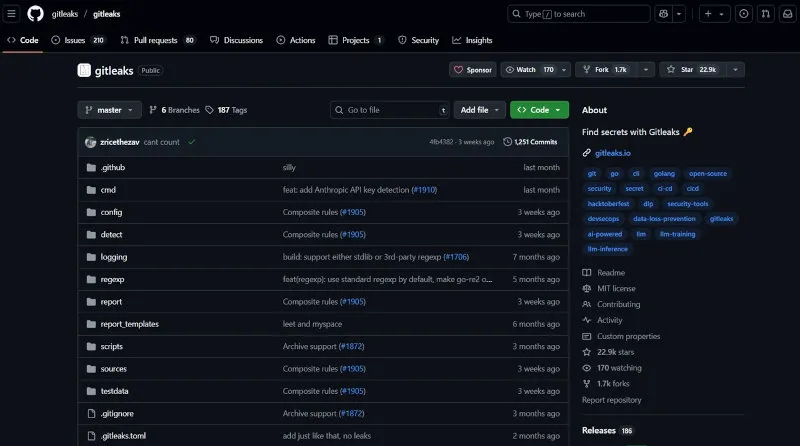
The Ultimate Gitleaks Guide
A Comprehensive Educational Tool for Developers, DevOps Engineers, and Security Professionals
⚠️ Important Update (Mid-2026): Zach Rice, the original creator of Gitleaks, has launched a successor tool called Betterleaks. Gitleaks remains stable and will continue to receive security patches, but active feature development has shifted to Betterleaks. See Section 19 at the end of this guide for full details and a migration guide.
Table of Contents
- Introduction to Gitleaks
- Understanding Git Security Risks
- How Gitleaks Works Under the Hood
- Installation Guide
- Getting Started: Your First Scan
- Command Line Interface Deep Dive
- Configuration and Customization
- Real-World Usage Scenarios
- Integration with Development Workflows
- CI/CD Pipeline Integration
- Troubleshooting and Debugging
- Performance Optimization
- Security Best Practices
- Advanced Topics and Enterprise Features
- Comparison with Other Tools
- Case Studies and Examples
- Maintenance and Updates
- Resources and Community
- Betterleaks: The Next Generation
1. Introduction to Gitleaks
What is Gitleaks?
Gitleaks is a powerful, open-source static analysis tool designed to detect and prevent secrets (API keys, passwords, tokens, certificates) from being exposed in Git repositories. Developed in Go, it provides fast, accurate scanning capabilities that integrate seamlessly into modern development workflows.
Current Status (Mid-2026)
The latest stable version of Gitleaks is v8.30.1 (released March 21, 2026), built with Go 1.24. It is considered feature complete by its original author, Zach Rice. Future releases will focus on security patches only. For new features and continued active development, see Section 19: Betterleaks of this guide.
Why Gitleaks Matters
The Problem:
- 1 in 4 repositories contains exposed secrets (GitHub Secret Scanner Report 2025)
- Average cost of a data breach: $4.88 million (IBM Security Report 2025)
- Stolen credentials remain the #1 initial access vector for breaches (Verizon DBIR 2025)
- AWS keys pushed to public repos can be scraped and weaponized by automated bots within minutes
The Solution: Gitleaks provides proactive security by scanning your entire Git history, current files, and incoming changes for sensitive information before it becomes a vulnerability.
Key Features Overview
| Feature | Beginner Benefit | Expert Benefit |
|---|---|---|
| Historical Scanning | Checks all past commits automatically | Deep forensic analysis of repository history |
| Real-time Detection | Prevents secrets in new commits | Integrates with advanced CI/CD pipelines |
| Custom Rules | Pre-built patterns work out-of-the-box | Highly customizable for specific environments |
| Multiple Output Formats | Easy-to-read reports | Machine-readable JSON/SARIF for automation |
| Archive Scanning | Finds secrets inside zip/tar files | Configurable recursion depth |
| Automatic Decoding | Catches base64/hex-encoded secrets | Configurable decode depth |
| Composite Rules | N/A for beginners | Proximity-aware multi-rule matching (v8.28+) |
Who Should Use Gitleaks?
- Developers: Prevent accidental secret commits
- DevOps Engineers: Automate security in CI/CD pipelines
- Security Teams: Audit and monitor repository security
- Open Source Maintainers: Protect community projects
- Compliance Officers: Meet security standards and regulations
2. Understanding Git Security Risks
Common Types of Exposed Secrets
API Keys and Tokens
# Examples of commonly leaked secrets:
AWS_ACCESS_KEY_ID=AKIAIOSFODNN7EXAMPLE
STRIPE_SECRET_KEY=sk_test_BQokikJOvBiI2HlWgH4olfQ2
GITHUB_TOKEN=ghp_xxxxxxxxxxxxxxxxxxxxxxxxxxxxxxxxxxxx
Database Credentials
# Database connection strings
DATABASE_URL=postgres://user:password123@localhost:5432/mydb
MONGO_URI=mongodb://admin:secret@cluster.mongodb.net/database
Private Keys
# SSH and SSL certificates
-----BEGIN RSA PRIVATE KEY-----
MIIEpAIBAAKCAQEA...
-----END RSA PRIVATE KEY-----
Real-World Impact Examples
Case Study: Travis CI (2021)
- Issue: Exposed AWS credentials in build logs
- Impact: Unauthorized access to customer data
- Lesson: Even temporary exposure can lead to breaches
Case Study: Uber (2016)
- Issue: AWS keys stored in private GitHub repository
- Impact: $148 million fine, 57 million user records compromised
- Lesson: Private repositories are not immune to breaches
Git-Specific Vulnerabilities
The History Problem
# Even if you remove secrets, they remain in history
git log --oneline --all
abc1234 Remove API keys  # <- Keys still in git history!
def5678 Add API integration
Branch and Tag Exposure
# Secrets might exist in forgotten branches
git branch -a
  main
  feature/old-implementation  # <- Might contain secrets
  remotes/origin/dev
3. How Gitleaks Works Under the Hood
Architecture Overview
| Git Repository | Gitleaks Engine | Security Report |
|---|---|---|
| • Commits | • Pattern Match | • Findings |
| • Branches | • Rule Engine | • Severity |
| • Tags | • File Analysis | • Remediation |
| • Staged Files | • Archive Scan |
Flow Direction: Git Repository → Gitleaks Engine → Security Report
Scanning Process Deep Dive
Phase 1: Repository Analysis
# Gitleaks analyzes multiple sources:
1. Git Object Database (.git/objects/)
2. Working Directory Files
3. Staged Changes (git index)
4. Commit History (git log -p)
5. All Branches and Tags
6. Archive files (zip, tar.gz) — when --max-archive-depth is set
Phase 2: Pattern Matching
// Simplified pattern matching logic
type Rule struct {
    Pattern     string `json:"pattern"`
    Description string `json:"description"`
    Entropy     float64 `json:"entropy"`
    Keywords    []string `json:"keywords"`
}
Phase 3: Context Analysis
- Entropy Analysis: Detects high-entropy strings (randomness)
- Keyword Detection: Looks for context clues like “password”, “secret”
- File Path Analysis: Considers file types and locations
- Commit Message Scanning: Checks for accidental disclosures
- Composite Rules (v8.28+): Multi-rule proximity matching for higher precision
Detection Algorithms
Regex Pattern Matching
# AWS Access Key ID Pattern
(?i)aws[_-]?access[_-]?key[_-]?id["'`\s]*[=:]["'`\s]*[A-Z0-9]{20}

# Generic API Key Pattern
(?i)api[_-]?key["'`\s]*[=:]["'`\s]*[A-Za-z0-9]{16,}
Entropy-Based Detection
# High entropy strings often indicate secrets
def calculate_entropy(string):
    probability = [float(string.count(c)) / len(string) for c in set(string)]
    entropy = -sum([p * math.log(p) / math.log(2.0) for p in probability])
    return entropy

# Strings with entropy > 4.5 are flagged as potential secrets
4. Installation Guide
System Requirements
| Component | Requirement |
|---|---|
| Operating System | Linux (Ubuntu 18.04+), macOS (10.15+), Windows (WSL2) |
| Architecture | AMD64, ARM64, 386 |
| Memory | Minimum 512MB, Recommended 2GB+ |
| Go Version | 1.24+ (only for source builds) |
Installation Methods
Method 1: Binary Download (Recommended)
Linux/macOS:
# Download latest release (v8.30.1 as of mid-2026)
curl -sSfL https://raw.githubusercontent.com/gitleaks/gitleaks/master/scripts/install.sh | sh -s -- -b /usr/local/bin

# Or manual download
GITLEAKS_VERSION="8.30.1"
OS="linux"  # or "darwin" for macOS
ARCH="amd64"  # or "arm64"

curl -L "https://github.com/gitleaks/gitleaks/releases/download/v${GITLEAKS_VERSION}/gitleaks_${GITLEAKS_VERSION}_${OS}_${ARCH}.tar.gz" -o gitleaks.tar.gz
tar -xzf gitleaks.tar.gz
sudo mv gitleaks /usr/local/bin/
Windows (PowerShell):
# Using Chocolatey
choco install gitleaks

# Or manual download
$version = "8.30.1"
$url = "https://github.com/gitleaks/gitleaks/releases/download/v$version/gitleaks_${version}_windows_amd64.zip"
Invoke-WebRequest -Uri $url -OutFile "gitleaks.zip"
Expand-Archive -Path "gitleaks.zip" -DestinationPath "."
Method 2: Package Managers
macOS - Homebrew:
brew install gitleaksUbuntu/Debian:
# Add repository
echo "deb [trusted=yes] https://apt.fury.io/gitleaks/ /" | sudo tee -a /etc/apt/sources.list.d/gitleaks.list
sudo apt update
sudo apt install gitleaks
Arch Linux:
yay -S gitleaksMethod 3: Docker
# Pull official image
docker pull zricethezav/gitleaks:latest

# Create alias for easy use
echo 'alias gitleaks="docker run --rm -v $(pwd):/repo zricethezav/gitleaks:latest"' >> ~/.bashrc
source ~/.bashrc
Method 4: From Source
# Prerequisites: Go 1.24+
git clone https://github.com/gitleaks/gitleaks.git
cd gitleaks
make build
sudo mv gitleaks /usr/local/bin/
Verification and Testing
# Verify installation
gitleaks version

# Expected output:
# 8.30.1

# Test basic functionality
echo "api_key = 'sk_test_123456789abcdef'" > test_file.txt
gitleaks dir --source . --verbose
Note: Earlier versions of this command used
gitleaks detect --source . --no-git --verbose. As of v8.19.0+, the filesystem-only scan moved to its owndirsubcommand — see Section 5 for the full command-naming change.
Troubleshooting Installation
Common Issues and Solutions
Issue: Command not found
# Solution: Add to PATH
export PATH=$PATH:/usr/local/bin
echo 'export PATH=$PATH:/usr/local/bin' >> ~/.bashrc
Issue: Permission denied
# Solution: Fix permissions
chmod +x /usr/local/bin/gitleaks
Issue: SSL certificate problems
# Solution: Update certificates
sudo apt-get update && sudo apt-get install ca-certificates
5. Getting Started: Your First Scan
Updated CLI — Important Command Changes (v8.19+)
Note: The
detectandprotectcommands were deprecated in v8.19.0. They still work but are hidden from--help. The modern equivalents are below — the rest of this guide uses the current syntax throughout.
| Old Command (deprecated, still works) | New Command |
|---|---|
gitleaks detect | gitleaks git |
gitleaks detect --no-git | gitleaks dir |
gitleaks protect --staged | git diff --cached | gitleaks stdin |
Basic Scanning Commands
Scan a Git Repository
# Scan current repository (full git history)
gitleaks git

# Scan with verbose output
gitleaks git --verbose

# Scan specific directory/repo
gitleaks git --source /path/to/repo
Scan a Directory (no git context)
# Scan filesystem only — current file state, no history
gitleaks dir --source /path/to/files
gitleaks dir --source .
Scan from stdin
# Scan staged changes (replaces 'protect --staged')
git diff --cached | gitleaks stdin

# Scan a file via stdin
cat config.js | gitleaks stdin
Understanding the Output
Clean Scan Result:
$ gitleaks git
INFO[0000] No leaks found
Secrets Found:
{
  "Description": "Generic API Key",
  "StartLine": 12,
  "EndLine": 12,
  "StartColumn": 15,
  "EndColumn": 47,
  "Match": "sk_test_4eC39HqLyjWDarjtT1zdp7dc",
  "Secret": "sk_test_4eC39HqLyjWDarjtT1zdp7dc",
  "File": "config/stripe.js",
  "SymlinkFile": "",
  "Commit": "a1b2c3d4e5f6",
  "Entropy": 4.2,
  "Author": "developer@example.com",
  "Email": "developer@example.com",
  "Date": "2026-01-15T10:30:00Z",
  "Message": "Add Stripe integration",
  "Tags": [],
  "RuleID": "stripe-access-token",
  "Fingerprint": "a1b2c3d4e5f6:config/stripe.js:stripe-access-token:12"
}
Note: The
Fingerprintfield (used for.gitleaksignore, covered in Section 7) was added in a later release and may not appear in output from very old Gitleaks versions.
Creating Your First Test Repository
# Create test repository with intentional secrets
mkdir gitleaks-demo
cd gitleaks-demo
git init

# Add various types of secrets
cat << 'EOF' > config.js
const config = {
  aws: {
    accessKeyId: 'AKIAIOSFODNN7EXAMPLE',
    secretAccessKey: 'wJalrXUtnFEMI/K7MDENG/bPxRfiCYEXAMPLEKEY'
  },
  stripe: {
    secret: 'sk_test_4eC39HqLyjWDarjtT1zdp7dc'
  },
  database: {
    url: 'mongodb://admin:password123@localhost:27017/app'
  }
}
EOF

# Create .env file
cat << 'EOF' > .env
API_KEY=super_secret_api_key_12345
JWT_SECRET=eyJhbGciOiJIUzI1NiIsInR5cCI6IkpXVCJ9
DATABASE_PASSWORD=my_secure_password_789
EOF

# Add SSH key
cat << 'EOF' > id_rsa
-----BEGIN RSA PRIVATE KEY-----
MIIEpAIBAAKCAQEAyXgUkQGHyrlRQ1Z9cYRtRbKtKKg0v2zLZY8zzUyZzZ...
-----END RSA PRIVATE KEY-----
EOF

git add .
git commit -m "Initial commit with secrets"

# Now scan
gitleaks git
Interpreting Results for Beginners
Understanding Severity Levels
- High: Confirmed secrets (API keys, passwords)
- Medium: Likely secrets (high entropy strings with keywords)
- Low: Potential secrets (patterns that might be false positives)
Common False Positives
# These might be flagged but are usually safe:
test_api_key = "fake_key_for_testing"      # Test data
PASSWORD_HASH = "bcrypt_hashed_value"       # Already hashed
API_ENDPOINT = "https://api.example.com"    # URLs, not keys
Your First Security Fix
# 1. Identify the secret
gitleaks git --report-format json --report-path findings.json

# 2. Remove from current files
sed -i 's/sk_test_4eC39HqLyjWDarjtT1zdp7dc/process.env.STRIPE_KEY/g' config.js

# 3. Add to environment variables
echo "STRIPE_KEY=sk_test_4eC39HqLyjWDarjtT1zdp7dc" >> .env.example
echo ".env" >> .gitignore

# 4. Clean git history using git-filter-repo (preferred over filter-branch)
# git-filter-repo is the officially recommended replacement for the
# deprecated 'git filter-branch' — faster, safer, and actively maintained.
pip install git-filter-repo
git filter-repo --path config.js --invert-paths

# 5. Verify fix
gitleaks git
Note: The original version of this guide recommended
git filter-branch --force --index-filter ... --prune-empty --tag-name-filter cat -- --all. The Git project itself now discouragesfilter-branchfor performance and safety reasons.git-filter-repois the current best practice and is what’s used above.
6. Command Line Interface Deep Dive
Current Command Structure
gitleaks [command]

Available Commands:
  completion  Generate autocompletion script
  dir         Scan directories or files for secrets
  git         Scan git repositories for secrets
  help        Help about any command
  stdin       Detect secrets from stdin
  version     Display gitleaks version
gitleaks git (replaces detect)
Primary scanning command for git repositories.
# Basic usage
gitleaks git [flags] [path]

# Common flags
--source string          # Path to git repo (default: current directory)
--config string          # Custom configuration file
--report-format string   # Output format: json, csv, junit, sarif, template
--report-path string     # Output file path
--verbose               # Enable verbose logging
--redact               # Hide secret values in output
--exit-code int        # Exit code when leaks found (default: 1)
--log-opts string      # Options passed to git log -p
--baseline-path string # Ignore previously known findings
--max-decode-depth int  # Recursive decoding depth (hex, base64, URL) (default: 0)
--max-archive-depth int # Recursive archive scanning depth (default: 0)
--enable-rule strings   # Enable only specific rules by ID
--no-banner             # Suppress the banner
Examples:
# Scan remote repository
gitleaks git --source https://github.com/user/repo.git

# Generate JSON report
gitleaks git --report-format json --report-path security-report.json

# Scan without git (filesystem only) — use the 'dir' command instead
gitleaks dir --source /path/to/files

# Redact secrets in output
gitleaks git --redact --verbose

# Scan a specific commit range
gitleaks git --log-opts="--since='2026-01-01' --until='2026-01-31'"

# Scan specific branches
gitleaks git --log-opts="origin/main..origin/develop"

# Scan with custom git log options
gitleaks git --log-opts="--author='developer@example.com' --since='1 week ago'"

# Generate SARIF report for GitHub Advanced Security
gitleaks git --report-format sarif --report-path results.sarif

# Scan with automatic base64/hex decoding (2 levels deep)
gitleaks git --max-decode-depth 2

# Scan archives inside the repo (zip, tar.gz)
gitleaks git --max-archive-depth 3

# Only alert on new findings since last scan
gitleaks git --baseline-path previous-report.json --report-format json --report-path new-report.json
gitleaks dir (replaces detect --no-git)
Scans directories and files without git context — only the current state on disk, not history. Useful for non-git folders or for the fastest possible scan when history doesn’t matter.
gitleaks dir --source /path/to/directory
gitleaks dir --source . --report-format json --report-path findings.json
gitleaks stdin (replaces protect --staged)
Scans content piped from stdin. This is the modern way to wire Gitleaks into pre-commit hooks, replacing the old protect command.
# Modern pre-commit approach
git diff --cached | gitleaks stdin --no-banner

# Scan a specific file
cat sensitive_file.txt | gitleaks stdin
Git Hook Integration (legacy protect syntax, still works but deprecated):
# Old style — still functions but hidden from --help
echo '#!/bin/sh\ngitleaks protect --staged --verbose' > .git/hooks/pre-commit
chmod +x .git/hooks/pre-commit

# Test the hook
echo "api_key = 'secret123'" > test.txt
git add test.txt
git commit -m "Test commit"  # Will be blocked by gitleaks
See Section 9 for the full, current pre-commit hook setup using stdin.
Output Formats and Reporting
JSON Format (Default):
gitleaks git --report-format json --report-path findings.jsonCSV Format:
gitleaks git --report-format csv --report-path findings.csvJUnit XML (for CI integration):
gitleaks git --report-format junit --report-path test-results.xmlSARIF (Security Analysis Results Interchange Format):
gitleaks git --report-format sarif --report-path results.sarifCustom template:
gitleaks git --report-format template --report-template my-template.tmpl --report-path report.htmlEnvironment Variables
# Configuration via environment variables
export GITLEAKS_CONFIG="/path/to/custom/config.toml"
# Or supply config content directly:
export GITLEAKS_CONFIG_TOML="$(cat gitleaks.toml)"

export GITLEAKS_LOG_LEVEL="debug"

# GitHub integration
export GITHUB_TOKEN="ghp_xxxxxxxxxxxxxxxxxxxx"
gitleaks git --source https://github.com/private/repo.git
Note: The
GITLEAKS_VERBOSEenvironment variable from older versions has been removed; use the--verboseflag instead.
Debug and Logging Options
# Enable debug logging
gitleaks git --verbose --log-level debug

# Capture all logs to file
gitleaks git --verbose 2>&1 | tee gitleaks-debug.log

# Performance profiling
gitleaks git --verbose --log-opts="--stat" --source large-repo/
7. Configuration and Customization
Default Configuration
Gitleaks ships with 160+ built-in rules covering:
# Built-in rule categories (v8.30.x):
- AWS credentials (access keys, session tokens, secret keys)
- Google Cloud Platform keys
- Azure credentials
- GitHub tokens (classic, fine-grained)
- GitLab tokens
- Slack tokens and webhooks
- Stripe live and test keys
- Generic API keys
- Database connection strings
- SSH private keys
- JWT tokens
- Airtable Personal Access Tokens (added v8.30.0)
- Looker client ID and secret (added v8.30.0)
- And 140+ more patterns
Custom Configuration File
Basic Configuration Structure
# gitleaks.toml
title = "Custom Gitleaks Configuration"

[[rules]]
id = "custom-api-key"
description = "Custom API Key Pattern"
regex = '''(?i)custom[_-]?api[_-]?key["'`\s]*[=:]["'`\s]*[A-Za-z0-9]{32}'''
keywords = ["custom_api", "custom-key"]

[[rules]]
id = "database-password"
description = "Database Password"
regex = '''(?i)db[_-]?pass(word)?["'`\s]*[=:]["'`\s]*[A-Za-z0-9@#$%^&*!]{8,}'''
keywords = ["db_pass", "database_password"]
Extending the Default Configuration
# gitleaks.toml
title = "Extended Gitleaks Configuration"

[extend]
# Extend the built-in default ruleset (do not use useDefault and path together)
useDefault = true

[[rules]]
id = "mycompany-api-token"
description = "MyCompany Internal API Token"
regex = '''(?i)mycompany[_-]?token["'`\s]*[=:]["'`\s]*[A-Za-z0-9]{40}'''
keywords = ["mycompany", "internal_token"]
secretGroup = 0
entropy = 4.0
Composite Rules (v8.28+ Feature)
Composite rules allow you to require multiple patterns to match in proximity before flagging a finding. This dramatically reduces false positives — for example, only flagging an AWS access key if a matching secret key also appears nearby.
[[rules]]
id = "aws-access-key-with-secret"
description = "AWS Access Key paired with Secret"
regex = '''(A3T[A-Z0-9]|AKIA|AGPA|AIDA|AROA|AIPA|ANPA|ANVA|ASIA)[A-Z0-9]{16}'''
keywords = ["AKIA", "ASIA", "AROA"]
secretGroup = 0

  # Require the secret key to be within 5 lines of the access key
  [[rules.required]]
  id = "aws-secret-access-key"
  withinLines = 5
Advanced Rule Configuration
[[rules]]
id = "stripe-secret-key"
description = "Stripe Secret Key"
regex = '''sk_(test|live)_[A-Za-z0-9]{24}'''
keywords = ["stripe", "sk_"]
secretGroup = 0  # Which regex group contains the secret
entropy = 3.5    # Minimum entropy threshold
allowlist = [    # Patterns to ignore
  "sk_test_example",
  "sk_test_fake"
]

[allowlist]
description = "Global allowlist"
regexes = [
  '''fake_key_for_testing''',
  '''example\.com''',
  '''localhost'''
]
paths = [
  "test/",
  "tests/",
  "spec/",
  ".git/"
]
commits = [
  "a1b2c3d4e5f6",  # Ignore specific commits
  "abcdef123456"
]
stopwords = [
  "test",
  "fake",
  "example",
  "dummy"
]
Rule Customization Examples
Organization-Specific API Keys
[[rules]]
id = "mycompany-api-token"
description = "MyCompany Internal API Token"
regex = '''(?i)mycompany[_-]?token["'`\s]*[=:]["'`\s]*[A-Za-z0-9]{40}'''
keywords = ["mycompany", "internal_token"]
secretGroup = 0
entropy = 4.0

# Additional context matching
[[rules]]
id = "internal-service-key"
description = "Internal Service Authentication Key"
regex = '''(?i)(auth|service)[_-]?key["'`\s]*[=:]["'`\s]*([A-Za-z0-9+/]{64}={0,2})'''
keywords = ["auth_key", "service_key", "internal"]
secretGroup = 2
Database Credentials Examples
[[rules]]
id = "postgresql-connection"
description = "PostgreSQL Connection String"
regex = '''postgresql://([^:]+):([^@]+)@([^/]+)/(.+)'''
keywords = ["postgresql", "postgres", "psql"]
secretGroup = 2  # Password group

[[rules]]
id = "mongodb-uri"
description = "MongoDB Connection URI"
regex = '''mongodb://([^:]+):([^@]+)@([^/]+)/(.+)'''
keywords = ["mongodb", "mongo"]
secretGroup = 2
Allowlist Configuration
File-Based Allowlisting
[allowlist]
description = "Files and paths to ignore"
paths = [
  "docs/",
  "examples/",
  "test/fixtures/",
  "vendor/",
  "node_modules/",
  ".git/",
  "*.md",
  "*.txt"
]
Pattern-Based Allowlisting
[allowlist]
description = "Patterns that are safe to ignore"
regexes = [
  # Test data
  '''(?i)test[_-]?(key|token|secret)''',
  '''(?i)(fake|dummy|example)[_-]?(key|token)''',

  # Common false positives
  '''[0-9a-f]{8}-[0-9a-f]{4}-[0-9a-f]{4}-[0-9a-f]{4}-[0-9a-f]{12}''', # UUIDs
  '''https?://[^/]+/[^/]+''',  # URLs
  '''localhost:[0-9]+''',      # Local addresses
]
Commit-Based Allowlisting
[allowlist]
description = "Known safe commits"
commits = [
  "abc123def456",  # Initial test data commit
  "789xyz012abc"   # Documentation update with examples
]
stopwords = [
  "test",
  "fake",
  "example",
  "dummy"
]
.gitleaksignore File
You can suppress specific findings by adding their fingerprints to a .gitleaksignore file at the root of your repo. The fingerprint is included in every finding’s output (see the Fingerprint field in Section 5).
# .gitleaksignore
a1b2c3d4e5f6:config/test-fixtures.js:generic-api-key:42
789xyz012abc:docs/examples.md:stripe-access-token:15
You can also inline-suppress on a per-line basis directly in code:
const EXAMPLE_KEY = "sk_test_fake123"; // gitleaks:allowAdd // gitleaks:allow (or # gitleaks:allow for Python/Bash/YAML) at the end of a line to suppress findings for that specific line — useful for one-off documented exceptions without editing the global allowlist.
Configuration Best Practices
Layered Configuration Strategy
# 1. Base configuration (organization-wide)
gitleaks.base.toml

# 2. Project-specific overrides
gitleaks.toml

# 3. Local development
gitleaks.local.toml (gitignored)
Configuration Validation
# Test configuration against known samples
gitleaks dir --config gitleaks.toml --source test-samples/

# Validate configuration syntax
gitleaks dir --config gitleaks.toml --source /dev/null
Performance Tuning
# Optimize for large repositories
[performance]
max_target_megabytes = 4    # Skip large files
timeout = "30s"             # Per-file timeout
workers = 4                 # Parallel processing
8. Real-World Usage Scenarios
Scenario 1: New Project Security Audit
Situation: You’ve inherited a legacy codebase and need to audit it for secrets.
Step-by-Step Process:
# 1. Clone and analyze repository structure
git clone https://github.com/company/legacy-app.git
cd legacy-app

# Check repository size and history
git log --oneline | wc -l    # Number of commits
git count-objects -vH        # Repository size
git branch -a                # All branches
git tag                      # All tags

# 2. Run comprehensive scan
gitleaks git --verbose --report-format json --report-path audit-report.json

# 3. Analyze findings by severity
jq '.[] | select(.Entropy > 4.5)' audit-report.json | jq -s 'length'  # High entropy secrets
jq '.[] | group_by(.RuleID) | map({rule: .[0].RuleID, count: length})' audit-report.json

# 4. Generate summary report
cat << 'EOF' > generate-summary.sh
#!/bin/bash
echo "# Security Audit Report - $(date)"
echo ""
echo "## Repository Stats"
echo "- Commits: $(git log --oneline | wc -l)"
echo "- Branches: $(git branch -a | wc -l)"
echo "- Contributors: $(git log --format='%an' | sort -u | wc -l)"
echo ""
echo "## Secrets Found"
jq -r '.[] | "- \(.RuleID): \(.File):\(.StartLine)"' audit-report.json
EOF

chmod +x generate-summary.sh
./generate-summary.sh > audit-summary.md
Scenario 2: Pre-Deployment Security Check
Situation: Implementing security gates before production deployments.
# 1. Create deployment security script
cat << 'EOF' > deploy-security-check.sh
#!/bin/bash
set -e

echo "🔍 Running pre-deployment security checks..."

# Scan current branch
echo "Scanning current branch for secrets..."
if ! gitleaks git --redact --exit-code 0; then
    echo "❌ Secrets detected! Deployment blocked."
    echo "Please remove secrets before deploying."
    exit 1
fi

# Scan only changes since last deployment
LAST_DEPLOY=$(git tag --list "deploy-*" --sort=-version:refname | head -1)
if [ -n "$LAST_DEPLOY" ]; then
    echo "Scanning changes since $LAST_DEPLOY..."
    git diff --name-only $LAST_DEPLOY..HEAD | xargs -r -I{} gitleaks dir --source {}
fi

# Check for common security issues
echo "Checking for common security issues..."
grep -r "TODO.*security\|FIXME.*security\|XXX.*security" . --exclude-dir=.git || true

echo "✅ Security checks passed! Safe to deploy."
EOF

chmod +x deploy-security-check.sh

# 2. Integrate with deployment pipeline
# Add to CI/CD pipeline or run manually before deployment
./deploy-security-check.sh
Scenario 3: Developer Onboarding
Situation: Setting up new developers with proper secret management practices.
# 1. Create developer setup script
cat << 'EOF' > setup-developer-environment.sh
#!/bin/bash

echo "🚀 Setting up secure development environment..."

# Install gitleaks
if ! command -v gitleaks &> /dev/null; then
    echo "Installing gitleaks..."
    curl -sSfL https://raw.githubusercontent.com/gitleaks/gitleaks/master/scripts/install.sh | sh -s -- -b /usr/local/bin
fi

# Setup pre-commit hook using the modern stdin approach
echo "Setting up pre-commit hook..."
cat << 'HOOK' > .git/hooks/pre-commit
#!/bin/sh
echo "🔍 Scanning for secrets before commit..."
git diff --cached | gitleaks stdin --no-banner
if [ $? -ne 0 ]; then
    echo ""
    echo "❌ Commit blocked: Secrets detected!"
    echo "Please remove secrets and try again."
    echo ""
    echo "Need help? Check the security guidelines:"
    echo "https://company.wiki/security/secret-management"
    exit 1
fi
echo "✅ No secrets detected. Commit allowed."
HOOK

chmod +x .git/hooks/pre-commit

# Create template environment file
echo "Creating environment template..."
cat << 'TEMPLATE' > .env.example
# Copy this file to .env and fill in your values
# Never commit the .env file to git!

DATABASE_URL=your_database_url_here
API_KEY=your_api_key_here
JWT_SECRET=your_jwt_secret_here
TEMPLATE

# Ensure .env is gitignored
if ! grep -q "^\.env$" .gitignore; then
    echo ".env" >> .gitignore
fi

echo "✅ Developer environment setup complete!"
echo ""
echo "📝 Next steps:"
echo "1. Copy .env.example to .env"
echo "2. Fill in your local environment values"
echo "3. Read security guidelines: https://company.wiki/security"
EOF

chmod +x setup-developer-environment.sh
Scenario 4: Open Source Project Maintenance
Situation: Maintaining security in a public open-source project.
# 1. Create contributor security guidelines

cat << 'EOF' > SECURITY.md

# Security Guidelines

## Reporting Secrets

If you discover secrets in this repository:

1. **DO NOT** create a public issue
2. Email security@project.org immediately
3. Include the commit hash and file location

## For Contributors

### Before Contributing

```bash
# Install and run gitleaks
gitleaks git --source .
```

### Pre-commit Setup

```bash
# Automatic secret detection
echo '#!/bin/sh\ngit diff --cached | gitleaks stdin' > .git/hooks/pre-commit
chmod +x .git/hooks/pre-commit
```

## Safe Practices

- Use environment variables for secrets
- Never commit `.env` files
- Use placeholders in documentation
- Regular security audits with `gitleaks git`
  EOF
# 2. Setup GitHub Actions for automated scanning
mkdir -p .github/workflows
cat << 'EOF' > .github/workflows/security.yml
name: Security Scan
on:
push:
branches: [main, develop]
pull_request:
branches: [main]
jobs:
gitleaks:
name: Secrets Detection
runs-on: ubuntu-latest
steps:
- uses: actions/checkout@v4
with:
fetch-depth: 0
- name: Run Gitleaks
id: gitleaks
uses: gitleaks/gitleaks-action@v3
env:
GITHUB_TOKEN: ${{ secrets.GITHUB_TOKEN }}
GITLEAKS_LICENSE: ${{ secrets.GITLEAKS_LICENSE }}
- name: Upload SARIF file
if: failure()
uses: github/codeql-action/upload-sarif@v3
with:
sarif_file: results.sarif
EOF
# 3. Community security monitoring
cat << 'EOF' > scripts/community-security-check.sh
#!/bin/bash
# Regular security audit for open source maintainers
echo "🔍 Community Security Audit - $(date)"
# Check all branches for secrets
for branch in $(git branch -r | grep -v HEAD); do
echo "Scanning $branch..."
git checkout $branch 2>/dev/null
gitleaks git --report-format json --report-path "scan-$(basename $branch).json"
done
# Return to main branch
git checkout main
# Aggregate results
echo "📊 Generating community security report..."
jq -s 'map(.[]) | group_by(.RuleID) | map({rule: .[0].RuleID, occurrences: length, branches: map(.Branch) | unique})' scan-*.json > community-security-report.json
rm scan-*.json
echo "✅ Community security audit complete!"
EOF
chmod +x scripts/community-security-check.shNote: The GitHub Action above uses
gitleaks-action@v3, not the olderv2. See Section 10 for why this matters —v2stops working September 16, 2026.
Scenario 5: Enterprise Multi-Repository Audit
Situation: Security team needs to audit hundreds of repositories across the organization.
# 1. Create enterprise audit script
cat << 'EOF' > enterprise-audit.sh
#!/bin/bash

# Enterprise-wide repository security audit
GITHUB_ORG="your-org"
OUTPUT_DIR="audit-results-$(date +%Y%m%d)"
mkdir -p "$OUTPUT_DIR"

echo "🏢 Starting enterprise security audit..."

# Get all repositories
gh repo list "$GITHUB_ORG" --limit 1000 --json name,url > repositories.json

# Function to audit a single repository
audit_repository() {
    local repo_name="$1"
    local repo_url="$2"
    local audit_dir="$OUTPUT_DIR/$repo_name"

    echo "Auditing $repo_name..."

    # Clone repository
    git clone --depth 50 "$repo_url" "$audit_dir" 2>/dev/null || {
        echo "Failed to clone $repo_name" >> "$OUTPUT_DIR/failed-clones.log"
        return 1
    }

    cd "$audit_dir"

    # Run gitleaks scan
    gitleaks git --report-format json --report-path "../${repo_name}-findings.json" --redact

    # Collect metadata
    cat << METADATA > "../${repo_name}-metadata.json"
{
    "repository": "$repo_name",
    "scan_date": "$(date -Iseconds)",
    "commit_count": $(git rev-list --count HEAD),
    "contributor_count": $(git log --format='%an' | sort -u | wc -l),
    "last_commit": "$(git log -1 --format='%H %aI %s')",
    "branches": $(git branch -r | wc -l),
    "size_mb": $(du -sm . | cut -f1)
}
METADATA

    cd ..
    rm -rf "$audit_dir"
}

export -f audit_repository
export OUTPUT_DIR

# Parallel processing of repositories
jq -r '.[] | "\(.name) \(.url)"' repositories.json | \
    parallel --colsep ' ' -j 5 audit_repository {1} {2}

# Generate summary report
echo "📈 Generating enterprise summary..."
cat << 'SUMMARY' > generate-enterprise-summary.py
#!/usr/bin/env python3
import json
import glob
from collections import defaultdict
from datetime import datetime

findings_files = glob.glob(f"{OUTPUT_DIR}/*-findings.json")
metadata_files = glob.glob(f"{OUTPUT_DIR}/*-metadata.json")

# Aggregate findings
total_secrets = 0
secrets_by_type = defaultdict(int)
repos_with_secrets = 0
high_risk_repos = []

for findings_file in findings_files:
    try:
        with open(findings_file) as f:
            findings = json.load(f)
            if findings:
                repos_with_secrets += 1
                total_secrets += len(findings)

                high_entropy_secrets = [f for f in findings if f.get('Entropy', 0) > 4.5]
                if high_entropy_secrets:
                    repo_name = findings_file.split('/')[-1].replace('-findings.json', '')
                    high_risk_repos.append({
                        'repo': repo_name,
                        'high_entropy_count': len(high_entropy_secrets)
                    })

                for finding in findings:
                    secrets_by_type[finding['RuleID']] += 1
    except:
        continue

# Generate report
report = {
    'scan_date': datetime.now().isoformat(),
    'summary': {
        'total_repositories_scanned': len(metadata_files),
        'repositories_with_secrets': repos_with_secrets,
        'total_secrets_found': total_secrets,
        'high_risk_repositories': len(high_risk_repos)
    },
    'secrets_by_type': dict(secrets_by_type),
    'high_risk_repositories': sorted(high_risk_repos, key=lambda x: x['high_entropy_count'], reverse=True)[:10]
}

with open(f'{OUTPUT_DIR}/enterprise-summary.json', 'w') as f:
    json.dump(report, f, indent=2)

print("✅ Enterprise audit complete!")
print(f"📁 Results in {OUTPUT_DIR}/")
print(f"📊 {report['summary']['repositories_with_secrets']} of {report['summary']['total_repositories_scanned']} repositories have secrets")
SUMMARY

python3 generate-enterprise-summary.py
EOF

chmod +x enterprise-audit.sh
9. Integration with Development Workflows
The pre-commit Framework (Recommended)
The simplest and most maintainable way to run Gitleaks as a pre-commit hook today is via the pre-commit framework, which Gitleaks officially supports:
# .pre-commit-config.yaml
repos:
  - repo: https://github.com/gitleaks/gitleaks
    rev: v8.30.1
    hooks:
      - id: gitleaks # uses the native binary
      # - id: gitleaks-docker  # alternative: uses the Docker image instead
Install and activate:
pip install pre-commit
pre-commit install
# Auto-update to the latest version later
pre-commit autoupdate
To skip the check in an emergency (use sparingly):
SKIP=gitleaks git commit -m "skip gitleaks check"IDE Integration
Visual Studio Code Extension
// .vscode/settings.json
{
  "gitleaks.enable": true,
  "gitleaks.configPath": "./gitleaks.toml",
  "gitleaks.scanOnSave": true,
  "gitleaks.showInline": true
}
Vim/Neovim Integration
-- init.lua or .vimrc equivalent
vim.api.nvim_create_autocmd("BufWritePost", {
  pattern = "*",
  callback = function()
    local file = vim.fn.expand("%:p")
    local cmd = string.format("gitleaks dir --source %s", file)
    local result = vim.fn.system(cmd)
    if vim.v.shell_error ~= 0 then
      vim.api.nvim_err_writeln("Gitleaks: Secrets detected!")
      print(result)
    end
  end
})
Note: The original Neovim snippet called
gitleaks protect --staged --source %s, mixing a stdin-style hook with a file argument. The corrected version above usesgitleaks dirto scan the saved file directly, which is the right tool for a “scan this one file on save” use case.
Git Hooks Integration
Pre-commit Hook (Comprehensive, Manual Version)
#!/bin/sh
# .git/hooks/pre-commit

set -e

echo "🔍 Running pre-commit security checks..."

# Check for gitleaks installation
if ! command -v gitleaks &> /dev/null; then
    echo "❌ Gitleaks not found. Please install it first."
    echo "Visit: https://github.com/gitleaks/gitleaks#installation"
    exit 1
fi

# Run gitleaks on staged files via stdin (replaces 'protect --staged')
echo "Scanning staged files for secrets..."
if ! git diff --cached | gitleaks stdin --no-banner; then
    echo ""
    echo "❌ COMMIT BLOCKED: Secrets detected in staged files!"
    echo ""
    echo "🔧 How to fix:"
    echo "1. Remove the secrets from your code"
    echo "2. Use environment variables instead"
    echo "3. Add secrets to .env (make sure .env is in .gitignore)"
    echo "4. Consider using a secret management service"
    echo ""
    echo "📚 Learn more: https://gitleaks.io/docs/"
    exit 1
fi

# Additional checks for common issues
echo "Checking for common security issues..."

# Check if .env files are accidentally staged
if git diff --cached --name-only | grep -E "^\.env$|^\.env\..*$" | grep -v "\.env\.example$\|\.env\.template$"; then
    echo "❌ COMMIT BLOCKED: .env files should not be committed!"
    echo "Run: git reset HEAD .env"
    exit 1
fi

# Check for TODO/FIXME security comments
if git diff --cached | grep -E "TODO.*security|FIXME.*security|XXX.*security" >/dev/null; then
    echo "⚠️  Warning: Security-related TODO/FIXME comments found"
    echo "Please address these before production deployment"
fi

echo "✅ Pre-commit security checks passed!"
Note: If you’d rather not maintain this script by hand, the
pre-commitframework hook shown above handles the Gitleaks portion automatically and is easier to keep updated — but the custom script here is still useful if you want the extra.envand TODO/FIXME checks bundled in.
Pre-push Hook
#!/bin/sh
# .git/hooks/pre-push

protected_branch='main'
current_branch=$(git symbolic-ref HEAD | sed 's!refs\/heads\/!!')

if [ $protected_branch = $current_branch ]; then
    echo "🔍 Running comprehensive security scan before pushing to main..."

    # Full repository scan
    if ! gitleaks git --verbose; then
        echo "❌ PUSH BLOCKED: Secrets found in repository history!"
        echo "Please clean the repository history before pushing to main."
        exit 1
    fi

    echo "✅ Security scan passed for main branch push!"
fi
Development Environment Setup
Docker Development Container
# .devcontainer/Dockerfile
FROM mcr.microsoft.com/devcontainers/base:ubuntu

# Install gitleaks
RUN curl -sSfL https://raw.githubusercontent.com/gitleaks/gitleaks/master/scripts/install.sh | sh -s -- -b /usr/local/bin

# Install other security tools
RUN apt-get update && apt-get install -y \
    git \
    jq \
    parallel \
    && rm -rf /var/lib/apt/lists/*

# Setup git hooks automatically
COPY setup-hooks.sh /usr/local/bin/
RUN chmod +x /usr/local/bin/setup-hooks.sh

# Configure git to use hooks
RUN git config --global init.templatedir ~/.git-template
RUN mkdir -p ~/.git-template/hooks
RUN setup-hooks.sh ~/.git-template/hooks
// .devcontainer/devcontainer.json
{
"name": "Secure Development Environment",
"build": {
"dockerfile": "Dockerfile"
},
"postCreateCommand": "setup-hooks.sh .git/hooks",
"customizations": {
"vscode": {
"extensions": ["gitleaks.gitleaks", "ms-vscode.vscode-json"]
}
}
}Team Workflow Integration
Pull Request Template
<!-- .github/pull_request_template.md -->

## Security Checklist

Please confirm that you have completed the following:

- [ ] Ran `gitleaks git` and resolved all findings
- [ ] No secrets or credentials are being committed
- [ ] Environment variables are used for configuration
- [ ] `.env` files are properly gitignored
- [ ] No hardcoded URLs, passwords, or API keys

## Changes Made

Brief description of changes...

## Security Impact

- [ ] No security impact
- [ ] Adds new dependencies (list them)
- [ ] Modifies authentication/authorization
- [ ] Changes data handling

## Testing

- [ ] Verified secrets detection is working
- [ ] Tested with local environment variables
- [ ] Confirmed no sensitive data in logs
Code Review Guidelines
# scripts/review-security.sh
#!/bin/bash
# Security-focused code review helper

echo "🔍 Security Review Helper"
echo "========================"

# Check for recent secret-related changes
echo "Recent files with potential secrets:"
git log --since="1 week ago" --name-only --pretty=format: | \
    sort -u | \
    grep -E "\.(env|config|yml|yaml|json)$" | \
    head -10

echo ""
echo "Files to review carefully:"

# Find files that might contain secrets
find . -type f \( -name "*.env*" -o -name "*.config*" -o -name "*.json" -o -name "*.yml" -o -name "*.yaml" \) \
    ! -path "./.git/*" ! -path "./node_modules/*" ! -path "./vendor/*" | \
    head -10

echo ""
echo "Running gitleaks on current branch:"
gitleaks git --verbose --redact

echo ""
echo "✅ Security review helper complete!"
10. CI/CD Pipeline Integration
Important:
gitleaks-action@v2will stop working on September 16, 2026, when Node 20 is removed from GitHub-hosted runners. Migrate togitleaks-action@v3now — it requires GitHub Actions runner v2.327.1 or later (the default on all current hosted runners). Every example below usesv3.
GitHub Actions
Basic Integration
# .github/workflows/security.yml
name: Security Scan

on:
  push:
    branches: [main, develop]
  pull_request:
    branches: [main]
  schedule:
    - cron: "0 2 * * 1" # Weekly scan on Mondays at 2 AM

jobs:
  gitleaks:
    name: Secrets Detection
    runs-on: ubuntu-latest
    permissions:
      contents: read
      security-events: write

    steps:
      - name: Checkout code
        uses: actions/checkout@v4
        with:
          fetch-depth: 0

      - name: Run Gitleaks
        uses: gitleaks/gitleaks-action@v3
        env:
          GITHUB_TOKEN: ${{ secrets.GITHUB_TOKEN }}
          GITLEAKS_LICENSE: ${{ secrets.GITLEAKS_LICENSE }}
        with:
          config-path: .gitleaks.toml

      - name: Upload SARIF file
        uses: github/codeql-action/upload-sarif@v3
        if: always()
        with:
          sarif_file: results.sarif

      - name: Comment PR with results
        if: github.event_name == 'pull_request' && failure()
        uses: actions/github-script@v7
        with:
          script: |
            github.rest.issues.createComment({
              issue_number: context.issue.number,
              owner: context.repo.owner,
              repo: context.repo.repo,
              body: '🚨 **Security Alert**: Secrets detected in this PR. Please remove them before merging.'
            })
Note:
actions/upload-artifact@v3andactions/github-script@v6, used in the original version of this guide, were deprecated by GitHub in early 2025;v4andv7respectively are the current versions and are used throughout this section.
Advanced Multi-Job Workflow
# .github/workflows/advanced-security.yml
name: Advanced Security Pipeline

on:
  push:
    branches: [main]
  pull_request:
    branches: [main]

jobs:
  secrets-detection:
    name: Secrets Scan
    runs-on: ubuntu-latest
    outputs:
      secrets-found: ${{ steps.gitleaks.outputs.exitcode }}
    steps:
      - uses: actions/checkout@v4
        with:
          fetch-depth: 0

      - name: Run Gitleaks
        id: gitleaks
        uses: gitleaks/gitleaks-action@v3
        continue-on-error: true

      - name: Process Results
        id: process
        run: |
          if [ -f results.sarif ]; then
            SECRETS_COUNT=$(jq '.runs[0].results | length' results.sarif)
            echo "secrets-count=$SECRETS_COUNT" >> $GITHUB_OUTPUT

            if [ "$SECRETS_COUNT" -gt 0 ]; then
              echo "::error::Found $SECRETS_COUNT secrets in the repository"
            fi
          fi

      - name: Upload results
        uses: actions/upload-artifact@v4
        if: always()
        with:
          name: gitleaks-results
          path: results.sarif

  security-report:
    name: Generate Security Report
    runs-on: ubuntu-latest
    needs: secrets-detection
    if: always()
    steps:
      - uses: actions/checkout@v4

      - name: Download scan results
        uses: actions/download-artifact@v4
        with:
          name: gitleaks-results

      - name: Generate Report
        run: |
          cat << 'EOF' > generate-report.py
          import json
          import os
          from datetime import datetime

          # Load SARIF results
          try:
              with open('results.sarif') as f:
                  sarif = json.load(f)

              results = sarif['runs'][0]['results']

              # Generate markdown report
              report = f"""# Security Scan Report

          **Scan Date:** {datetime.now().strftime('%Y-%m-%d %H:%M:%S UTC')}
          **Repository:** {os.environ.get('GITHUB_REPOSITORY', 'Unknown')}
          **Commit:** {os.environ.get('GITHUB_SHA', 'Unknown')[:8]}

          ## Summary

          - **Secrets Found:** {len(results)}
          - **Status:** {'❌ Failed' if results else '✅ Passed'}

          ## Findings

          """

              if results:
                  report += "| File | Line | Rule | Severity |\n|------|------|------|----------|\n"
                  for result in results:
                      location = result['locations'][0]['physicalLocation']
                      file_path = location['artifactLocation']['uri']
                      line = location['region']['startLine']
                      rule_id = result['ruleId']
                      severity = result['level']
                      report += f"| {file_path} | {line} | {rule_id} | {severity} |\n"
              else:
                  report += "No secrets detected! 🎉\n"

              with open('security-report.md', 'w') as f:
                  f.write(report)

          except FileNotFoundError:
              with open('security-report.md', 'w') as f:
                  f.write("# Security Scan Report\n\nNo scan results found.\n")
          EOF

          python3 generate-report.py

      - name: Comment PR with Report
        if: github.event_name == 'pull_request'
        uses: actions/github-script@v7
        with:
          script: |
            const fs = require('fs');
            const report = fs.readFileSync('security-report.md', 'utf8');

            github.rest.issues.createComment({
              issue_number: context.issue.number,
              owner: context.repo.owner,
              repo: context.repo.repo,
              body: report
            });

  block-deployment:
    name: Block Deployment if Secrets Found
    runs-on: ubuntu-latest
    needs: secrets-detection
    if: needs.secrets-detection.outputs.secrets-found != '0'
    steps:
      - name: Block Deployment
        run: |
          echo "::error::Deployment blocked due to secrets detection"
          echo "Please remove all secrets before deploying to production"
          exit 1
GitLab CI
# .gitlab-ci.yml
stages:
  - security
  - build
  - deploy

variables:
  GITLEAKS_VERSION: "8.30.1"

gitleaks:
  stage: security
  image: alpine:latest
  before_script:
    - apk add --no-cache git curl
    - curl -sSfL "https://github.com/gitleaks/gitleaks/releases/download/v${GITLEAKS_VERSION}/gitleaks_${GITLEAKS_VERSION}_linux_amd64.tar.gz" -o gitleaks.tar.gz
    - tar -xzf gitleaks.tar.gz
    - chmod +x gitleaks
  script:
    - ./gitleaks git --report-format sarif --report-path gitleaks-report.sarif --verbose
  artifacts:
    paths:
      - gitleaks-report.sarif
    when: always
  rules:
    - if: $CI_PIPELINE_SOURCE == "merge_request_event"
    - if: $CI_COMMIT_BRANCH == $CI_DEFAULT_BRANCH

# Only proceed to build if no secrets found
build:
  stage: build
  needs:
    - job: gitleaks
      artifacts: false
  script:
    - echo "Building application..."
    -  # Your build commands here
  rules:
    - if: $CI_PIPELINE_SOURCE == "merge_request_event"
    - if: $CI_COMMIT_BRANCH == $CI_DEFAULT_BRANCH
Note: The original config used
gitleaks detect --report-format jsonwithartifacts: reports: junit:. The command has been updated togitleaks git, and the report format switched tosarif(with a matchinggitleaks-report.sarifpath) since SARIF integrates more cleanly with GitLab’s native vulnerability reporting UI. If you need JUnit output for a test-results dashboard instead,--report-format junitstill works identically to before.
Azure DevOps
# azure-pipelines.yml
trigger:
  branches:
    include:
      - main
      - develop

pr:
  branches:
    include:
      - main

stages:
  - stage: Security
    displayName: "Security Scanning"
    jobs:
      - job: Gitleaks
        displayName: "Secrets Detection"
        pool:
          vmImage: "ubuntu-latest"
        steps:
          - checkout: self
            fetchDepth: 0

          - task: PowerShell@2
            displayName: "Install Gitleaks"
            inputs:
              targetType: "inline"
              script: |
                $version = "8.30.1"
                $url = "https://github.com/gitleaks/gitleaks/releases/download/v$version/gitleaks_${version}_linux_amd64.tar.gz"
                Invoke-WebRequest -Uri $url -OutFile "gitleaks.tar.gz"
                tar -xzf gitleaks.tar.gz
                chmod +x gitleaks
                sudo mv gitleaks /usr/local/bin/

          - task: PowerShell@2
            displayName: "Run Gitleaks Scan"
            inputs:
              targetType: "inline"
              script: |
                gitleaks git --report-format junit --report-path gitleaks-results.xml --verbose
                if ($LASTEXITCODE -ne 0) {
                  Write-Host "##vso[task.logissue type=error]Secrets detected in repository!"
                  exit 1
                }

          - task: PublishTestResults@2
            condition: always()
            inputs:
              testResultsFormat: "JUnit"
              testResultsFiles: "gitleaks-results.xml"
              testRunTitle: "Gitleaks Security Scan"

  - stage: Build
    displayName: "Build Application"
    dependsOn: Security
    condition: succeeded()
    jobs:
      - job: Build
        displayName: "Build Job"
        steps:
          - script: echo "Building application..."
Jenkins Pipeline
// Jenkinsfile
pipeline {
    agent any

    environment {
        GITLEAKS_VERSION = '8.30.1'
    }

    stages {
        stage('Security Scan') {
            steps {
                script {
                    // Install Gitleaks
                    sh '''
                        if ! command -v gitleaks &> /dev/null; then
                            curl -sSfL "https://github.com/gitleaks/gitleaks/releases/download/v${GITLEAKS_VERSION}/gitleaks_${GITLEAKS_VERSION}_linux_amd64.tar.gz" -o gitleaks.tar.gz
                            tar -xzf gitleaks.tar.gz
                            chmod +x gitleaks
                            sudo mv gitleaks /usr/local/bin/ || mv gitleaks $HOME/bin/
                        fi
                    '''

                    // Run security scan
                    def scanResult = sh(
                        script: 'gitleaks git --report-format json --report-path gitleaks-report.json --exit-code 0',
                        returnStatus: true
                    )

                    // Process results
                    if (scanResult != 0) {
                        def report = readJSON file: 'gitleaks-report.json'
                        def secretCount = report.size()

                        currentBuild.result = 'FAILURE'
                        error("Security scan failed: ${secretCount} secrets detected!")
                    }
                }
            }
            post {
                always {
                    archiveArtifacts artifacts: 'gitleaks-report.json', allowEmptyArchive: true

                    script {
                        if (fileExists('gitleaks-report.json')) {
                            def report = readJSON file: 'gitleaks-report.json'
                            if (report.size() > 0) {
                                slackSend(
                                    color: 'danger',
                                    message: "🚨 Security Alert: ${report.size()} secrets detected in ${env.JOB_NAME} - ${env.BUILD_NUMBER}"
                                )
                            }
                        }
                    }
                }
            }
        }

        stage('Build') {
            when {
                expression { currentBuild.result == null || currentBuild.result == 'SUCCESS' }
            }
            steps {
                echo 'Building application...'
                // Your build steps here
            }
        }

        stage('Deploy') {
            when {
                allOf {
                    branch 'main'
                    expression { currentBuild.result == null || currentBuild.result == 'SUCCESS' }
                }
            }
            steps {
                echo 'Deploying application...'
                // Your deployment steps here
            }
        }
    }
}
Container-Based CI
# Dockerfile.gitleaks-ci
FROM alpine:latest

RUN apk add --no-cache \
    git \
    curl \
    jq \
    bash

ARG GITLEAKS_VERSION=8.30.1
RUN curl -sSfL "https://github.com/gitleaks/gitleaks/releases/download/v${GITLEAKS_VERSION}/gitleaks_${GITLEAKS_VERSION}_linux_amd64.tar.gz" -o gitleaks.tar.gz && \
    tar -xzf gitleaks.tar.gz && \
    chmod +x gitleaks && \
    mv gitleaks /usr/local/bin/ && \
    rm gitleaks.tar.gz

COPY security-scan.sh /usr/local/bin/
RUN chmod +x /usr/local/bin/security-scan.sh

ENTRYPOINT ["/usr/local/bin/security-scan.sh"]
#!/bin/bash
# security-scan.sh
set -e
echo "🔍 Starting containerized security scan..."
# Configuration
REPORT_FORMAT=${REPORT_FORMAT:-"json"}
REPORT_PATH=${REPORT_PATH:-"gitleaks-report.json"}
CONFIG_PATH=${CONFIG_PATH:-""}
REDACT=${REDACT:-"true"}
VERBOSE=${VERBOSE:-"true"}
# Build gitleaks command
GITLEAKS_CMD="gitleaks git --report-format $REPORT_FORMAT --report-path $REPORT_PATH"
if [ "$VERBOSE" = "true" ]; then
GITLEAKS_CMD="$GITLEAKS_CMD --verbose"
fi
if [ "$REDACT" = "true" ]; then
GITLEAKS_CMD="$GITLEAKS_CMD --redact"
fi
if [ -n "$CONFIG_PATH" ] && [ -f "$CONFIG_PATH" ]; then
GITLEAKS_CMD="$GITLEAKS_CMD --config $CONFIG_PATH"
fi
# Run scan
echo "Running: $GITLEAKS_CMD"
eval $GITLEAKS_CMD
# Process results
if [ -f "$REPORT_PATH" ]; then
SECRETS_COUNT=$(jq '. | length' "$REPORT_PATH")
echo "📊 Scan completed: $SECRETS_COUNT secrets found"
if [ "$SECRETS_COUNT" -gt 0 ]; then
echo "❌ Security scan failed!"
exit 1
fi
fi
echo "✅ Security scan passed!"11. Troubleshooting and Debugging
Common Troubleshooting Issues and Solutions
Issue 1: “gitleaks: command not found”
Symptoms:
$ gitleaks git
bash: gitleaks: command not found
Diagnosis:
# Check if gitleaks is installed
which gitleaks
echo $PATH
Solutions:
# Solution 1: Install gitleaks
curl -sSfL https://raw.githubusercontent.com/gitleaks/gitleaks/master/scripts/install.sh | sh -s -- -b /usr/local/bin

# Solution 2: Add to PATH
export PATH=$PATH:/usr/local/bin
echo 'export PATH=$PATH:/usr/local/bin' >> ~/.bashrc

# Solution 3: Use full path
/usr/local/bin/gitleaks git

# Solution 4: Use Docker
alias gitleaks="docker run --rm -v \$(pwd):/repo zricethezav/gitleaks:latest"
Issue 2: Permission Denied Errors
Symptoms:
$ gitleaks git
FATA[0000] could not open git repo: permission denied
Diagnosis:
# Check repository permissions
ls -la .git/
ls -la .

# Check if running in correct directory
pwd
git status
Solutions:
# Solution 1: Fix permissions
sudo chown -R $(whoami):$(whoami) .git/
chmod -R 755 .git/

# Solution 2: Run as different user
sudo -u git gitleaks git --source /path/to/repo

# Solution 3: Use 'dir' command for filesystem-only scanning
gitleaks dir --source .
Issue 3: Large Repository Performance Issues
Symptoms:
$ gitleaks git
# Hangs or takes extremely long time
# High memory usage
# Process killed by OOM
Diagnosis:
# Check repository size
git count-objects -vH

# Check commit count
git rev-list --count HEAD

# Check memory usage
free -h
htop
Solutions:
# Solution 1: Limit scan depth
gitleaks git --log-opts="--max-count=1000"

# Solution 2: Scan specific time period
gitleaks git --log-opts="--since='2026-01-01'"

# Solution 3: Increase system resources
export GOMEMLIMIT=4GiB
ulimit -v 8388608  # 8GB virtual memory limit

# Solution 4: Scan in chunks
git log --format="%H" --max-count=100 | while read commit; do
    echo "Scanning commit $commit"
    gitleaks git --log-opts="$commit^..$commit"
done

# Solution 5: Use shallow clone
git clone --depth 50 <repo-url>
cd <repo>
gitleaks git

# Solution 6: Use a baseline to only scan/report new changes
gitleaks git --baseline-path baseline.json
Issue 4: False Positives
Cause: Scanning a repository with a very long and complex history.
Solution: Limit the scan depth. Use the --log-opts flag to scan only recent history. For example, --log-opts="--since='1 year ago'" or --log-opts="--max-count=1000".
Cause: Scanning very large files.
Solution: Skip large files by setting a size limit. Use the --max-target-megabytes flag to exclude files larger than a certain size.
Cause: Insufficient system resources. Solution: Increase memory available to Gitleaks, especially when running in a container. For Docker, you can adjust memory limits.
Cause: Legitimate test/example data that matches a secret pattern.
Solution: Add the fingerprint to .gitleaksignore, add an allowlist entry to gitleaks.toml, or use an inline // gitleaks:allow comment — see Section 7 for all three approaches.
[allowlist]
regexes = [
  '''(?i)test[_-]?(key|token|secret)''',
  '''(?i)(fake|dummy|example)[_-]?(key|token)''',
]
stopwords = ["test", "fake", "example", "dummy"]
Issue 5: False Negatives
Symptoms:
- A known secret is not being detected by Gitleaks.
Diagnosis:
- Check the Gitleaks version to ensure you have the latest rule set.
- Review the custom configuration file (
gitleaks.toml) to see if the rule is disabled or if an allowlist is excluding it. - Test the specific regex for the secret against the file content using a tool like Regex101 to ensure it matches, or use the official Gitleaks Playground to test your rule live.
Solutions:
- Update Gitleaks: Ensure you are using the latest version (v8.30.1 as of mid-2026).
- Refine Custom Rules: If you are using custom rules, ensure the regex is correct and that there are no overly broad allowlist rules that might be causing the issue.
- Check for
gitleaks:allowcomments: Look for comments in the code that might be telling Gitleaks to ignore a specific line. - Check
.gitleaksignore: A fingerprint may have been added there for a finding that’s actually still relevant.
Issue 6: “detect/protect not found” (Deprecated Commands)
If you’re following old scripts or documentation that use gitleaks detect or gitleaks protect --staged, note that they still work (they’re hidden from --help as of v8.19.0+) but should be updated to the current equivalents used throughout this guide:
# Old → New
gitleaks detect                 → gitleaks git
gitleaks detect --no-git -s .   → gitleaks dir -s .
gitleaks protect --staged       → git diff --cached | gitleaks stdin
Debugging with Verbose Mode
For any complex issue, the --verbose or -v flag is your best friend. It provides detailed output on which files are being scanned and which rules are being applied.
# Run a scan with verbose logging
gitleaks git --verbose

# For even more detail, set the log level to debug
gitleaks git --log-level debug
This will give you insight into the entire process, helping you pinpoint where the issue might be.
Getting Help from the Community
If you’re stuck, the Gitleaks community is a great resource. You can find help on:
- GitHub Discussions: The official place for questions, ideas, and showing off your use cases.
- GitHub Issues: For reporting bugs or requesting new features.
When asking for help, be sure to provide:
- The Gitleaks version you are using (
gitleaks version). - Your operating system.
- The command you are running.
- The relevant parts of your configuration file.
- The verbose or debug log output.
12. Performance Optimization
When scanning large repositories or running Gitleaks in resource-constrained environments, performance can become a critical factor. Here are some strategies to optimize your Gitleaks scans.
Optimizing Scans for Large Repositories
Large repositories can be slow to scan due to the sheer volume of commits and files. Here’s how to speed things up:
-
Shallow Clones: When cloning a repository for scanning, use a shallow clone to limit the history.
git clone --depth 1000 <repository_url> -
Limit Scan Depth: Use the
--log-optsflag to restrict the scan to a recent number of commits.gitleaks git --log-opts="--max-count=500" -
Scan Specific Timeframes: If you only need to audit recent activity, specify a date range.
gitleaks git --log-opts="--since='6 months ago'" -
Use a Baseline: Once you’ve done a full initial scan, use
--baseline-pathon subsequent runs so Gitleaks only needs to report new findings rather than re-presenting everything each time.gitleaks git --baseline-path baseline.json
Efficient Branch Management
A large number of branches can also slow down scans. It’s good practice to regularly prune stale branches.
Configuration Tweaks for Performance
Your Gitleaks configuration can be tuned for better performance:
# In your gitleaks.toml
[performance]
# Skip files larger than 5MB
max_target_megabytes = 5

# Increase the number of processing workers (for multi-core systems)
workers = 8
Filesystem Scanning
For very large repositories where Git history is not the primary concern, run Gitleaks with the dir command, which only scans the current state of the files and skips walking through git history entirely — often dramatically faster.
gitleaks dir --source .Using Git LFS for Large Files
If your repository contains large binary files, using Git LFS can improve performance by keeping those large files out of the main Git repository.
13. Security Best Practices
Beyond just running Gitleaks, here are some best practices to build a robust secret management strategy.
Shift-Left Security
The “shift-left” approach involves integrating security early in the development lifecycle.
- Pre-commit Hooks: Prevent secrets from ever entering the repository, using the
pre-commitframework (Section 9) or a manual hook. - CI/CD Integration: Automate secret scanning on every push and pull request with
gitleaks-action@v3(Section 10).
Defense in Depth
Relying on a single tool is not enough. A layered security approach is more effective:
- Secret Management Systems: Use tools like HashiCorp Vault, AWS Secrets Manager, or Google Secret Manager to store and manage secrets.
- Regular Audits: Schedule regular, full-history scans of all your repositories.
- Code Reviews: Encourage a security-conscious culture where developers look for potential leaks during code reviews.
- GitHub Native Scanning: GitHub’s built-in secret scanning catches post-push leaks from partner providers automatically — run Gitleaks alongside it for custom patterns, pre-commit coverage, and non-GitHub repositories.
Incident Response Plan
Have a clear plan for what to do when a secret is leaked:
- Revoke the Secret: Immediately invalidate the leaked credential with the provider (AWS, GitHub, Stripe, etc.) — this is the single most important step and should happen before anything else.
- Remove from History: Use
git-filter-repo(the current recommended tool — see Section 5) or BFG Repo-Cleaner to remove the secret from the entire Git history. - Force Push: Coordinate with your team and force-push the cleaned history, since rewriting history requires everyone to re-sync their local clones.
- Investigate the Impact: Check provider access logs to determine if the secret was used maliciously.
- Post-mortem: Understand how the leak happened and improve your processes to prevent it from happening again.
Remember: Rotation alone is not enough if the repository is or was ever public. Automated bots scrape newly pushed secrets within minutes. The secret needs to be both rotated and removed from history — and Step 1 (revoke) should never wait on Step 2 (clean history), since cleaning history takes longer and the credential is compromised the moment it’s pushed.
Build Security Awareness
Train your team on the importance of not hardcoding secrets and how to use approved secret management tools.
14. Advanced Topics and Enterprise Features
For large organizations, Gitleaks offers several advanced and enterprise-grade features.
Baselines
You can use a baseline report to only show new leaks since the last scan. This is useful for integrating Gitleaks into an existing project with a large number of findings.
# Create an initial baseline report
gitleaks git --report-format json --report-path baseline.json

# On subsequent scans, only report new leaks
gitleaks git --baseline-path baseline.json
Gitleaks in Enterprise Environments
For enterprise-wide adoption, consider the following:
- Centralized Configuration: Maintain a central repository for your
gitleaks.tomlfile that all projects can inherit from using[extend]. - Custom Integrations: Use the JSON output format to integrate Gitleaks findings into your existing security dashboards or SIEM systems.
- Enterprise Support: Gitleaks itself does not offer a paid enterprise support tier from the original maintainer; organizations wanting a fully managed/supported offering should evaluate GitGuardian (Section 15) or watch Betterleaks’ roadmap (Section 19), which has the backing of Aikido Security plus corporate co-maintainers.
Advanced Detection Capabilities
Gitleaks has some advanced detection capabilities that can be enabled with flags:
-
Archive Scanning (v8.27+): Scan inside
zipandtar.gzfiles.gitleaks git --max-archive-depth=3 -
Automatic Decoding (v8.27+): Decode base64, hex, and percent-encoded text to find hidden secrets.
gitleaks git --max-decode-depth=5 -
Composite Rules (v8.28+): Require multiple patterns to match in proximity before flagging a finding, dramatically reducing false positives. See Section 7 for full configuration examples.
15. Comparison with Other Tools
Gitleaks is a powerful tool, but it’s important to understand how it compares to other secret scanning tools in the ecosystem — including its own successor.
Gitleaks vs. Betterleaks
With the launch of Betterleaks by Gitleaks’ original author in early 2026, this is the most relevant comparison for anyone choosing a tool today:
- Gitleaks: Stable, feature-complete, and the most widely integrated secret scanner in the open-source ecosystem (pre-commit, GitHub Actions, GitLab CI, IDE plugins). Now receives security patches only — no new features. v8.30.1 is current. All existing CLI flags and
gitleaks.tomlconfigs remain valid for the foreseeable future. - Betterleaks: The next-generation successor, built by the same author. Uses BPE tokenization instead of Shannon entropy (98.6% recall vs. 70.4% on the CredData benchmark). Adds CEL-based live secret validation, parallelized git history scanning, and is purpose-built for AI agent workflows. Designed as a drop-in replacement — existing Gitleaks configs work without modification.
See Section 19 for the full breakdown and a migration guide.
Gitleaks vs. TruffleHog
- Gitleaks: Known for its speed and efficiency, as it’s written in Go. It has extensive customization options and is excellent for CI/CD integration.
- TruffleHog: Also very popular, it uses both regex and entropy checks to find secrets, and supports scanning beyond git — including Slack, S3 buckets, and Docker images. While traditionally seen as slightly slower, it provides deep and thorough multi-source analysis.
Gitleaks vs. detect-secrets
- detect-secrets: Developed by Yelp, this tool is highly modular with a plugin-based architecture, allowing for a high degree of customization.
Gitleaks vs. GitGuardian
- GitGuardian: A commercial solution that offers a more comprehensive platform with features like real-time monitoring, a global dashboard, and incident response workflows. It’s a good choice for enterprises that need a fully managed solution and don’t mind the per-developer licensing cost.
| Tool | Key Strength | Best For |
|---|---|---|
| Gitleaks | Speed, stability, customization, and CI/CD integration. | Teams that want a fast, flexible, mature, open-source solution today. |
| Betterleaks | Higher detection recall, live credential validation. | Teams wanting the active successor from the same original author. |
| TruffleHog | Deep multi-source analysis (git, Slack, S3, Docker, etc.) | Thorough security audits across data sources beyond just git. |
| detect-secrets | Modular and highly customizable with plugins. | Organizations that need to build a highly tailored scanning solution. |
| GitGuardian | All-in-one enterprise platform with advanced features. | Companies looking for a fully supported, commercial, managed solution. |
16. Case Studies and Examples
Case Study: Preventing an AWS Key Leak
Scenario: A developer accidentally includes an AWS access key in a debug statement.
Without Gitleaks: The code is committed and pushed to a public repository. Within minutes, automated scanners find the key, and the AWS account is compromised, leading to a costly data breach.
With Gitleaks:
- The developer tries to commit the code.
- The pre-commit hook runs
git diff --cached | gitleaks stdinand detects the AWS key. - The commit is blocked with a clear error message.
- The developer removes the key, uses an environment variable instead, and successfully commits the code.
- A potential disaster is averted with zero impact.
Case Study: Auditing a Legacy Monorepo
Scenario: A company acquires a new business and needs to audit a large, legacy monorepo with years of commit history.
Process:
- The security team clones the repository.
- They run a full Gitleaks scan with the command
gitleaks git --report-format json --report-path audit.json. - The initial scan reveals over 200 potential secrets.
- They use the JSON report to categorize the findings by rule and severity.
- They create a plan to revoke and rotate the critical secrets first, then work through the rest.
- They create a baseline (
cp audit.json baseline.json) so future scans only surface genuinely new findings. - They implement Gitleaks in the CI/CD pipeline (using
gitleaks-action@v3) to prevent any new secrets from being added.
17. Maintenance and Updates
To keep Gitleaks effective, it’s important to perform regular maintenance and stay up to date.
Keeping Gitleaks Updated
-
For Binary Installations: Periodically re-run the installation script to get the latest version.
curl -sSfL https://raw.githubusercontent.com/gitleaks/gitleaks/master/scripts/install.sh | sh -s -- -b /usr/local/bin -
For Homebrew: Run
brew upgrade gitleaks. -
For Docker: Pull the latest image:
docker pull zricethezav/gitleaks:latest. -
For Gitleaks-Action: Make sure you’re pinned to
gitleaks-action@v3(not@v2, which stops working September 16, 2026 — see Section 10). -
For the
pre-commitframework: Runpre-commit autoupdateto bump the pinnedrevautomatically.
Updating Rules
The default ruleset was actively updated with each release through v8.30.0 (which added Airtable and Looker token detection). Since Gitleaks is now feature-complete, expect future rule updates to be infrequent and security-driven rather than expansive. If you need the ruleset to keep pace with new secret formats from cloud providers, Betterleaks (Section 19) is where that active development is now happening — its rules are largely compatible with Gitleaks configs.
Reviewing Allowlists
As your codebase evolves, your allowlists may become outdated. It’s a good practice to periodically review your allowlist rules to ensure they are still relevant and not hiding real leaks.
18. Resources and Community
The Gitleaks community is active and welcoming. Here are some resources to help you on your journey.
Official Resources
- Gitleaks Website: The official source for information and documentation. https://gitleaks.io
- Gitleaks GitHub Repository: The source code, issue tracker, and discussions. https://github.com/gitleaks/gitleaks
- Gitleaks Playground: A browser-based tool to test Gitleaks configurations and rules. https://playground.gitleaks.io
- Gitleaks-Action: The official GitHub Action for CI/CD integration — use
@v3. https://github.com/gitleaks/gitleaks-action - Betterleaks GitHub Repository: The successor project. https://github.com/betterleaks/betterleaks
Community and Support
- GitHub Discussions: The primary place for community support and questions. https://github.com/gitleaks/gitleaks/discussions
- GitHub Issues: For reporting bugs or requesting new features.
- Medium Articles and Blog Posts: Many users and security professionals share their experiences and best practices in blog posts and articles. https://medium.com/search?q=gitleaks
Contributing to Gitleaks
Gitleaks is an open-source project, and contributions are welcome — particularly for security patches, bug fixes, and documentation improvements, since the project is now feature-complete. You can contribute by:
- Reporting bugs.
- Improving documentation.
- Submitting pull requests with security fixes.
New feature contributions and significant rule-set expansions are now generally directed toward Betterleaks instead — see below.
19. Betterleaks: The Next Generation
Background
In early February 2026, Zach Rice — the original creator of Gitleaks — joined Aikido Security as Head of Secrets Scanning. He then launched Betterleaks on February 3, 2026, as the official spiritual successor to Gitleaks.
Rice has been transparent about the reason: he no longer holds full administrative control over the Gitleaks repository and name. Rather than work around governance friction indefinitely, he started fresh. As he put it: “Betterleaks is the successor to Gitleaks. We’re dropping the ‘git’ and slapping ‘better’ on it because that’s what it is, better.”
He has confirmed that Gitleaks will remain stable and continue to receive security patches, so existing users are not forced to migrate. This guide treats Gitleaks (Sections 1–18) as the stable, current-day default and Betterleaks as the option for teams who want the newest detection technology and active development.
What’s New in Betterleaks
1. Token Efficiency Scanning (replaces Shannon Entropy)
The most significant technical change. Instead of measuring how “random” a string looks character-by-character (Shannon entropy — the method Gitleaks uses, described in Section 3), Betterleaks uses Byte Pair Encoding (BPE) tokenization — the same compression technique used by GPT-4 and other large language models.
The logic: natural language compresses efficiently into long tokens (high token efficiency). Secrets and random strings compress poorly into many short tokens (low token efficiency). BPE tokenization turns this into a far more reliable signal than raw entropy.
Benchmark results on the CredData dataset:
| Method | Recall | Precision |
|---|---|---|
| Shannon Entropy (Gitleaks) | 70.4% | 21.1% |
| BPE Token Efficiency (Betterleaks) | 98.6% | 57.3% |
This 28-percentage-point recall improvement means dramatically fewer real secrets slip through undetected, while precision more than doubles — meaning far fewer false positives to triage as well.
2. CEL-Based Secrets Validation
Betterleaks can fire live HTTP requests against detected credentials to verify they are still active. Validation logic is written in Common Expression Language (CEL), giving rule authors fine-grained programmatic control over what constitutes a confirmed secret — for example, distinguishing a still-active AWS key from one that was already rotated and revoked.
3. Drop-in Replacement
Betterleaks is fully backwards-compatible with Gitleaks. Existing config files, allowlists, and CLI flags all work without modification, which is why the migration guide below is so short.
4. Pure Go — No CGO or Hyperscan Dependencies
Simpler installation with no native library requirements, which also simplifies cross-platform builds and container images.
5. Parallelized Git Scanning
Processes multiple commits simultaneously instead of walking history linearly, the way Gitleaks does (see Section 3, Phase 1). Benchmarks show significantly faster scans on large repositories with deep history.
6. AI Agent-Ready Design
Betterleaks includes tight output controls and flag-based output suppression, making it easy for AI coding agents (like Claude Code or Cursor) to integrate as a subprocess without excessive token overhead — a use case that didn’t really exist when Gitleaks’ CLI was originally designed.
Installation
# Using Go
go install github.com/betterleaks/betterleaks@latest

# Using Homebrew
brew install betterleaks

# Using Docker
docker pull ghcr.io/betterleaks/betterleaks:latest
Migration from Gitleaks
Since Betterleaks is a drop-in replacement, migration is minimal:
# Step 1: Install Betterleaks
brew install betterleaks

# Step 2: Your existing gitleaks.toml works as-is — no changes needed

# Step 3: Replace 'gitleaks' with 'betterleaks' in your scripts/hooks

# Old
gitleaks git --report-format sarif --report-path results.sarif

# New
betterleaks git --report-format sarif --report-path results.sarif
Update your pre-commit config:
# .pre-commit-config.yaml
repos:
  - repo: https://github.com/betterleaks/betterleaks
    rev: v1.1.0 # Check GitHub for latest
    hooks:
      - id: betterleaks
The same applies to every example in Sections 8–14 of this guide — anywhere you see gitleaks git, gitleaks dir, or gitleaks stdin, the Betterleaks equivalent is simply betterleaks in place of gitleaks, with identical flags.
Governance and Licensing
Betterleaks is open-source under the MIT license and is maintained by four core contributors: Zach Rice (project lead), plus contributors from the Royal Bank of Canada, Red Hat, and Amazon. Aikido Security acts as a sponsor, not an owner, and Rice retains project ownership — a deliberate structural difference from how Gitleaks’ governance evolved.
Roadmap
Features planned for Betterleaks v2 include:
- Additional data sources beyond Git repositories and files (echoing what TruffleHog already offers today, per Section 15)
- LLM-assisted analysis for better secret classification (distinguishing real keys from test fixtures automatically)
- More detection filters
- Automatic secret revocation via provider APIs
- Permissions mapping
- Further performance optimizations
Should You Migrate?
Stick with Gitleaks if:
- Your pipelines are stable and working well today
- You need maximum ecosystem maturity — Gitleaks has years of integrations, IDE plugins, and Stack Overflow answers that Betterleaks doesn’t have yet
- You have no pressing need for improved recall or live credential validation
Switch to Betterleaks if:
- You want the best possible detection accuracy (98.6% vs. 70.4% recall)
- You want live credential validation to separate genuinely active leaks from stale, already-rotated ones
- You want to follow where the original author’s active development is going
- You’re setting up a new pipeline from scratch and have no existing Gitleaks investment to preserve
Either way, if you’re currently using neither tool, start somewhere — even Gitleaks at 70.4% recall stops the vast majority of real secrets from reaching production, and migrating later is, by design, nearly frictionless.
This guide was last updated June 2026. For the latest information, consult the official repositories at github.com/gitleaks/gitleaks and github.com/betterleaks/betterleaks._