The Ultimate Guide to AI-Powered IDEs and Coding Assistants - 2026 Edition
The Ultimate Guide to AI-Powered IDEs and Coding Assistants (2026 Edition)
Welcome to the new frontier of software development — and this time, the frontier has genuinely moved.
When the original version of this guide was written, AI-powered coding tools were exciting novelties: smart autocomplete engines that could finish your lines, answer questions in a sidebar, and generate a function if you described it well enough. That era is over. In 2026, the leading AI coding tools don’t just suggest code — they plan features, write tests, fix bugs, open pull requests, and run entire workflows autonomously while you focus on the architecture and the business logic.
This is not incremental improvement. It is a generational shift.
This guide maps the new landscape in full: the agentic terminal tools redefining the developer workflow, the AI-native IDEs racing toward parallel orchestration, the extensions and plugins that still make sense, and the open-source agents building toward something even bigger. Whether you’re a seasoned engineer evaluating your toolchain or a developer just beginning to explore AI assistance, this is your current, comprehensive map.
Table of Contents
- Three Generations of AI Coding Tools: A Brief History
- Category 1: Agentic Terminal & Cloud Agents (Claude Code, OpenAI Codex, Hermes Agent, Google Antigravity CLI, OpenClaw)
- Category 2: AI-Native IDEs (Cursor, Google Antigravity Desktop, AWS Kiro, Devin Desktop)
- Category 3: IDE Extensions & Plugins (GitHub Copilot, Tabnine, Cline, Amazon Q Developer, Replit AI)
- Category 4: Vibe Coding & No-Code AI Builders
- Core Features: The 2026 Capability Stack
- Frequently Asked Questions (FAQ)
- Conclusion: The Developer’s New Role
- References
Three Generations of AI Coding Tools: A Brief History
To understand where we are, it helps to know how quickly we got here.
Generation 1 — Autocomplete (2021–2023): The launch of GitHub Copilot, powered by OpenAI’s original Codex model, marked the beginning. These tools offered inline suggestions — smarter than IntelliSense, but still passive. The developer drove; the AI offered directions. Tabnine and Amazon CodeWhisperer followed the same model.
Generation 2 — Chat & Context (2023–2025): LLMs got dramatically better, and tools like Cursor, ChatGPT, and Claude.ai showed that conversational interaction with an AI aware of your codebase could be transformative. You could ask “why is this function slow?” or “refactor this class to use dependency injection” and get a real answer. Context windows expanded. Multi-file awareness arrived.
Generation 3 — Agentic (2025–present): This is the era we are now in. The defining characteristic is autonomy. You give a goal, not a prompt. The AI reads your codebase, forms a plan, writes code across multiple files, runs tests, fixes failures, and proposes changes for your review — all in one uninterrupted loop. Tools like Claude Code, OpenAI Codex, AWS Kiro, and Google Antigravity are built around this paradigm from the ground up.
The key shift: you are no longer the one typing most of the code. Your role has moved upstream — to requirements, architecture, review, and judgment.
Category 1: Agentic Terminal & Cloud Agents
These tools don’t live inside an editor. They live in your terminal, your cloud environment, or both — and they operate with a level of autonomy that feels qualitatively different from anything that came before. This category covers Claude Code, OpenAI Codex, Hermes Agent, Google Antigravity CLI, and OpenClaw.
Claude Code
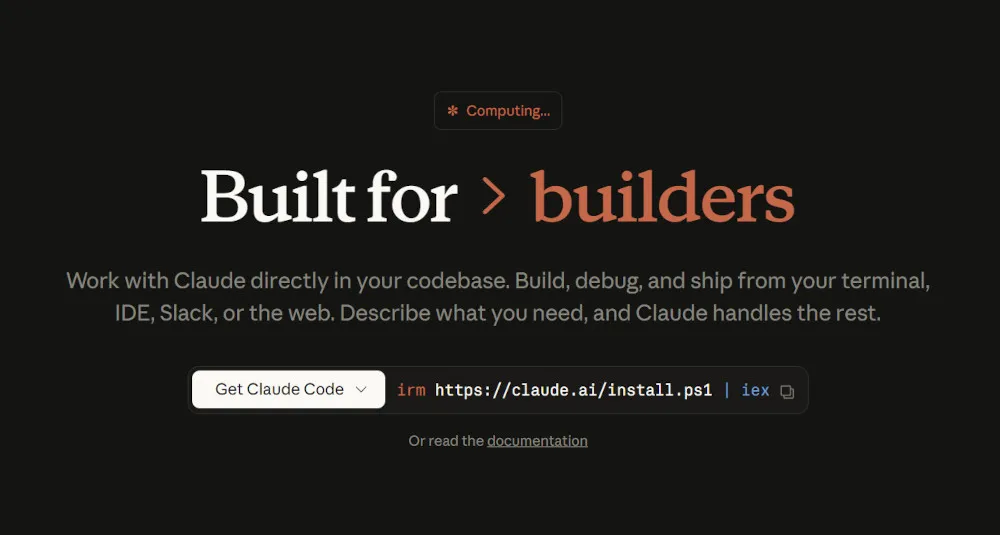
Developer: Anthropic | Launched: Early 2026 | Model: Claude Opus 4.6 / 4.8
Claude Code is Anthropic’s agentic coding tool designed to work directly inside your terminal. Unlike IDE plugins that assist as you type, Claude Code reads your entire repository, forms a plan, and executes changes autonomously — refactoring code, debugging errors, explaining logic, and managing Git workflows without you leaving the command line.
Its most distinctive technical feature is a 1 million token context window, the largest native context among major coding tools. This means Claude Code can hold an entire large codebase in a single session without losing track of earlier files or decisions. No surcharge, no beta headers — a 900K-token request costs the same per-token rate as a 9K one.
Standout features:
- Agent Teams: Multiple Claude instances work as a coordinated team. One instance leads; others execute in parallel across separate context windows — useful for multi-feature development or cross-layer coordination.
- Fast Mode: Toggle
/fastto get the same Opus 4.6 intelligence at 2.5x speed for interactive work. - MCP Integration: Connect Claude Code to GitHub, databases, Slack, internal APIs, and custom tooling via Model Context Protocol.
- Agentic workflow modes: Plan mode (review before execution), auto mode (autonomous execution), and scheduled routines for recurring tasks.
- IDE integration: Despite being terminal-native, Claude Code integrates with VS Code and JetBrains via a connector that gives it automatic context — current file, highlighted code, error panels.
Best for: Terminal-native developers, CI/CD pipeline automation, complex reasoning tasks, teams that want Anthropic’s model quality with scriptable agent behavior.
Pricing: Usage-based via Anthropic API, or bundled with Claude Pro/Max/Team/Enterprise plans.
| Pros | Cons |
|---|---|
| Largest context window in the category | Terminal is the primary surface; GUI modes are supplementary |
| Exceptional reasoning on complex, multi-file tasks | Single model family (Claude); no multi-model switching |
| Highly scriptable; integrates well into CI/CD | Steeper onboarding for developers not already terminal-native |
| Available via terminal, Claude Desktop app, web (Artifacts/Cowork), and IDE extensions | |
| MCP ecosystem for connecting external services |
OpenAI Codex
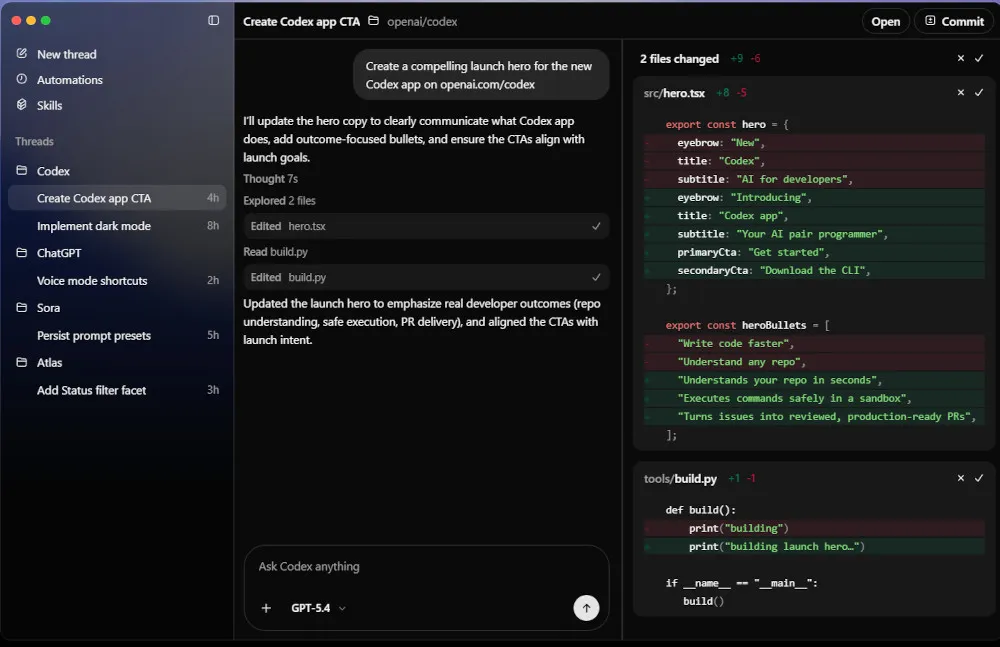
Developer: OpenAI | Launched: April 2025 (CLI); Desktop app Feb–March 2026 | Model: GPT-5.5 (codex-1)
Codex is OpenAI’s answer to the agentic coding era, and it has become one of the most widely used developer tools in the world with approximately 4 million weekly active users as of April 2026.
Important context: this is not the Codex API from 2021, which was deprecated. The current Codex is a completely new product — an agentic coding system available across multiple surfaces: a terminal CLI (written in Rust, open-source), a desktop app for macOS and Windows, a ChatGPT web interface, and IDE integrations. All surfaces share the same underlying model and account context.
Standout features:
- Codex CLI: Open-source, written in Rust, with multiple approval modes (manual, auto, full-auto). Supports sandboxed execution.
- Codex App: A dedicated interface for managing multiple agents simultaneously, running work in parallel, and supervising long-running tasks.
- Codex Security: Launched March 2026 — an application-security agent that identifies and fixes software vulnerabilities automatically.
- Cloud delegation: Submit tasks through ChatGPT or the app; Codex executes them in the cloud and returns results, including drafted PRs.
Best for: OpenAI-centric teams, developers who want a mature ecosystem with both CLI and GUI options, security-conscious teams using Codex Security.
Pricing: Included with ChatGPT Plus/Pro/Business/Enterprise plans. CLI is free and open-source.
| Pros | Cons |
|---|---|
| Widest surface area — CLI, desktop app, web, IDE, GitHub bot | Tightly coupled to GPT-5.5; no bring-your-own-model option |
| Large and growing user base with strong community | Cloud agent execution means your code leaves your environment |
| Open-source CLI with transparent architecture | |
| Codex Security adds enterprise-grade vulnerability detection |
Hermes Agent
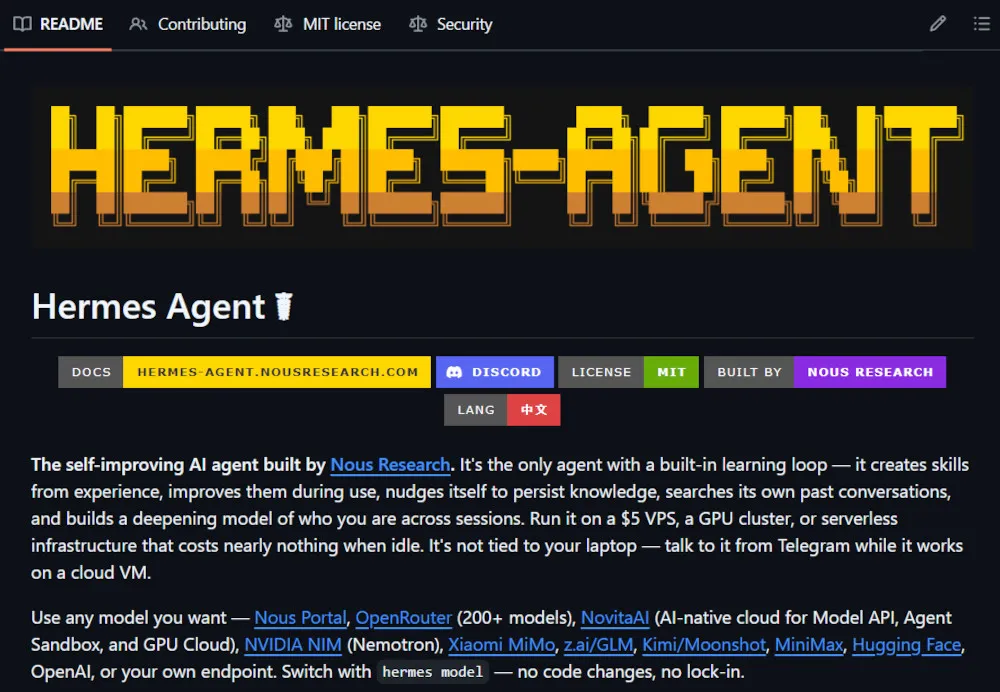
Developer: Nous Research | Launched: February 2026 | Model: Any (BYOK — Claude, GPT, Gemini, local via Ollama) + DeepSeek V4 Flash free via Nous Portal
Hermes Agent is the most distinctive entrant in this space because it is built around a fundamentally different philosophy: self-improvement and persistence. Where most AI coding agents reset when you close the terminal, Hermes remembers.
It is an open-source, self-hosted autonomous agent that runs on your own infrastructure. After completing complex tasks, it creates reusable “skills” — documented, repeatable workflows — and stores them for future sessions. The longer you use it, the more capable it becomes, because it learns your specific codebase, preferences, and recurring workflows.
Standout features:
- Persistent memory: Hermes retains context, decisions, and learned skills across sessions — no starting from scratch.
- Self-improving skills system: After completing a task, Hermes documents the workflow and makes it reusable. Your agent compounds in value over time.
- Free frontier model — DeepSeek V4 Flash: As of late May 2026, Nous Research integrated DeepSeek V4 Flash at zero API cost through the Nous Portal. This is a significant practical advantage: users get state-of-the-art autonomous agent performance without paying per-token API fees.
- Messaging platform integration: Connect to Telegram, Discord, Slack, WhatsApp, Signal, Email, and over 15 other platforms from a single gateway — delegate coding tasks from your phone.
- Full local execution: All data stays on your machine. No telemetry, no cloud lock-in, MIT license.
- MCP support: Connects to external tools and services via Model Context Protocol.
- Research & training use: Built-in support for generating training data, running RL experiments, and exporting trajectories for fine-tuning.
Best for: Privacy-conscious developers and organizations, power users who want a truly self-improving agent, teams with on-premise requirements, ML researchers, cost-sensitive teams wanting frontier-quality output at zero API cost.
Pricing: Free and open-source (MIT License). Hardware costs only. DeepSeek V4 Flash included free via Nous Portal.
| Pros | Cons |
|---|---|
| Fully self-hosted — code never leaves your infrastructure | Requires your own hardware/cloud setup and maintenance |
| Self-improving: gets smarter the longer you use it | Higher initial setup complexity vs. cloud tools |
| DeepSeek V4 Flash included free — no API costs for capable baseline model | Less polished UX than commercial products |
| Model-agnostic — use any provider or local LLM | |
| MIT license — fully auditable and modifiable |
Google Antigravity CLI
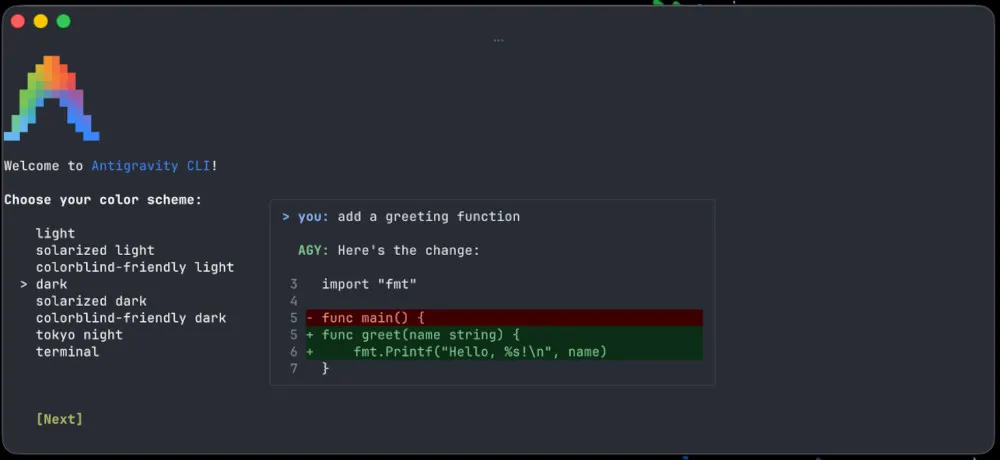
Developer: Google | Launched: June 2026 (replaces Gemini CLI) | Model: Gemini 3.5 Flash (default)
Google’s Antigravity CLI is the successor to the widely used Gemini CLI, announced at Google I/O 2026 as part of a broader pivot toward multi-agent development infrastructure. The Gemini CLI stops serving requests entirely on June 18, 2026 — if you are currently using Gemini CLI, migration is now urgent.
Antigravity CLI is built in Go (replacing the Node-based Gemini CLI) and focuses on asynchronous multi-agent workflows and dynamic subagents — spinning up specialized background agents to handle tasks in parallel.
Standout features:
- Dynamic subagents: Automatically spawn specialized agents for different parts of a task (frontend, backend, testing, deployment).
- Scheduled background tasks: Set recurring agent tasks to run on a schedule, like automated code review or dependency checks.
- Public SDK: Build your own tooling on top of the same agent harness Google uses internally.
- Legacy migration path: Gemini CLI features — Agent Skills, Hooks, Subagents, Extensions — migrate as Antigravity plugins. The underlying agent harness is the same, so updates ship to CLI and desktop app simultaneously.
- Speed: Gemini 3.5 Flash achieves approximately 289 output tokens/second — roughly 4x faster than Opus 4.8 or GPT-5.5.
⚠️ Note: The standalone Antigravity desktop IDE (covered in Category 2) is a separate product that runs on the same underlying agent harness.
Best for: Google Cloud/Workspace users, developers prioritizing speed, teams needing scheduled agent workflows, those migrating from Gemini CLI.
Pricing: Free for individual users with generous Gemini rate limits. Enterprise via Google Cloud.
OpenClaw
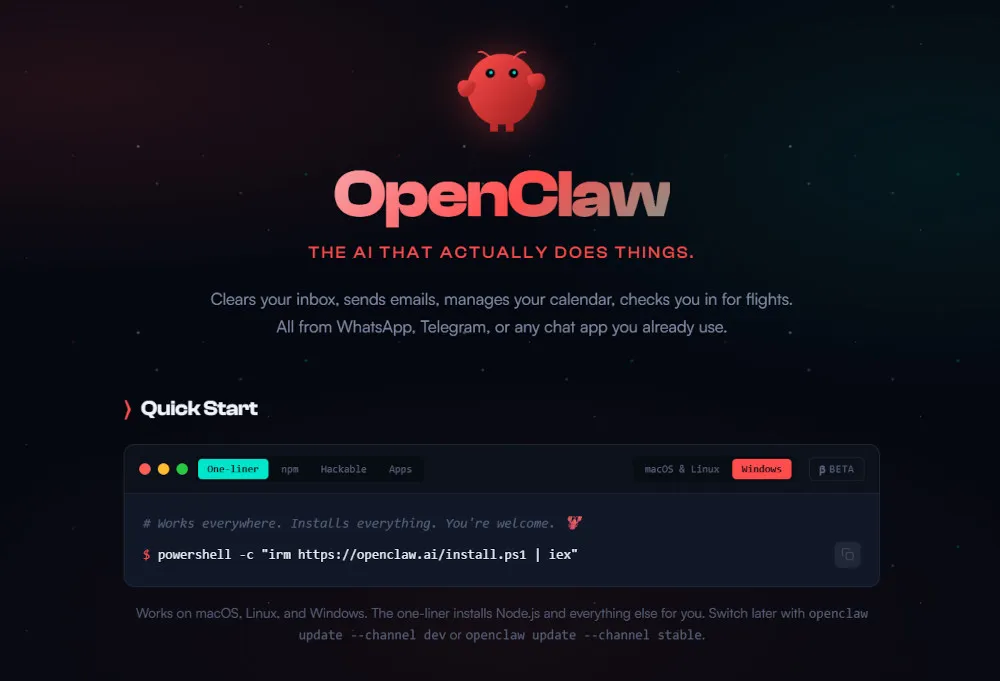
Developer: Open-source (founded by Peter Steinberger / Nous Research backing) | Launched: November 2025 (as Clawdbot) | Model: Any (BYOK + DeepSeek V4 Flash free via Nous Portal)
OpenClaw is the open-source phenomenon of 2026. Originally launched as “Clawdbot” in November 2025, it became one of the fastest-growing GitHub repositories in history — reaching 347,000 stars by April 2026, surpassing React, Vue, and TensorFlow in star velocity during its first weeks of viral attention. Its creator Peter Steinberger subsequently joined OpenAI, while OpenClaw continues as an independent open-source project under an MIT license with OpenAI’s backing.
The simplest way to think about it: OpenClaw is an operating system for AI agents. Where Hermes Agent focuses on self-improvement and persistent memory, OpenClaw focuses on 24/7 autonomous operation — a “always-on AI employee” that runs on a VPS or local machine, controls browsers, handles server deployments, and connects to every messaging platform you use.
Standout features:
- “24/7 AI Employee” architecture: Runs as a persistent background service. A heartbeat scheduler wakes it regularly to process tasks without being prompted.
- OpenClaw Studio / OS: A unified dashboard blending memory management, voice interaction, and live web research — turning the agent runtime into a full operating surface.
- 100+ prebuilt AgentSkills: A community-maintained library covering shell commands, browser automation, email, calendar, file operations, API integrations, and more. New skills ship weekly.
- Multi-agent orchestration: Run multiple agents in parallel with task handoff between them — useful for pipeline-style workflows.
- TaskFlow orchestration layer (April 2026): A structured layer for complex multi-step workflows with provenance-rich memory — tracking the origin, lineage, and execution history behind every action.
- Messaging platform integration: WhatsApp, Telegram, Slack, Discord, Signal, and others via a single local gateway.
- Model-agnostic: Switch between Claude, GPT, DeepSeek V4, Gemini, or local Ollama models without rewriting agent logic.
- 1-Click cloud deploy: DigitalOcean offers a hardened OpenClaw image starting at $24/month for always-on VPS deployment.
Best for: Developers who want a “Jarvis”-style always-on autonomous agent; teams running pipeline automation at scale; anyone who wants maximum community ecosystem and prebuilt skills; cost-sensitive users routing through DeepSeek V4.
Pricing: Free and open-source (MIT License). API costs only (or zero with DeepSeek V4 Flash via Nous Portal). DigitalOcean 1-Click deploy from $24/month.
| Pros | Cons |
|---|---|
| 347K+ GitHub stars — largest open-source agent community | Requires self-hosting setup and ongoing maintenance |
| 100+ prebuilt AgentSkills; new ones ship continuously | Less structured than Hermes for ML/research workflows |
| ”24/7 AI employee” model — proactive, not just reactive | Community-backed; enterprise support limited |
| Model-agnostic with free DeepSeek V4 Flash option | Still maturing into Fortune 500 / compliance use cases |
| DigitalOcean 1-Click deploy for instant always-on VPS |
Category 2: AI-Native IDEs
These are full development environments built from the ground up for AI-assisted development — not VS Code forks with AI bolted on, but environments where the agent is a first-class citizen.
Cursor
Developer: Anysphere | Current version: Cursor 3 (2026)
Cursor remains the market-leading AI-native IDE and the most mature tool in this category. It is a fork of VS Code, which means it inherits the full VS Code extension ecosystem — a meaningful practical advantage over competitors starting from scratch.
Cursor’s defining strength in 2026 is model flexibility. Where Claude Code locks you into Claude and Codex locks you into GPT, Cursor lets you freely switch between Claude Sonnet 4.6, GPT-5.5, Gemini 3.1 Pro, DeepSeek V4-Pro, and others within the same session — making it the natural home for developers who want to route cost-sensitive workloads through DeepSeek while reserving frontier models for the hardest tasks.
Standout 2026 features:
- Build in Parallel (Cursor 3): Multiple agents work on different parts of your codebase simultaneously — parallel PR branches, parallel feature builds.
- Composer 2.5: The flagship multi-file agent mode, now capable of planning and executing large-scale refactors across an entire repository.
- Inline Tab completion: Real-time AI suggestions as you type — no equivalent in terminal agents.
- Cloud agents: Long-running sessions (documented cases of 52+ hour autonomous runs).
- Full VS Code extension compatibility.
Pricing: Free tier available. Teams pricing restructured in June 2026: Standard seats at $32/seat/month (annual) and Premium seats at $96/seat/month (annual, 5x usage).
| Pros | Cons |
|---|---|
| Best-in-class multi-model flexibility | More expensive than Windsurf/Devin Desktop for comparable features |
| Full VS Code extension ecosystem | Credit-based system for premium models can be unpredictable |
| Most polished IDE experience in the category | Cursor is an IDE, not a terminal agent — different tool for different workflows |
| Parallel Build and long autonomous sessions |
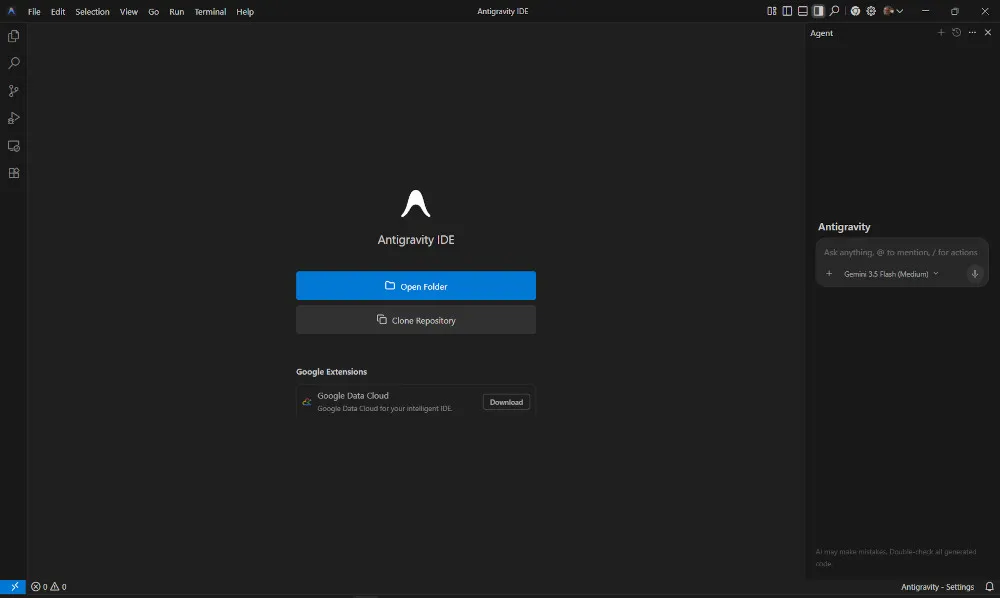
Google Antigravity (Desktop IDE)
Developer: Google | Launched: Early 2026 | Model: Gemini 3.5 Flash / Claude Opus 4.6 / Gemini 3 Pro
Google Antigravity as a desktop IDE is the most radical rethinking of what a development environment can be. Its philosophy: you write a prompt; the AI writes, tests, and ships everything.
The interface is minimal to the point of provocation — essentially a single prompt box. Behind that box is a sophisticated agent manager that delegates to specialized parallel sub-agents: one for frontend design, one for backend logic, one for testing in a live browser instance, and one for deployment. This is agent-first by design, not autocomplete with an agent layer added later.
Antigravity is available free for macOS, Windows, and Linux, and is bundled with Google Workspace Business Plus and Enterprise plans at no additional charge.
Standout features:
- 5 parallel agents: Run multiple autonomous tasks simultaneously — the bottleneck shifts from agent speed to your review bandwidth.
- Plan mode with collaborative editing: A Google Docs-style interface for reviewing and commenting on the agent’s plan before execution begins.
- Live browser testing agent: One sub-agent runs and tests your application in a real Chrome instance as part of the build loop.
- Agent Command Center (Antigravity 2.0): The primary interface for orchestrating multi-agent workflows, introduced with the 2.0 release at Google I/O 2026.
- Models: Ships with Gemini 3.5 Flash (default), Claude Opus 4.6 (routed via Google Cloud Vertex AI integration), and Gemini 3 Pro built in. Third-party frontier models like Claude are available through Vertex AI rather than running as Google-owned models — relevant for enterprise teams with data residency requirements.
Best for: Developers who want to operate at the requirements/architecture level and delegate implementation; Google Workspace teams; those who want to experiment with truly agent-first development at no cost.
Pricing: Free (generous Gemini rate limits). Bundled with Google Workspace Business Plus / Enterprise.
| Pros | Cons |
|---|---|
| Completely free with frontier models built in | Early-stage polish compared to Cursor’s maturity |
| Agent-first design — not retrofitted autocomplete | Less familiar to developers used to traditional IDEs |
| Parallel sub-agents across frontend, backend, testing | Privacy concerns: code is processed by Google’s infrastructure |
| Plan mode for reviewing before execution | No VS Code extension compatibility |
AWS Kiro
Developer: Amazon Web Services | Launched: July 2025
Kiro is AWS’s answer to a specific problem it calls “vibe coding chaos” — the practice of generating code rapidly through AI prompts without proper documentation, testing, or architectural planning, resulting in unmaintainable codebases nobody fully understands.
Kiro’s solution is specification-driven development. Before writing a single line of code, Kiro generates user stories using EARS (Easy Approach to Requirements Syntax), data flow diagrams, TypeScript interfaces, database schemas, and comprehensive task lists with dependencies — all linked back to requirements, so nothing gets lost.
Standout features:
- Spec-first workflow: Requirements → design artifacts → implementation plan → code. Each step is reviewable before the next begins.
- Autonomous agent hooks: Agents that automatically update test files when components change, refresh documentation when API endpoints are modified, and scan for security vulnerabilities before commits.
- Infrastructure as Code generation: Kiro can generate IaC tooling (CloudFormation, CDK) alongside application code.
- AWS ecosystem depth: Most seamlessly integrated with AWS services of any IDE in the market — natural choice for AWS-centric teams.
Best for: Enterprise and production-focused teams, AWS-native organizations, teams building long-lived applications where documentation and maintainability matter, developers burned by undocumented AI-generated code.
Pricing: Available via AWS; preview pricing at launch; check AWS for current plans.
| Pros | Cons |
|---|---|
| Solves the “AI-generated technical debt” problem explicitly | More setup friction than tools focused on speed |
| Spec-first approach produces maintainable, documented code | Learning curve around the specification-driven paradigm |
| Strong AWS ecosystem integration | Less suited for rapid prototyping or exploratory work |
| Autonomous QA, security, and docs agents |
Devin Desktop (formerly Windsurf)
Developer: Cognition | Rebranded: June 2, 2026
Windsurf, the IDE that challenged Cursor’s dominance in 2024–2025, is now Devin Desktop. Cognition retired the Windsurf brand on June 2, 2026 and relaunched the IDE with the Agent Command Center as its default interface and support for the open Agent Client Protocol (ACP) — meaning Codex, Claude Agent, OpenCode, and other ACP-compatible agents can run natively inside it.
The underlying technology remains solid: the Cascade agent for multi-step autonomous tasks inside the IDE, and the SWE-1.5 model (Codeium’s in-house code-specific model) for fast, cost-efficient routine work at approximately 13x the speed of Claude Sonnet 4.5.
Best for: Cost-conscious developers who want AI-native IDE features at a lower price point than Cursor; teams wanting an open agent platform (ACP) rather than vendor lock-in.
Pricing: Generous free tier; Pro ~$15/month. Verify current pricing at cognition.ai.
| Pros | Cons |
|---|---|
| Meaningfully cheaper than Cursor for comparable capability | Still trails Cursor on bleeding-edge feature releases |
| SWE-1.5 model offers fast, predictable quota usage | Recent rebranding brings some uncertainty |
| ACP support — open ecosystem for any compatible agent | |
| Cascade agent handles complex multi-step IDE tasks |
Category 3: IDE Extensions & Plugins
Extensions remain relevant — particularly for developers committed to their existing workflows, teams with on-premise requirements, or organizations where a full IDE switch is impractical.
GitHub Copilot
Developer: Microsoft / GitHub | Billing model: Usage-based (as of June 1, 2026)
⚠️ Critical pricing change: On June 1, 2026, GitHub fundamentally shifted Copilot from flat-fee subscription billing to a usage-based / token-based model. Every plan now includes a monthly allotment of GitHub AI Credits, with usage calculated based on token consumption (input, output, and cached tokens) at the listed API rate for each model. Inline code completions remain unlimited on paid plans; agentic workloads and chat consume credits dynamically. Power users relying heavily on agent mode have reported bills 10–50x higher than under the old request-based model — budget accordingly and use the preview billing dashboard before your first cycle closes.
Current plans: Pro ($10/month, $10 in AI Credits included), Pro+ ($39/month, $39 in AI Credits), Business ($19/seat/month), Enterprise ($39/seat/month). Additional credits purchasable beyond the included allotment.
Despite the billing controversy, Copilot’s feature set has grown substantially. It supports agentic task execution, terminal commands, multi-file edits, and the Copilot CLI (GA since February 2026). It is still available in more IDEs than any competitor: VS Code, JetBrains, Visual Studio, and Neovim.
Standout 2026 features:
- Plan agent: Generates a structured markdown implementation plan and interactively negotiates requirements before writing any code — described by GitHub as “rubber ducking with AI that has the full context of your conversation.” Available across VS Code, JetBrains (GA since March 2026), and Visual Studio.
- Rubber Duck CLI agent: A dedicated CLI agent for code review — surfaces issues, asks clarifying questions, and helps you think through problems before committing.
- Agent hooks (public preview): Event-driven triggers that fire Copilot agents automatically on specific actions (e.g., a PR open, a test failure).
- Usage-based billing dashboard: Preview your projected monthly bill before it lands.
- GitHub ecosystem integrations: Issue-to-code, PR review, Actions integration — unmatched for teams already on GitHub.
| Pros | Cons |
|---|---|
| Deepest GitHub ecosystem integration | Usage-based billing is unpredictable for heavy agentic users |
| Available in more IDEs than any competitor | Power users report 10–50x cost increases vs. old flat pricing |
| Plan agent + Rubber Duck agent are genuinely useful new primitives | Annual plans being retired; legacy pricing grandfathered only until renewal |
| Copilot CLI GA; terminal + IDE workflows unified |
Tabnine
Developer: Tabnine
Tabnine has maintained a clear and defensible niche: on-premise, privacy-first AI coding assistance with models trained on your own codebase. While competitors race toward cloud-based agentic features, Tabnine’s enterprise offering lets organizations run the AI model entirely within their own infrastructure — no code leaves the building.
For industries with strict data handling requirements (finance, healthcare, defense), this is often the only viable AI coding tool.
| Pros | Cons |
|---|---|
| Fully on-premise deployment available | Less capable than cloud-based frontier models |
| Train on your own codebase for personalized suggestions | Agentic features lag behind cloud-native competitors |
| Strong compliance and privacy posture |
Cline
Developer: Cline (open-source) | Available: VS Code extension
Cline has emerged as one of the most popular open-source VS Code extensions for developers who want agentic capabilities with full model flexibility. It follows a bring-your-own-key (BYOK) model — connect it to Claude, GPT, Gemini, DeepSeek V4, or a local Ollama model — and it operates as a capable agentic assistant inside VS Code with MCP support and multi-file editing.
For developers who want Claude Code or Codex-style agentic behavior inside a familiar editor without committing to a vendor, Cline is the leading open-source choice. Routing Cline through DeepSeek V4-Pro via OpenRouter has become a popular cost-optimization strategy — near-frontier coding quality at a fraction of the price of Claude or GPT-5.5.
| Pros | Cons |
|---|---|
| Free and open-source | Requires managing your own API keys and costs |
| Model-agnostic — use any provider | Fewer first-party integrations than commercial tools |
| Agentic capabilities inside familiar VS Code | Community-supported; enterprise support limited |
Amazon Q Developer (formerly CodeWhisperer)
Developer: Amazon Web Services
Amazon CodeWhisperer has been consolidated into Amazon Q Developer, AWS’s broader AI developer assistant. It retains the original CodeWhisperer features — code suggestions, security scanning, and an open-source reference tracker — while expanding into chat-based assistance, documentation generation, and deeper AWS console integration. For teams building on AWS, it remains a practical and well-integrated choice, particularly given the generous free tier for individual developers.
Replit AI
Developer: Replit
Replit AI has leaned into its strongest differentiator: zero-setup, browser-based development with integrated hosting and deployment. It is less a competitive option for professional developers with established local workflows, and more the ideal onramp for learners, educators, hobbyists, and rapid prototypers who want to go from idea to deployed app without installing anything.
Category 4: Vibe Coding & No-Code AI Builders
A category that didn’t exist in meaningful form two years ago: tools where you don’t write code at all, and the code itself is essentially a hidden implementation detail.
Lovable, Bolt, and similar platforms let you describe an application in natural language and receive a functional, deployed web app. The underlying code exists and is downloadable, but the primary interface is conversational. These tools are optimized for non-developers, marketers building MVPs, and entrepreneurs validating ideas — not for production engineering workflows.
When to use these: Proof-of-concepts, internal tools with limited scope, non-developer use cases, and anywhere the goal is a working product rather than a maintainable codebase.
When not to use these: Production applications, projects requiring ongoing maintenance, anything needing security review, or any context where understanding the code matters.
Core Features: The 2026 Capability Stack
Modern AI coding tools offer a layered set of capabilities. Understanding where a tool sits on this stack helps you choose the right one for your use case.
Inline Completion — Real-time suggestions as you type. Still valuable, still offered by Cursor (Tab), Copilot, and Tabnine. Terminal agents don’t offer this.
Chat with Codebase Context — Conversational Q&A about your code. Now table stakes for any serious tool.
Multi-File Editing — The AI reads and edits across your entire project in a single operation. Available in all Gen 3 tools.
Agentic Task Execution — The AI plans, executes, tests, and proposes changes without human intervention at each step. The defining feature of the current generation.
Multi-Agent Orchestration — Multiple AI agents working in parallel on different parts of the codebase simultaneously. Available in Claude Code (Agent Teams), Cursor (Build in Parallel), Antigravity (5 parallel sub-agents), and Codex (parallel cloud tasks).
Specification-First Development — Generating requirements, design documents, and architecture before touching code. Kiro’s core differentiator; increasingly relevant as AI-generated technical debt accumulates.
Model Context Protocol (MCP) — A standard for connecting AI agents to external tools: GitHub, databases, Slack, APIs, internal services. Available in Claude Code, Hermes Agent, Cline, and others. Transforms an AI from a chat tool into a full automation agent.
Persistent Memory & Self-Improving Skills — The AI learns from your workflows and improves over sessions. Currently unique to Hermes Agent in production.
Security Scanning & Vulnerability Detection — Automated security analysis integrated into the development loop. Codex Security (OpenAI), Kiro’s pre-commit scanning, and Copilot’s vulnerability detection are the leading examples.
Scheduled & Background Automation — Agents that run on a schedule without a developer actively present. Available in Antigravity 2.0 and Hermes Agent.
DeepSeek V4 as a Model Layer — Released April 24, 2026, DeepSeek V4-Pro and V4-Flash are the open-weight models reshaping how developers think about cost vs. capability. V4-Pro (1.6 trillion parameters, 49B active per token) scores 80.6% on SWE-bench Verified — within 0.2 points of Claude Opus 4.6 — at roughly $0.435/M input tokens (permanent pricing as of May 22, 2026), approximately 7x cheaper than comparable closed models. V4-Flash (284B parameters, 13B active) is the high-throughput option for pipelines and high-volume review. Both are MIT-licensed with open weights on Hugging Face, support 1M-token context, and are routable through DeepSeek API, OpenRouter, and NVIDIA NIM. Developers are aggressively routing Cursor, Cline, and OpenClaw through DeepSeek V4 to get near-frontier performance at a fraction of the API cost. For agentic coding workloads where the bill matters, V4-Pro is now the default cost-optimization play.
Cross-Agent SKILL Files (SKILL.md) — An architectural standard that emerged in 2026: developers commit portable SKILL.md files to their repositories (typically under .github/skills/ or a .learning/ directory). These modular markdown files teach agents how to perform project-specific tasks — QA automation patterns, SEO formatting rules, security audit procedures, deployment checklists. Claude Code, OpenClaw, Copilot, and Cursor all read these skill files at session startup, meaning the agent arrives with institutional knowledge baked in rather than having to rediscover it each time. As more teams commit skill files, the practice is rapidly becoming a standard part of agentic project setup.
Frequently Asked Questions (FAQ)
Q: What’s the difference between an AI coding assistant and an AI coding agent?
A: An assistant responds to your prompts — it helps when you ask. An agent acts on your goals — it reads the task, forms a plan, takes actions, evaluates results, and iterates until the job is done, often without you involved in each step. Most tools in 2026 are moving toward the agent end of this spectrum. The practical implication: with an assistant, you spend most of your time writing prompts; with an agent, you spend most of your time reviewing output.
Q: Should I use a terminal agent (Claude Code, Codex CLI) or an AI-native IDE (Cursor, Antigravity)?
A: It comes down to your workflow. Terminal agents are more scriptable, automatable, and composable with CI/CD pipelines — but they have no editor, no inline completion, and require comfort with the command line. AI-native IDEs offer inline Tab completion, visual code navigation, a familiar editor experience, and an agent in a sidebar or composer panel. Many developers in 2026 use both: an IDE for active coding sessions and a terminal agent for delegated, longer-running tasks.
Q: What is MCP and why does it matter?
A: Model Context Protocol is a standard that lets AI tools connect to external services — GitHub, databases, Slack, Notion, your internal APIs — so the agent can read and act on real data from your stack. Without MCP, an AI coding tool only knows what you paste into it. With MCP, it can open a GitHub issue, check a failing test in CI, query a production database, and post a Slack update — all in one agentic loop. MCP support is now a key criterion when evaluating any serious AI coding tool.
Q: Will AI replace software developers?
A: The honest answer in 2026 is more nuanced than the usual “no, it’s just a tool.” AI agents are now handling a significant portion of what was formerly considered core developer work: writing implementations, generating tests, fixing bugs, updating documentation. The consensus is not that developers are being replaced, but that the role is being redefined — upstream. The developers building the most valuable things in 2026 are spending their time on system design, requirements, security review, and evaluating AI output — not writing boilerplate. Developers who treat AI tools as collaborators are dramatically more productive; those who ignore them are at a real competitive disadvantage.
Q: Is AI-generated code secure and reliable?
A: Still not automatically, and this matters more as agents gain autonomy. AI models generate code that can contain bugs, security vulnerabilities, and subtle logic errors — especially in edge cases not well-represented in training data. The answer is not to avoid AI-generated code, but to review it rigorously, run it through automated security tools (Codex Security, Kiro’s security scanning), and understand what it does before deploying it to production. Think of the agent as a very fast junior developer: impressive output, requires review.
Q: How do these tools handle my private code?
A: Policies vary significantly and are evolving rapidly. Self-hosted tools (Hermes Agent, Tabnine enterprise) process nothing externally. Terminal agents and cloud IDEs generally send code to the provider’s infrastructure, though enterprise tiers typically promise not to train on your data. Always read the current privacy policy for any tool you use in a professional context, especially for proprietary or regulated codebases.
Q: What happened to Windsurf and Gemini CLI?
A: Both have been superseded. Windsurf was rebranded as Devin Desktop on June 2, 2026, with a new Agent Command Center interface and ACP support. Gemini CLI is being deprecated as of June 18, 2026 — Google is migrating developers to Antigravity CLI. If you’re using either, it’s time to migrate.
Conclusion: The Developer’s New Role
The landscape that existed when the first version of this guide was written — AI as a helpful autocomplete, a smart sidebar, a conversational partner — has been replaced by something more powerful and more demanding.
The agents available in 2026 can build features. They can find and fix security vulnerabilities. They can maintain documentation, generate tests, and open pull requests while you sleep. The limiting factor is no longer the AI’s capability — it’s the quality of your direction, the clarity of your requirements, and your ability to evaluate what comes back.
This is not a diminishment of the developer’s role. It is a promotion. The work that AI is taking over — the mechanical translation of well-understood requirements into working code — was never the hard part. The hard parts remain: understanding what to build, designing systems that hold up under real conditions, making judgment calls about security and reliability, and taking responsibility for the software that ships.
The developers who will define the next decade are not the ones who write the most code. They are the ones who build the best systems — using every tool available to them, AI included.
References
- Claude Code — Anthropic
- OpenAI Codex
- Hermes Agent — Nous Research
- OpenClaw — open-source agent runtime
- DeepSeek V4 — DeepSeek AI
- Google Antigravity
- AWS Kiro
- Devin Desktop (formerly Windsurf) — Cognition
- Cursor
- GitHub Copilot
- Tabnine
- Cline — VS Code Extension
- Amazon Q Developer
- Replit AI